10 Golden-Hour Portrait AI Prompts for Natural, Realistic Outdoor Photos
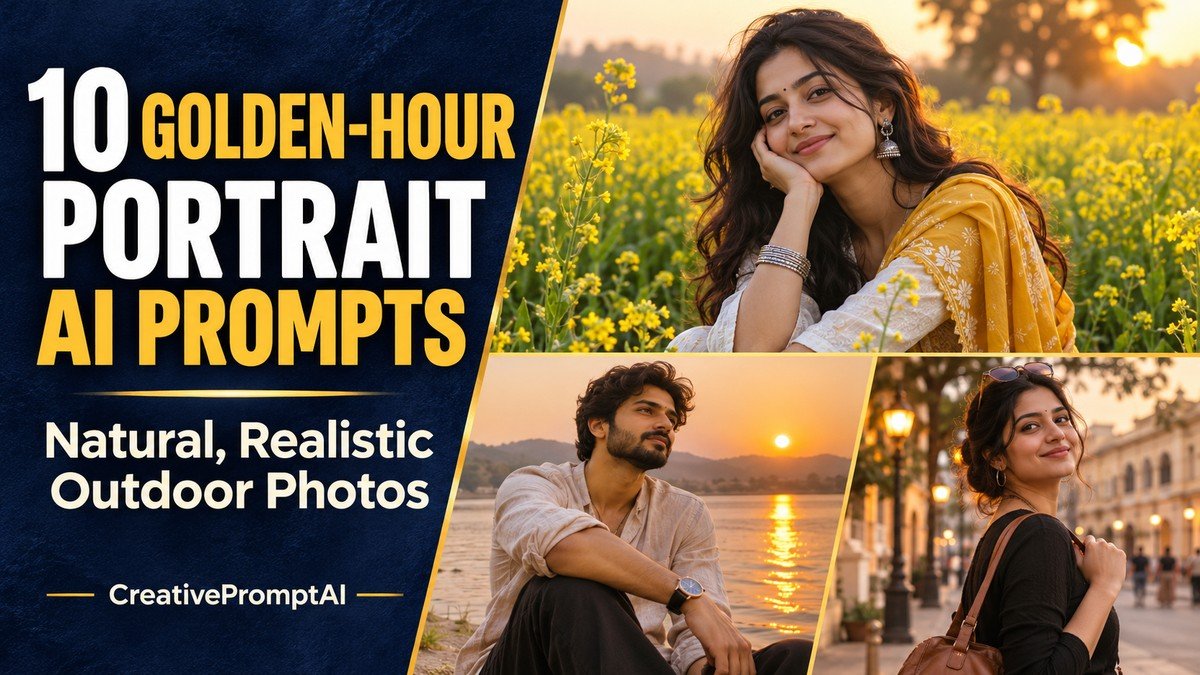
Illustrative cover photograph
Warm light can make a simple portrait feel like a planned photoshoot. The useful details are the ones you can control: where the sun sits, how the face is filled, what the person is wearing and how much of the scene stays in frame.
Choose from ten golden-hour portrait AI prompts, covering flower fields, lakesides, city streets, a café and the transition into blue hour. Each look includes an example, a copy-ready prompt and one focused adjustment to try if your first result needs work.
Choose Your Portrait Concept
- 1. Mustard-Field Portrait With Soft Backlight
- 2. Lakeside Portrait With Warm Side Light
- 3. City Portrait With Reflected Evening Light
- 4. Garden Open-Shade Portrait
- 5. Beach Sunset Portrait
- 6. Terrace Evening Portrait
- 7. Sunlit Café Window Portrait
- 8. Park Walking Portrait
- 9. Warm Brick-Wall Headshot
- 10. Riverside Blue-Hour Transition
How to Use These Human-Focused Prompts
Decide where the warm light comes from before choosing effects. Backlight outlines hair, side light shapes a face, and reflected light softens a city portrait. Keep skin natural and avoid an orange cast across every surface.
- Choose a look that matches the image you want. Open its View Full Prompt card or select Copy Prompt to copy the entire text.
- Paste it into an image generator. These prompts describe fictional adults; personalize the adult subject, clothing and colors before generating.
- For a portrait of yourself, use an editor with reference-photo support and upload a photo you own or have permission to edit. Replace the fictional description with the identity instruction below.
- Keep the requested 4:5 portrait frame, unless you need a different crop. Generate a first version and check the face, hands, clothing and background.
- Request one focused improvement at a time. Preserve the parts you like instead of rewriting the whole scene for every correction.
Using Your Own Reference Photo
Replace the fictional subject description with: Use the adult person in my uploaded reference photo. Preserve their recognizable facial features, hairstyle, skin tone and natural age while applying the following outfit, scene and visual style. Then retain the rest of your chosen prompt. Reference support and facial consistency vary between image tools.
1. Mustard-Field Portrait With Soft Backlight
Cream clothing keeps the scene calm while yellow flowers provide color. The low sun lights hair from behind, and open-sky fill keeps the face readable.

Best for: a soft, full-body portrait with a warm floral background.
Create an ultra-photorealistic outdoor portrait of a fictional adult South Asian woman age 28 with long wavy dark hair and warm medium skin. She wears a cream cotton kurta and light beige…
Refinement tip: Request visible feet and a clear path for a full-body portrait. If the face is dark, ask for soft fill while preserving the rim light.
2. Lakeside Portrait With Warm Side Light
An olive shirt and beige trousers fit the muted landscape. A broad path gives the subject a natural place to stand, while the lake provides depth.
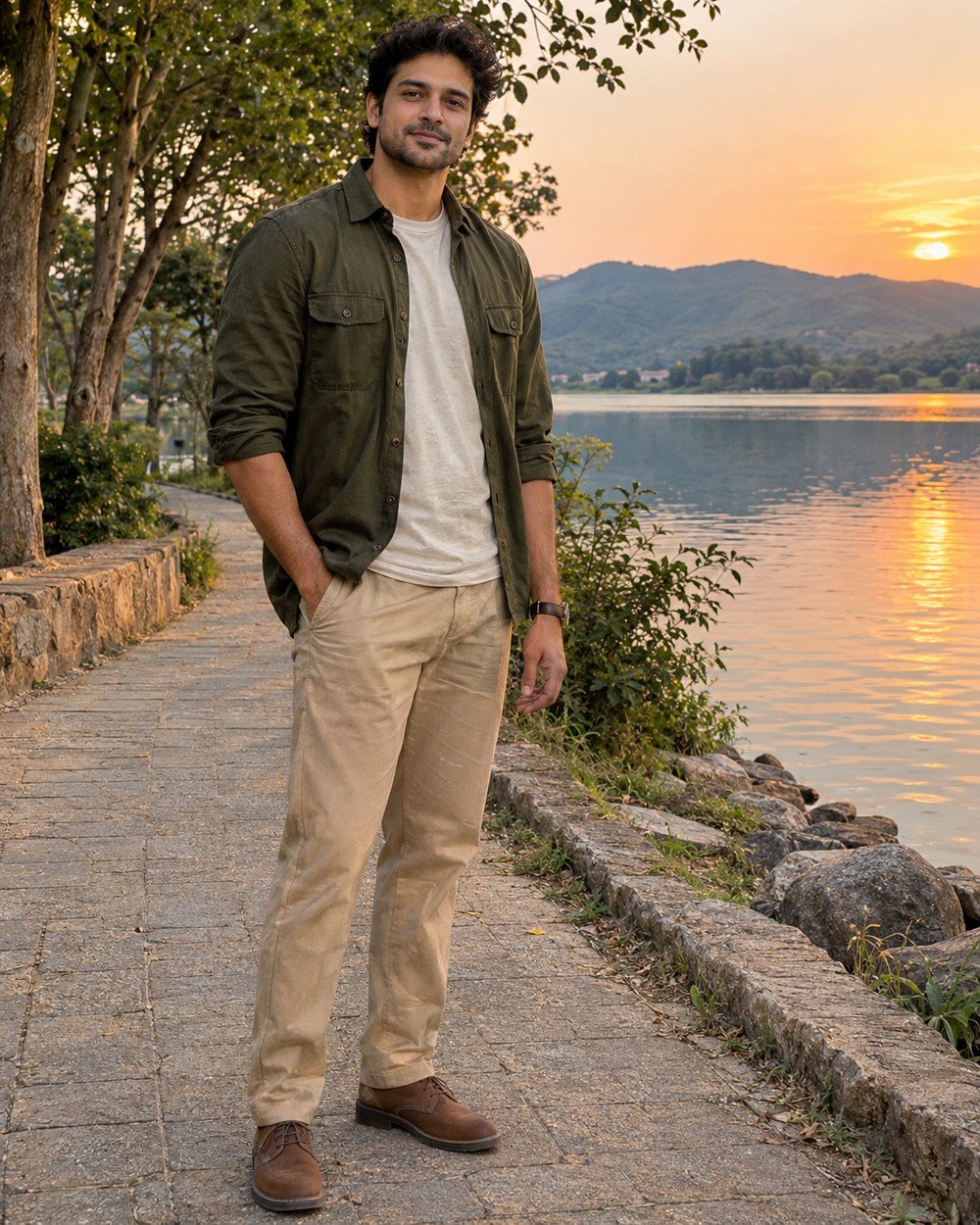
Best for: a relaxed outfit photo with a spacious natural setting.
Create an ultra-photorealistic outdoor portrait of a fictional adult South Asian man age 30, short wavy dark hair, subtle natural stubble, warm medium skin. Wearing an olive overshirt over a cream T-shirt,…
Refinement tip: Keep the horizon away from the eyes and neck where possible. Inspect hands, shoes and reflections before requesting a more dramatic sunset.
3. City Portrait With Reflected Evening Light
A warm stone wall provides a simple background and supports a relaxed pose. The rust linen blazer adds texture without an elaborate outfit.
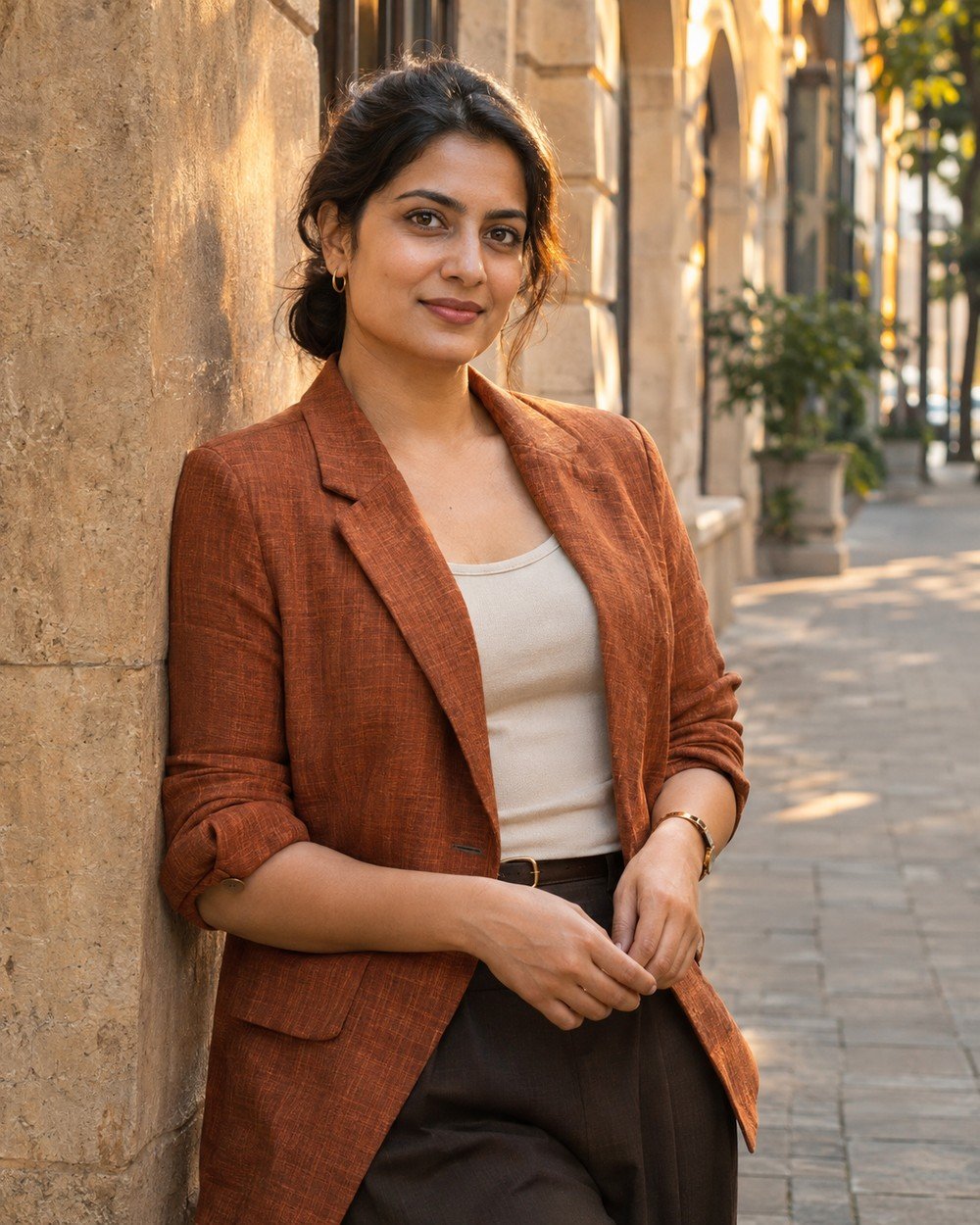
Best for: an editorial-style city portrait with visible linen texture.
Create an ultra-photorealistic golden-hour city portrait of a fictional adult South Asian woman age 30 with dark hair in a low bun and warm brown skin. Wearing a rust-colored linen blazer over…
Refinement tip: Keep the wall and face under the same lighting conditions. If everything becomes orange, ask for neutral skin and keep warmth in the light and backdrop.
4. Garden Open-Shade Portrait
Open shade keeps the face soft while the low sun adds a warm outline. A simple garden path and muted clothes let the light and expression carry the portrait rather than relying on a saturated sunset.
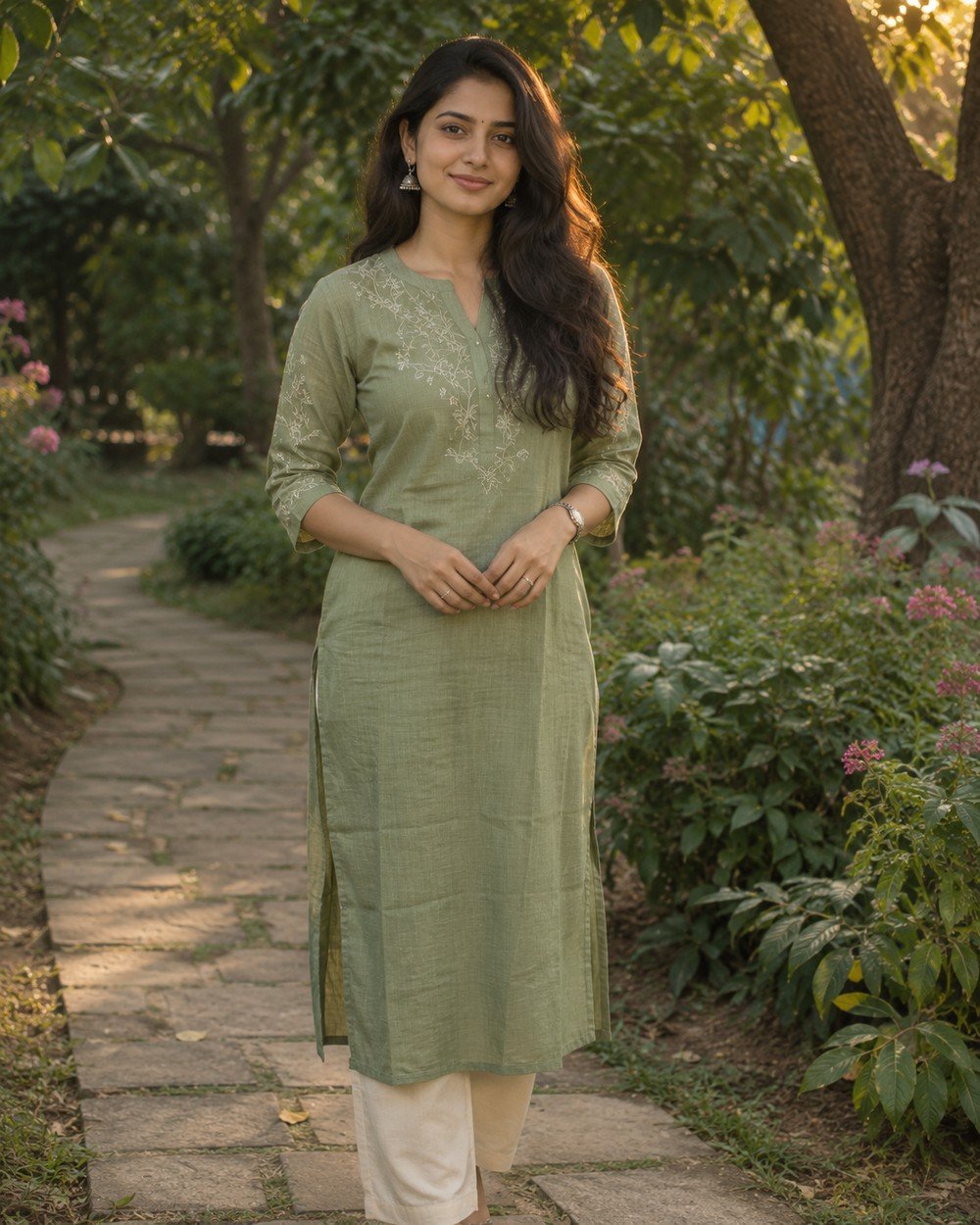
Best for: a gentle garden portrait with an evenly lit face.
Create a cinematic photorealistic portrait of a fictional adult South Asian woman age 28 with long dark hair and warm medium skin, sage cotton kurta and cream trousers, standing on a garden…
Refinement tip: Keep harsh leaf shadows away from the eyes. Ask for soft fill rather than excessive face brightening.
5. Beach Sunset Portrait
A beach portrait works best when the ground and horizon feel stable. Linen suits the setting, and side light can add depth without turning the subject into a silhouette against the sea.
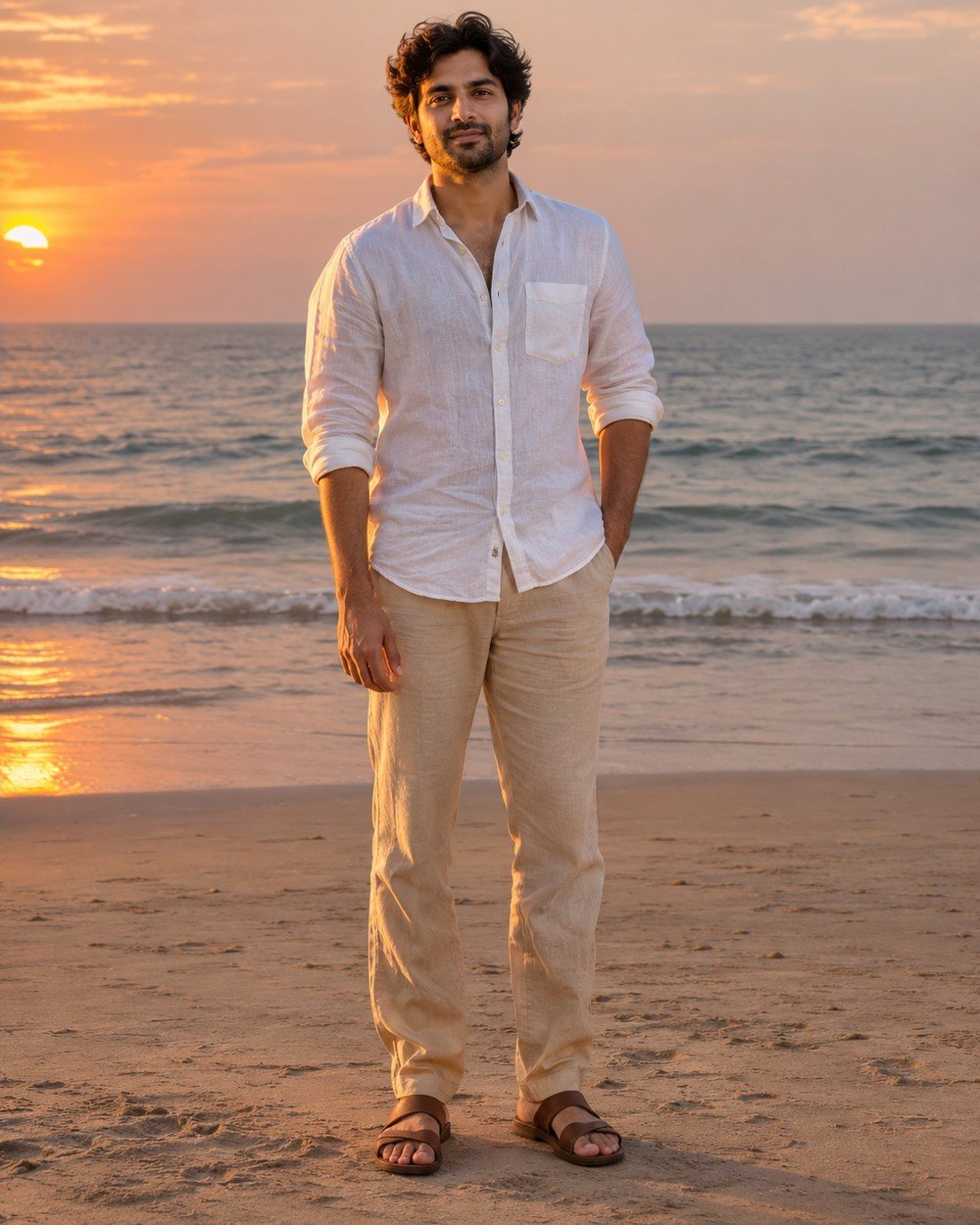
Best for: a breezy full-body holiday-style portrait.
Create a cinematic photorealistic portrait of a fictional adult South Asian man age 30 with wavy dark hair and subtle stubble, white linen shirt, beige trousers and brown sandals, standing on firm…
Refinement tip: Keep the horizon level and away from the neck. Check sand contact, shoe shape and natural skin color.
6. Terrace Evening Portrait
A terrace portrait uses the skyline for context rather than spectacle. A seated pose and a simple parapet make the person the focal point while leaving enough space for the evening atmosphere.

Best for: a calm seated portrait with evening city atmosphere.
Create a cinematic photorealistic portrait of a fictional adult South Asian woman age 30 with dark hair in low bun, dusty-rose linen shirt and cream trousers, seated naturally on a broad terrace…
Refinement tip: Use the terrace as context, not clutter. Keep the face large enough to read and the bench geometry consistent.
7. Sunlit Café Window Portrait
Window reflections can soften a cafe portrait and create a warm indoor-outdoor relationship. One plain cup gives the scene context, while keeping the tabletop simple makes hand placement easier to review.
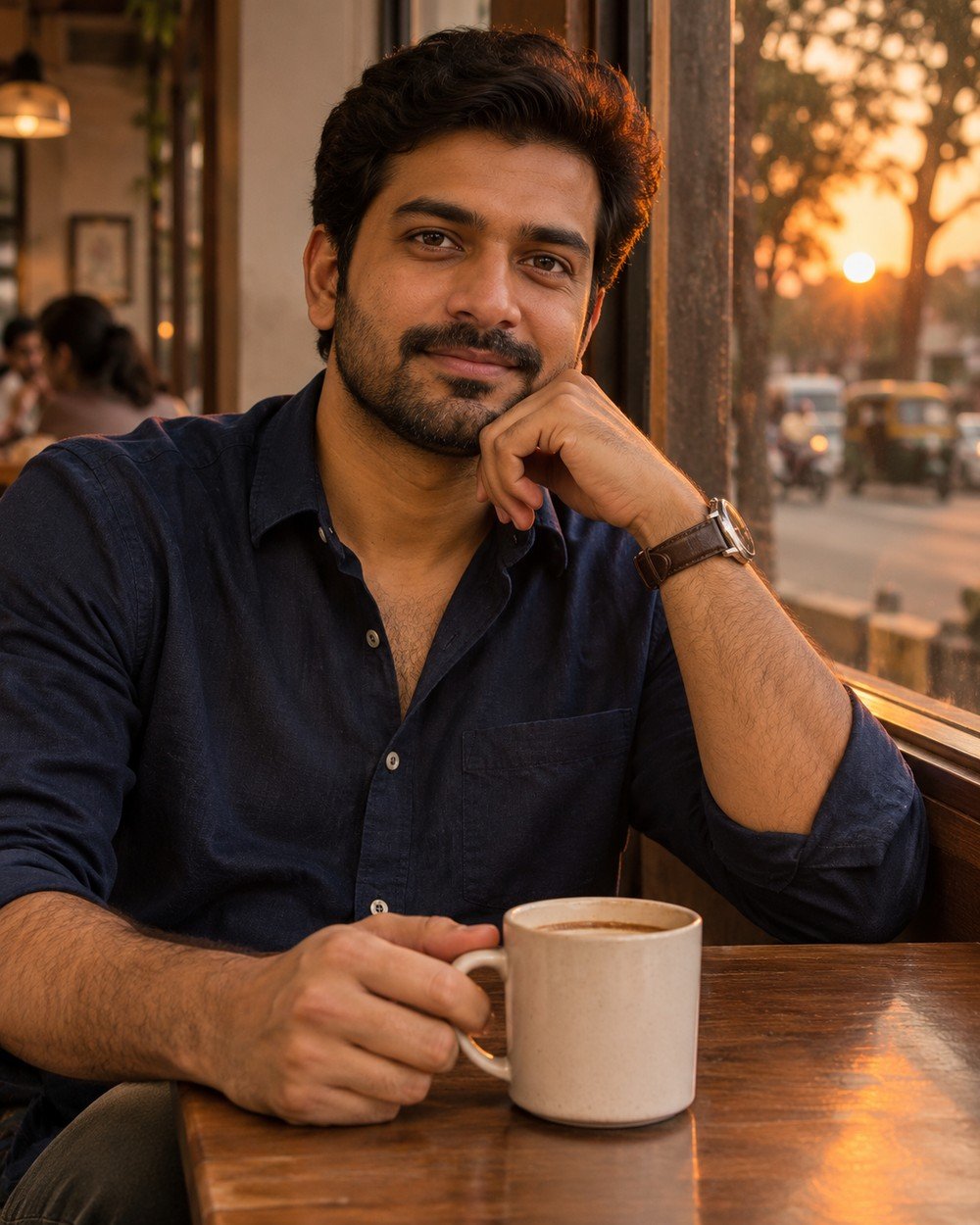
Best for: a warm, candid-style portrait beside a café window.
Create a cinematic photorealistic portrait of a fictional adult South Asian man age 30, warm medium skin and short dark hair, navy cotton shirt, seated beside a café window at sunset with…
Refinement tip: Keep the cup simple and unbranded. Check fingers and handle shape rather than adding more table props.
8. Park Walking Portrait
A gentle walking pose adds movement without needing a fast action scene. The broad path gives the feet a believable route, and soft side light helps clothing and hair retain detail.
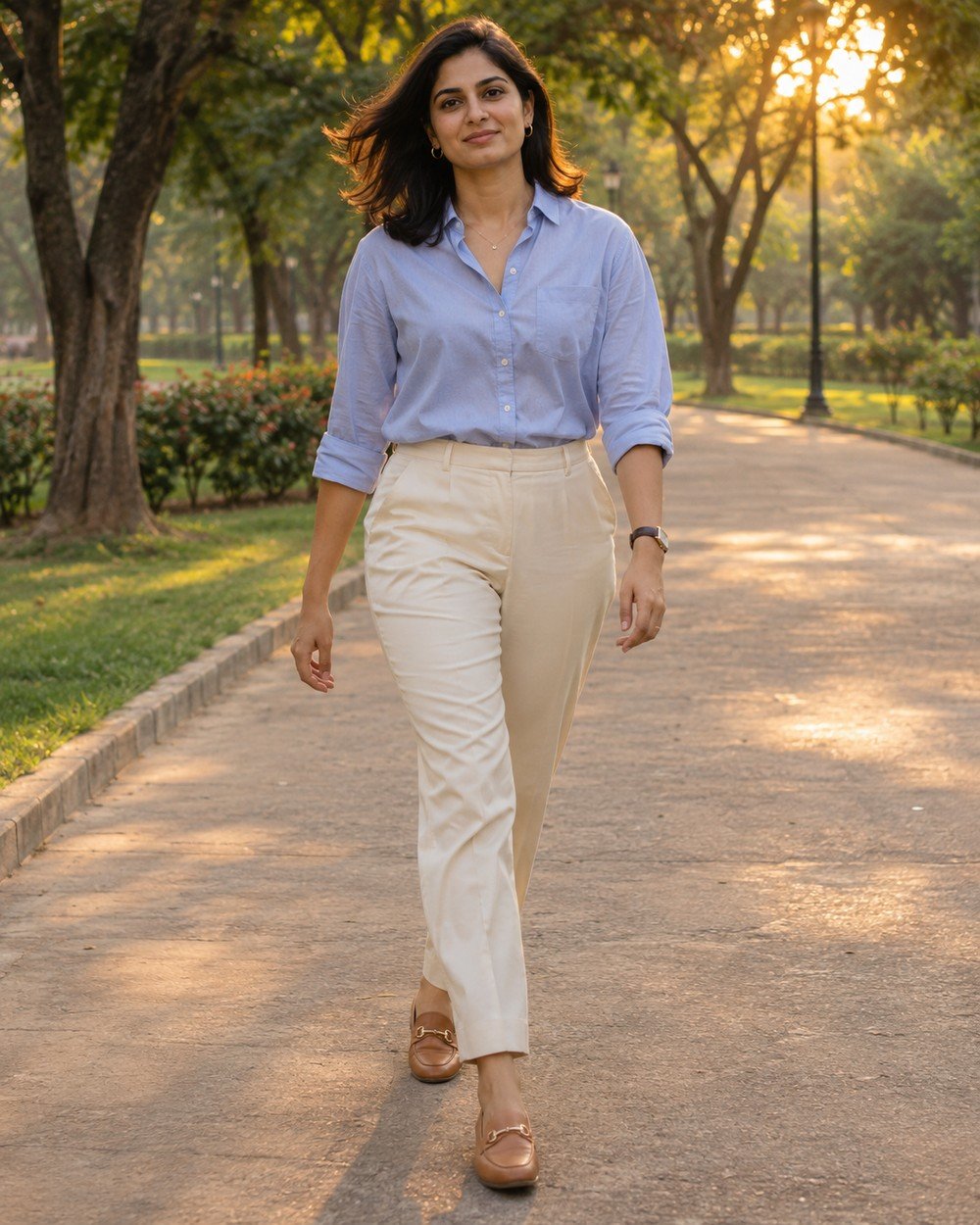
Best for: a casual outfit photo with a sense of movement.
Create a cinematic photorealistic portrait of a fictional adult South Asian woman age 28 with shoulder-length dark hair, pale blue shirt, ivory trousers and tan loafers, captured mid-step on a broad park…
Refinement tip: A gentle step is easier to refine than a dramatic running pose. Inspect both legs and their ground contact.
9. Warm Brick-Wall Headshot
A closer crop emphasizes the expression rather than the outfit. The warm wall supplies color, but gentle background blur keeps brick texture from competing with the eyes.
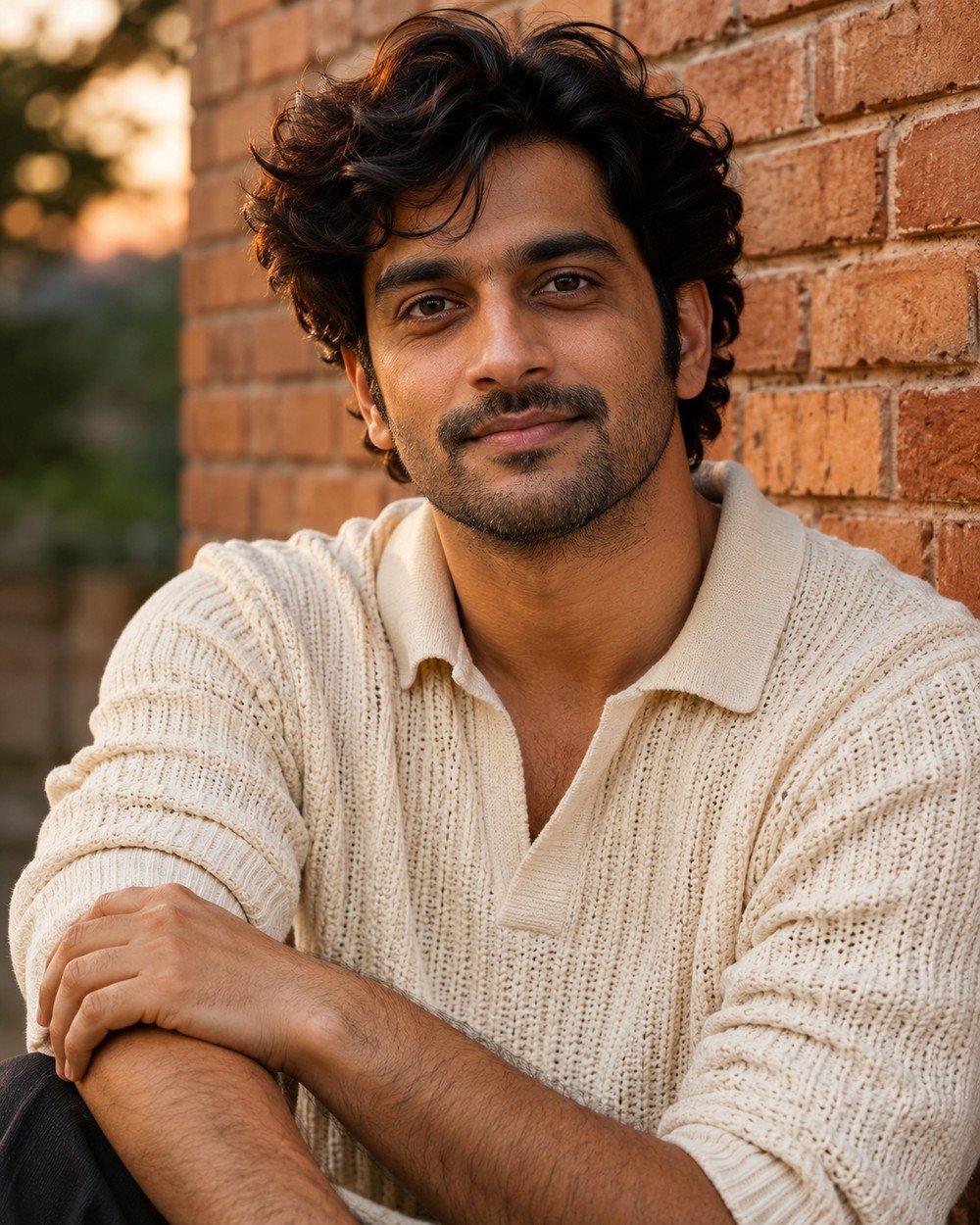
Best for: a closer profile image centered on expression.
Create a cinematic photorealistic portrait of a fictional adult South Asian man age 32 with dark wavy hair, subtle stubble and warm brown skin, cream knit shirt, head-and-shoulders portrait beside a warm…
Refinement tip: Keep brick detail softly blurred. The face should have more visual emphasis than the wall texture.
10. Riverside Blue-Hour Transition
The transition after sunset allows a warm horizon and cooler ambient light in the same scene. Keep the face believable and let the background carry most of the color contrast.
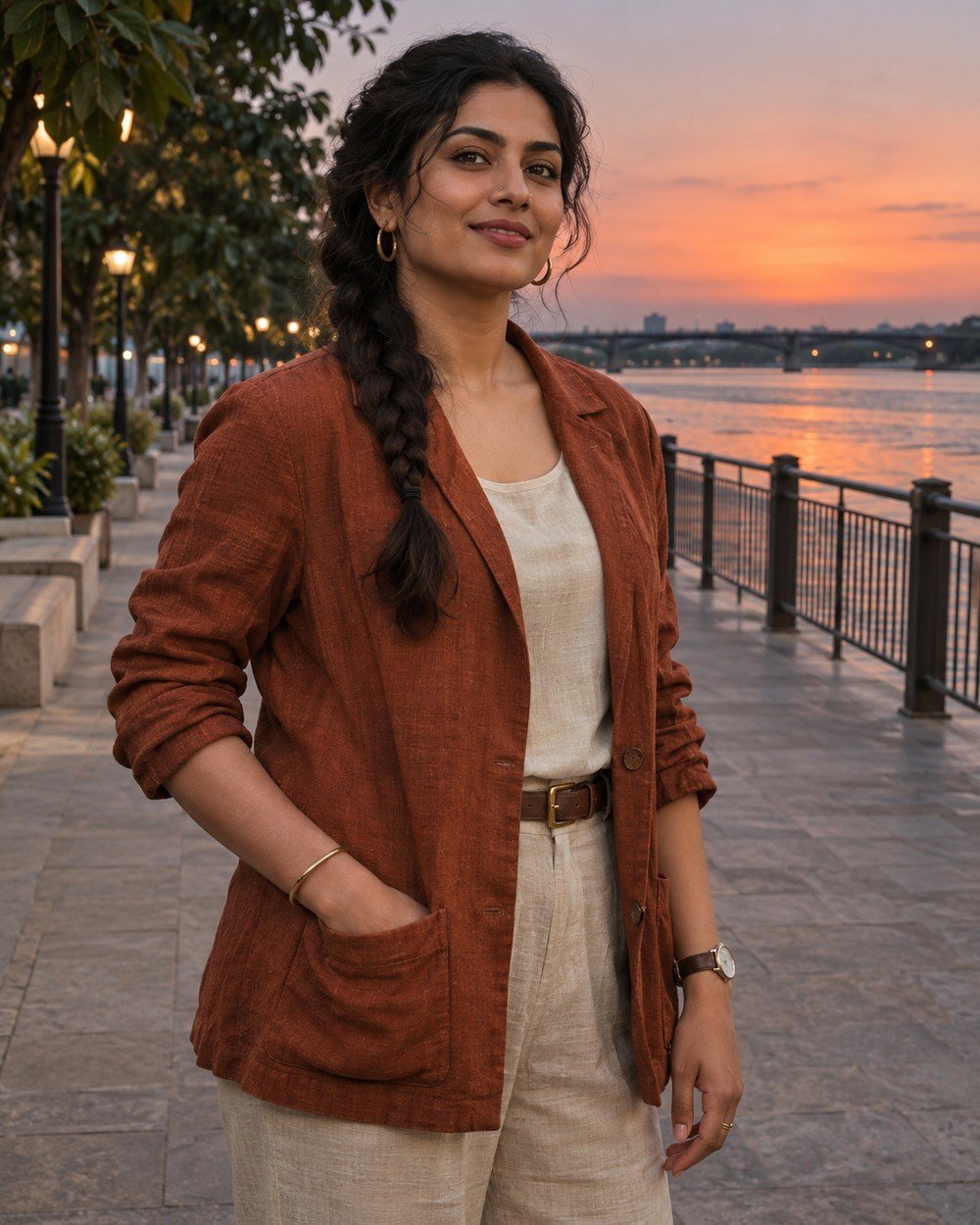
Best for: a mood-driven portrait with warm and cool evening color.
Create a cinematic photorealistic portrait of a fictional adult South Asian woman age 30 with dark braided hair and warm medium skin, rust linen jacket over ivory top, standing on a broad…
Refinement tip: Balance the warm horizon with neutral skin. Avoid making the face bright orange against a completely blue scene.
Make the Prompt Your Own
Personalize the details that change the picture: adult subject, outfit, pose, background, lighting and crop. Keep the other instructions stable. For example, replace a cream shirt with a muted blue linen shirt while retaining the same pose and light; then compare the two results before changing the background.
If you use a reference photograph, preserve the identity instruction while changing the creative setting. For a fictional character, replace the adult description with another clear adult subject. Avoid combining several outfits or locations into one request.
Tips for a Better Result
Protect facial detail
Ask for natural skin texture, sharp eyes and gentle highlights. Strong glow and heavy smoothing can remove convincing features.
Choose a relaxed pose
Hands at the sides, one hand in a pocket or a gentle lean are clear instructions. Complex gestures create more opportunities for awkward anatomy.
Check light consistency
Compare shadows on face, clothing and ground. A sun behind the person should not create an unrelated hard frontal shadow.
Check the Result Before You Share
Inspect eyes, hands, garment edges, hair and the points where the person touches the scene. Look for duplicated accessories, inconsistent shadows and objects that merge into the body. A small localized correction is often easier to direct than a complete restart. If a pose repeatedly fails, simplify it.
Image Size and Framing
The prompts use a vertical 4:5 ratio. A 1200 × 1500 image is one example at this ratio; available export sizes depend on your tool. For the wide article cover, use 1200 × 675 px (16:9). Leave space around hair, hands and shoes, and avoid placing important details at the outer edges.
Frequently Asked Questions
Can I edit my own portrait?
Use a reference-capable image editor and replace the fictional adult description with instructions to preserve your facial identity, hairstyle and skin tone. Review the result for likeness.
What if the face is dark?
Request soft reflected fill or open-sky illumination. Keep the sunset direction unchanged rather than moving the sun in every revision.
Should every portrait be full body?
No. Full-body framing highlights the outfit; waist-up framing highlights expression. Leave space around the head and shoes when requesting the whole figure.
Why might my image look different from the example?
Image generation is variable. The tool, model, reference photo and wording can all change the result. Use the example as a visual direction, then refine the specific differences you see.
How can I keep the same person across several images?
Use the same reference photo in a reference-capable editor and ask to preserve the adult person’s recognizable facial features, hairstyle and skin tone. Change the scene or outfit one at a time. Exact consistency is not guaranteed.
What should I do if hands or clothing look wrong?
Request a focused correction while preserving the face, pose and scene. Simplify the gesture or remove a prop if the same issue repeats. Review fingers, garment edges and contact with nearby surfaces.
Create Your Own Version
Pick the setting that suits the mood, copy the prompt and personalize the subject. Refine light, face and hands first, keeping warm colors subtle enough for believable skin.
Explore more ideas in our free AI prompt library. Choose a concept, personalize the details and compare one thoughtful change at a time.
All accompanying examples are AI-generated illustrations. Results may vary between tools and generations.
More Articles
Found a look you like? Explore another creative direction.