10 AI LinkedIn Headshot Prompts With Glasses for Natural Profile Photos

Illustrative cover photograph
A professional portrait should still look like the person people know. Glasses make that especially noticeable: a different bridge, wider frame or bright reflection across the eyes can change the impression of a face.
These ten AI LinkedIn headshot prompts with glasses focus on keeping your familiar frames while changing clothing, background and lighting. Choose a look below, attach your own clear adult reference photo and check the details before using the result as a profile picture.
Quick Answer: How to Use These Prompts
Start with a reference where your actual glasses and both eyes are visible. Keep the frame description tied to that photo; ask for a wardrobe and background change first, then make any reflection correction as a separate edit.
- Choose the look that matches your goal. Select and copy the complete prompt text below the look you choose.
- Attach the relevant adult reference photo or labeled photos in a reference-capable image editor. Replace clothing or background details that do not match your idea.
- Generate one image, then compare faces, anatomy, clothing and light with your reference. Results can vary; identity instructions are requests, not guarantees.
- Make one focused correction at a time. Return to the original reference if repeated edits start changing recognizable features.
Choose a Look
- 1. Neutral Studio, Familiar Frames
- 2. Window-Light Portrait With Round Glasses
- 3. Business-Casual Office Headshot
- 4. Indian Formal-Wear Headshot
- 5. Charcoal Backdrop, Clear Eyes
- 6. Creative Professional in a Warm Room
- 7. Gray Hair and Everyday Glasses
- 8. Minimal Portrait With Rimless Frames
- 9. Outdoor Open-Shade Headshot
- 10. Square-Crop Portrait With Safe Margins
1. Neutral Studio, Familiar Frames
The neutral backdrop keeps attention on the eyes and frames. A navy blazer and white shirt create a clear formal direction while the familiar expression helps the result remain recognizable.
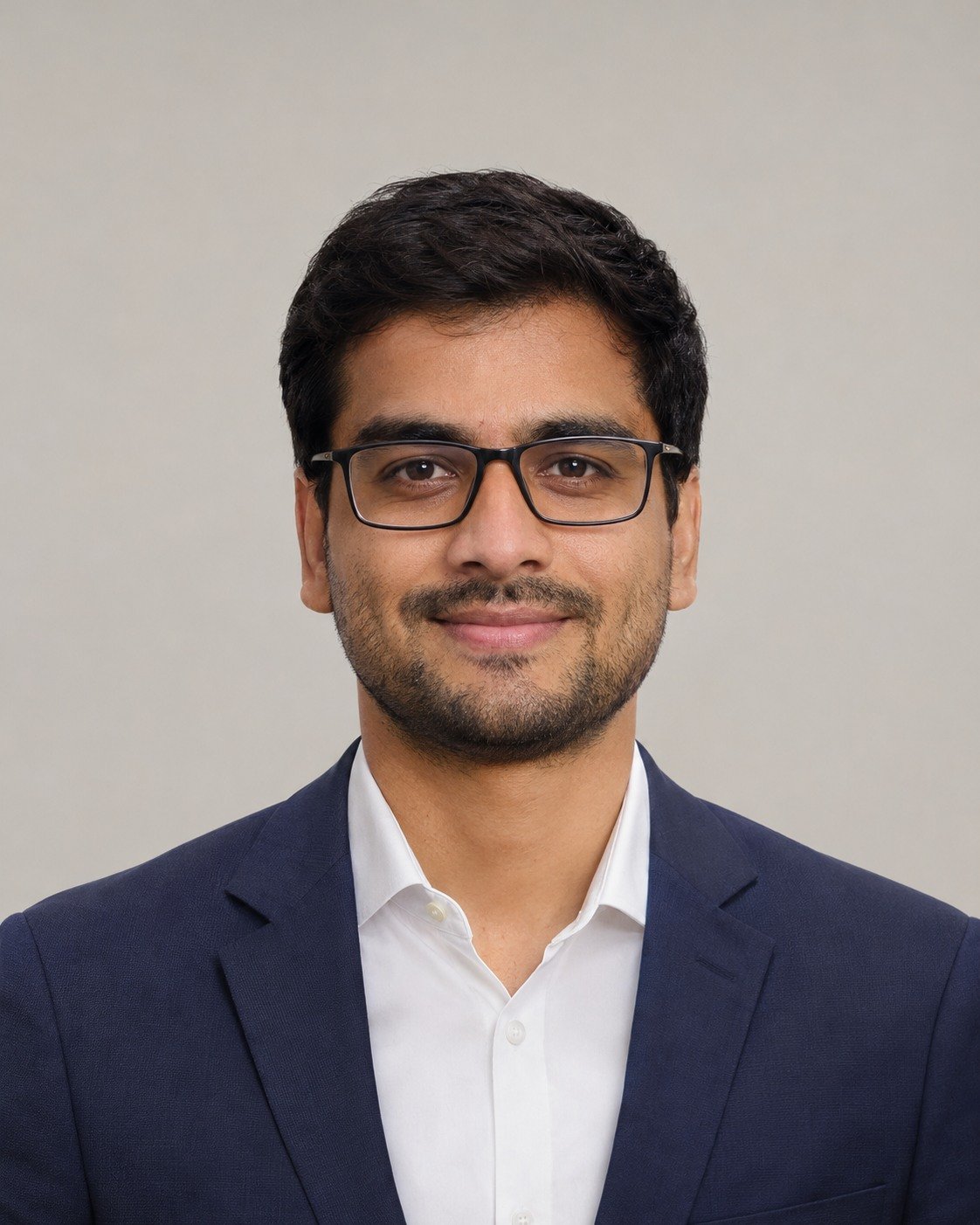
Best for: a straightforward professional profile image.
Edit the attached adult reference photo. Retain the person’s recognizable face, skin tone, age, hairline, expression and actual glasses: same frame shape, bridge, width, lens size and temple arms. Keep natural skin texture. Do not slim the face or remove distinctive marks. Create a head-and-shoulders portrait against a light warm-gray seamless backdrop. Dress the subject in a navy blazer over a white shirt. Use a broad soft light slightly above and beside the camera, with gentle fill. Keep both eyes readable through the lenses. Center the head with generous margins for a square or circular crop. Vertical 4:5; no text or logos.
Refinement tip: Keep the frame width, bridge and temple arms visible; ask for gentle reflections that leave the eyes readable.
2. Window-Light Portrait With Round Glasses
Window light gives a softer feel than a plain studio setup. The look name is a starting point; your editing prompt tells the tool to keep whatever glasses are in your own reference.

Best for: an approachable website bio or profile photo.
Edit the attached adult reference photo. Retain the person’s recognizable face, skin tone, age, hairline, expression and actual glasses: same frame shape, bridge, width, lens size and temple arms. Keep natural skin texture. Do not slim the face or remove distinctive marks. Make an approachable window-light portrait, with the subject seated beside a large north-facing window and a softly blurred cream interior behind them. Keep the original glasses even if they are not round. Use a plain blue shirt and relaxed shoulders. Keep the original gaze; place small reflections near the outer lens edges rather than over the pupils. Vertical 4:5.
Refinement tip: Move the light reflection within the lens rather than changing the glasses or recoloring the eyes.
3. Business-Casual Office Headshot
A softly blurred office suggests a working environment without implying a specific employer. The overshirt makes the styling more casual while leaving the head and shoulders cleanly framed.
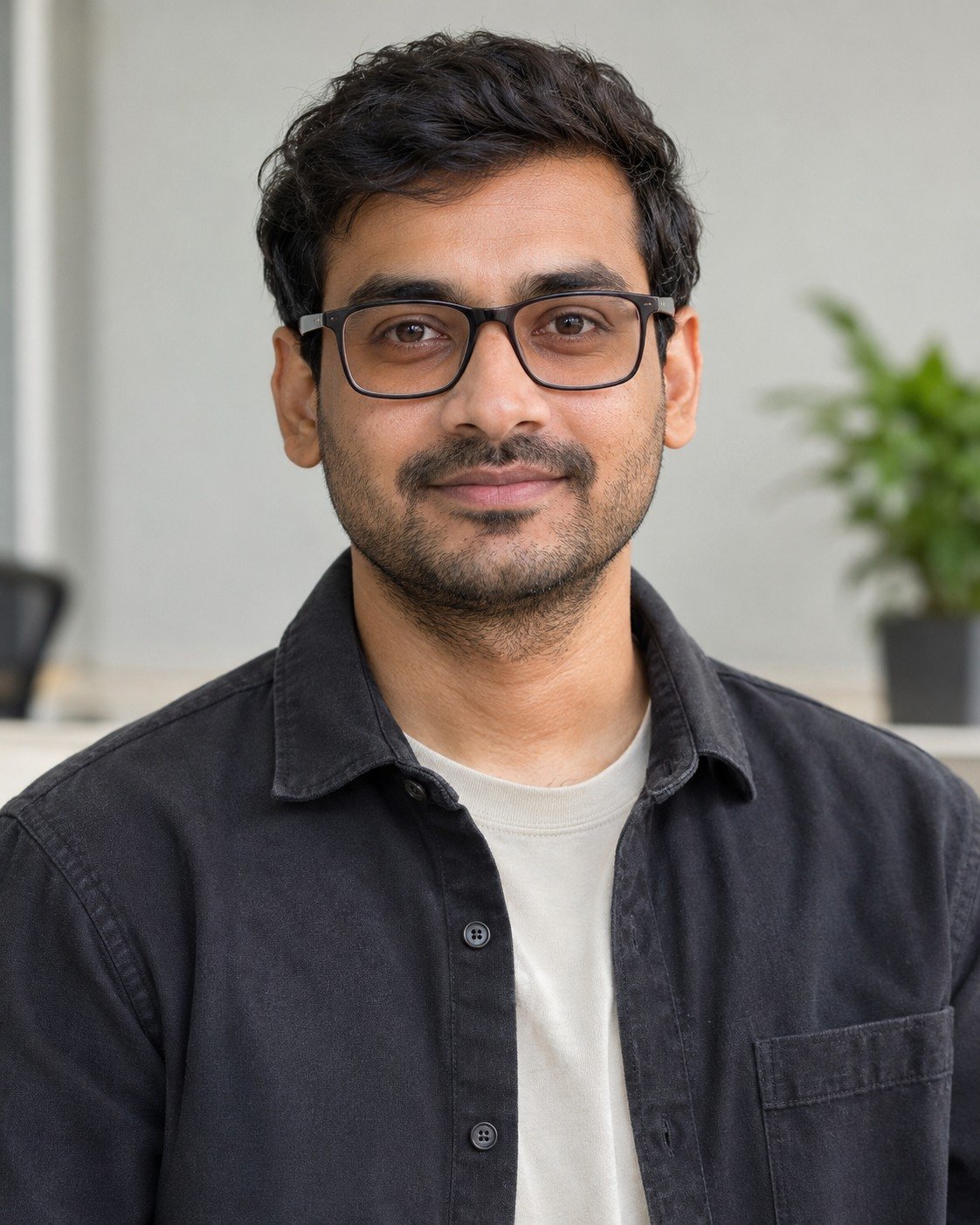
Best for: a business-casual professional portrait.
Edit the attached adult reference photo. Retain the person’s recognizable face, skin tone, age, hairline, expression and actual glasses: same frame shape, bridge, width, lens size and temple arms. Keep natural skin texture. Do not slim the face or remove distinctive marks. Place the subject in a simple softly defocused office with a neutral wall and one distant plant. Use a charcoal overshirt over an unbranded pale top. Eye-level head-and-shoulders framing, relaxed upright posture and even daylight. Keep the glasses sharply resolved. Avoid company signs, badges and readable screens. Vertical 4:5.
Refinement tip: Keep the office abstract; do not add company logos, name badges or invented credentials.
4. Indian Formal-Wear Headshot
Indian formal wear can fit a professional portrait without ornate styling. The narrow saree border and neutral wall keep the face and glasses more prominent than fabric decoration.
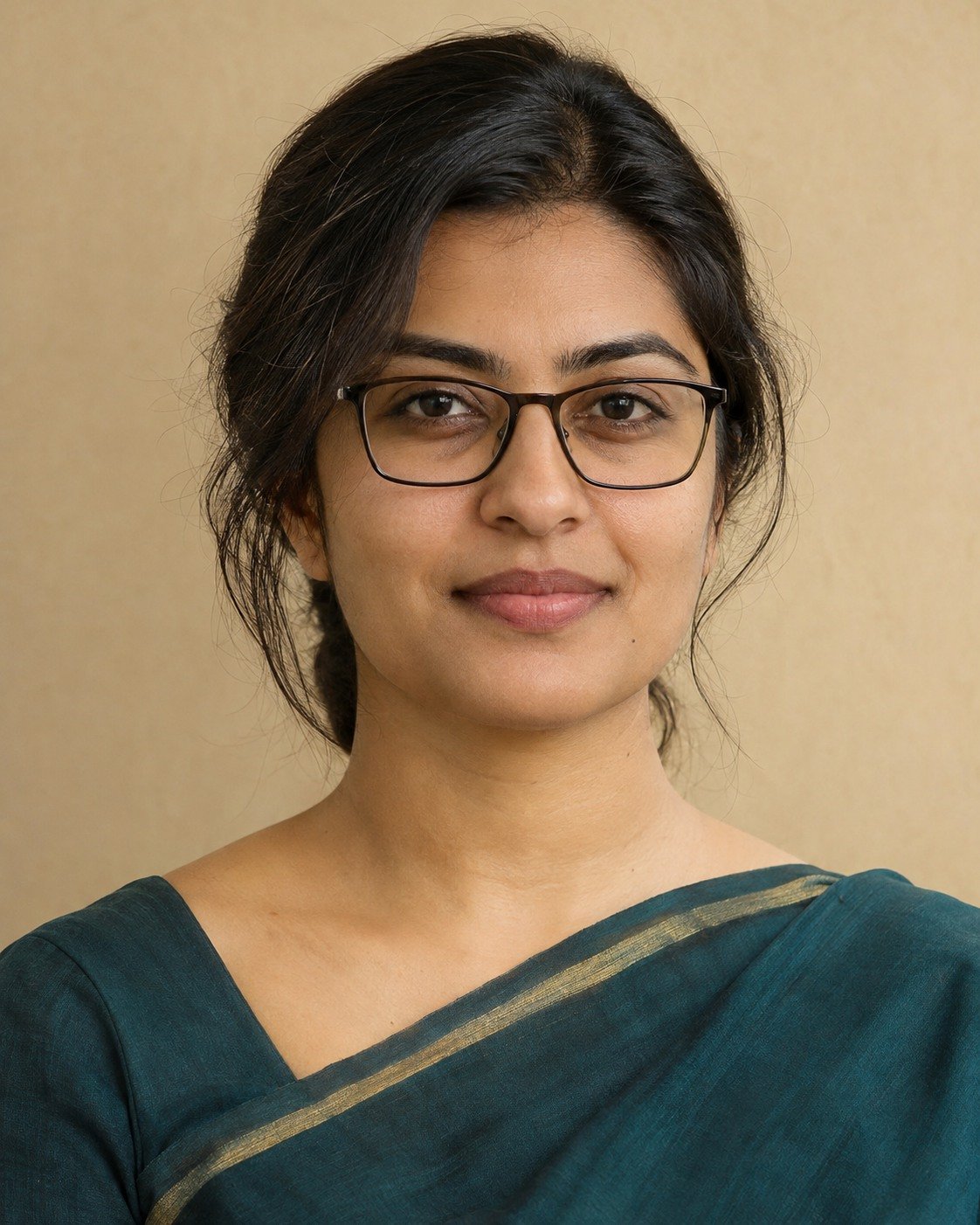
Best for: a profile portrait in understated Indian formal wear.
Edit the attached adult reference photo. Retain the person’s recognizable face, skin tone, age, hairline, expression and actual glasses: same frame shape, bridge, width, lens size and temple arms. Keep natural skin texture. Do not slim the face or remove distinctive marks. Create a restrained professional portrait in a deep teal saree with a narrow muted gold border, against a warm neutral wall. Frame the head and upper shoulders at eye level. Use broad diffused light with soft shadows, readable eyes and accurate glasses. No ornate jewelry, text, employer marks or skin lightening. Vertical 4:5.
Refinement tip: Describe the fabric and border simply so the face and glasses remain the focus.
5. Charcoal Backdrop, Clear Eyes
A dark backdrop needs enough separation to retain the outline of dark frames and hair. Broad light is useful here because small harsh highlights can make the lenses visually busy.
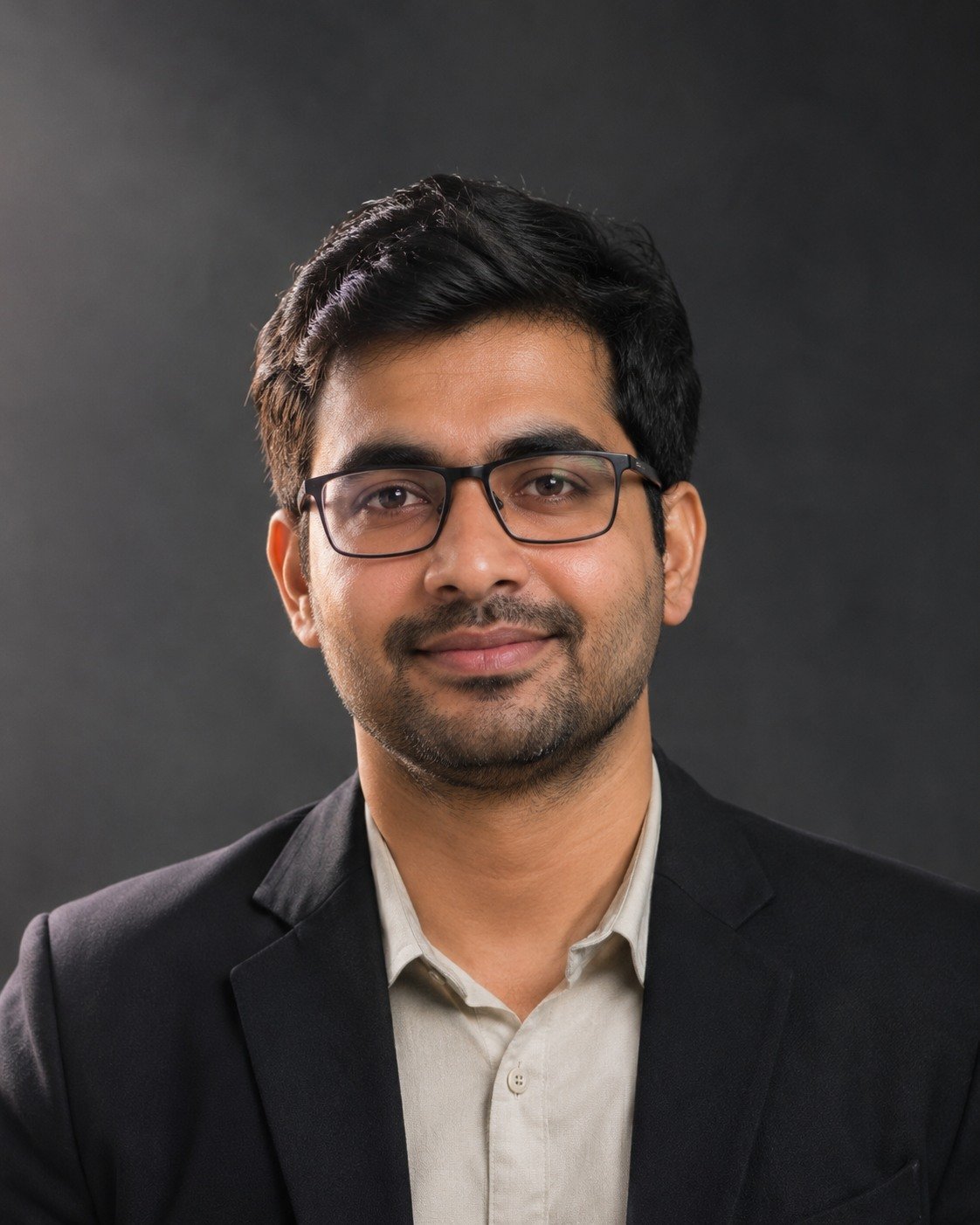
Best for: a more formal portrait with dark tonal styling.
Edit the attached adult reference photo. Retain the person’s recognizable face, skin tone, age, hairline, expression and actual glasses: same frame shape, bridge, width, lens size and temple arms. Keep natural skin texture. Do not slim the face or remove distinctive marks. Use a charcoal studio backdrop, a dark jacket and a subtle pale shirt. Add broad soft side light and gentle fill so the dark frames and hair remain distinct from the background. Keep the original face and expression; retain modest realistic reflections without obscuring the eyes. Head-and-shoulders composition with room above the head. Vertical 4:5.
Refinement tip: Keep detail in dark frames and hair; avoid turning the glasses into a solid black shape.
6. Creative Professional in a Warm Room
This warmer setting suits a portrait that feels personal. Keep the background quiet and the original frame material recognizable, especially if your glasses are translucent rather than solid black.

Best for: an independent creator or personal website portrait.
Edit the attached adult reference photo. Retain the person’s recognizable face, skin tone, age, hairline, expression and actual glasses: same frame shape, bridge, width, lens size and temple arms. Keep natural skin texture. Do not slim the face or remove distinctive marks. Create a personal website portrait in a quiet warm-toned room with a softly blurred bookshelf. Wear a simple dark crew-neck top. Use soft window light and restrained warm color, preserving the original frame material and skin tone. Keep the eyes, bridge and temple arms clear, with no amber color cast over the face. Vertical 4:5.
Refinement tip: Retain the translucent frame material and avoid exaggerated amber reflections across the whole face.
7. Gray Hair and Everyday Glasses
A credible professional portrait can retain gray hair, facial lines and your usual glasses. The aim is a clearer setting and light, not a younger-looking substitute for the reference person.
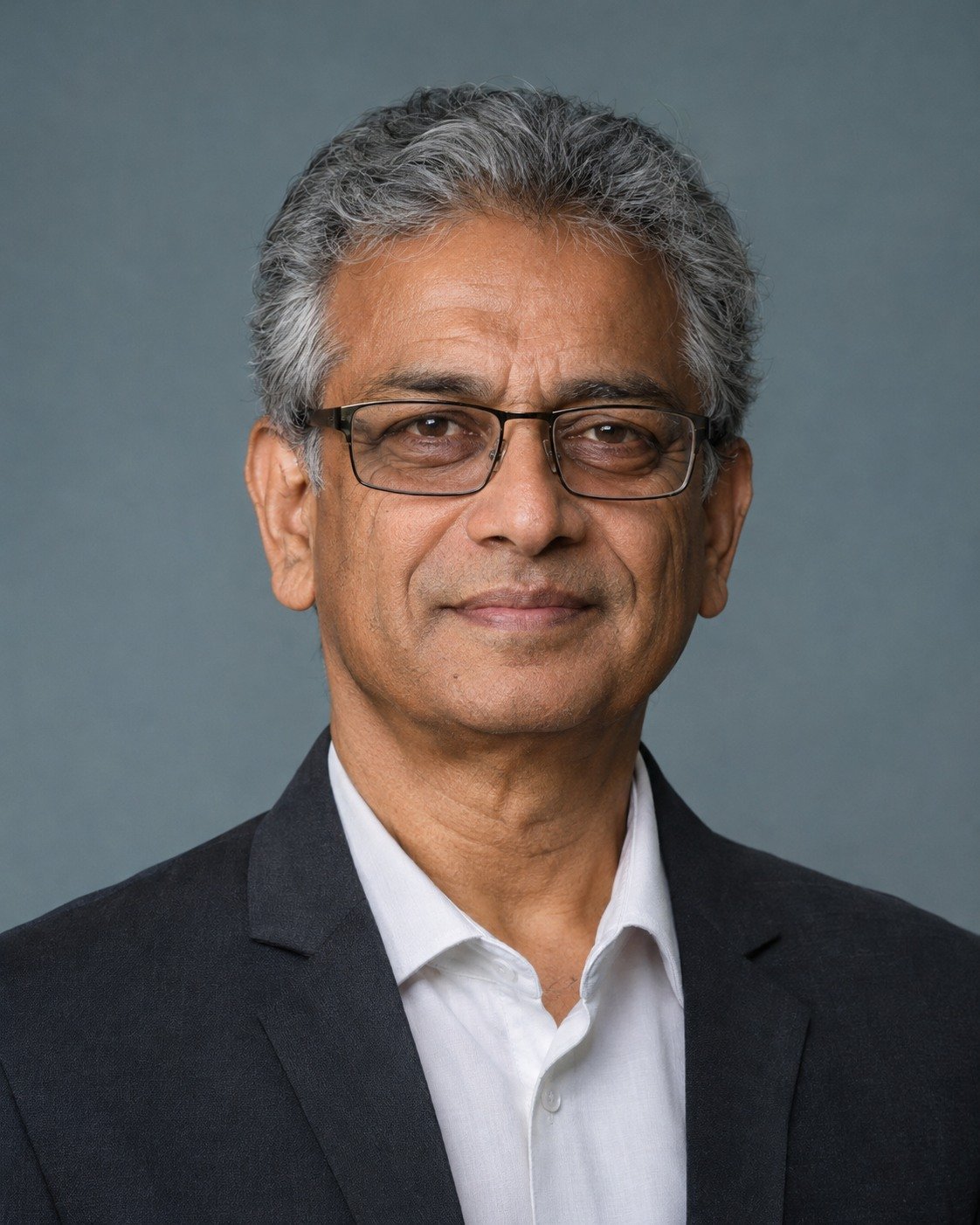
Best for: a professional portrait that retains natural age.
Edit the attached adult reference photo. Retain the person’s recognizable face, skin tone, age, hairline, expression and actual glasses: same frame shape, bridge, width, lens size and temple arms. Keep natural skin texture. Do not slim the face or remove distinctive marks. Create a professional portrait against a muted blue-gray wall, wearing a plain tailored jacket. Retain the original gray hair, facial lines and usual glasses without de-aging. Use even studio light, gentle contrast and a calm expression from the reference. Crop at upper chest with space around the hair. Vertical 4:5.
Refinement tip: Keep facial lines, hair color and usual frame size; do not ask the model to make the subject younger.
8. Minimal Portrait With Rimless Frames
Rimless frames need fine edges to remain visible against a pale background. Check the bridge, lens outline and temple arms rather than judging only the face at thumbnail size.
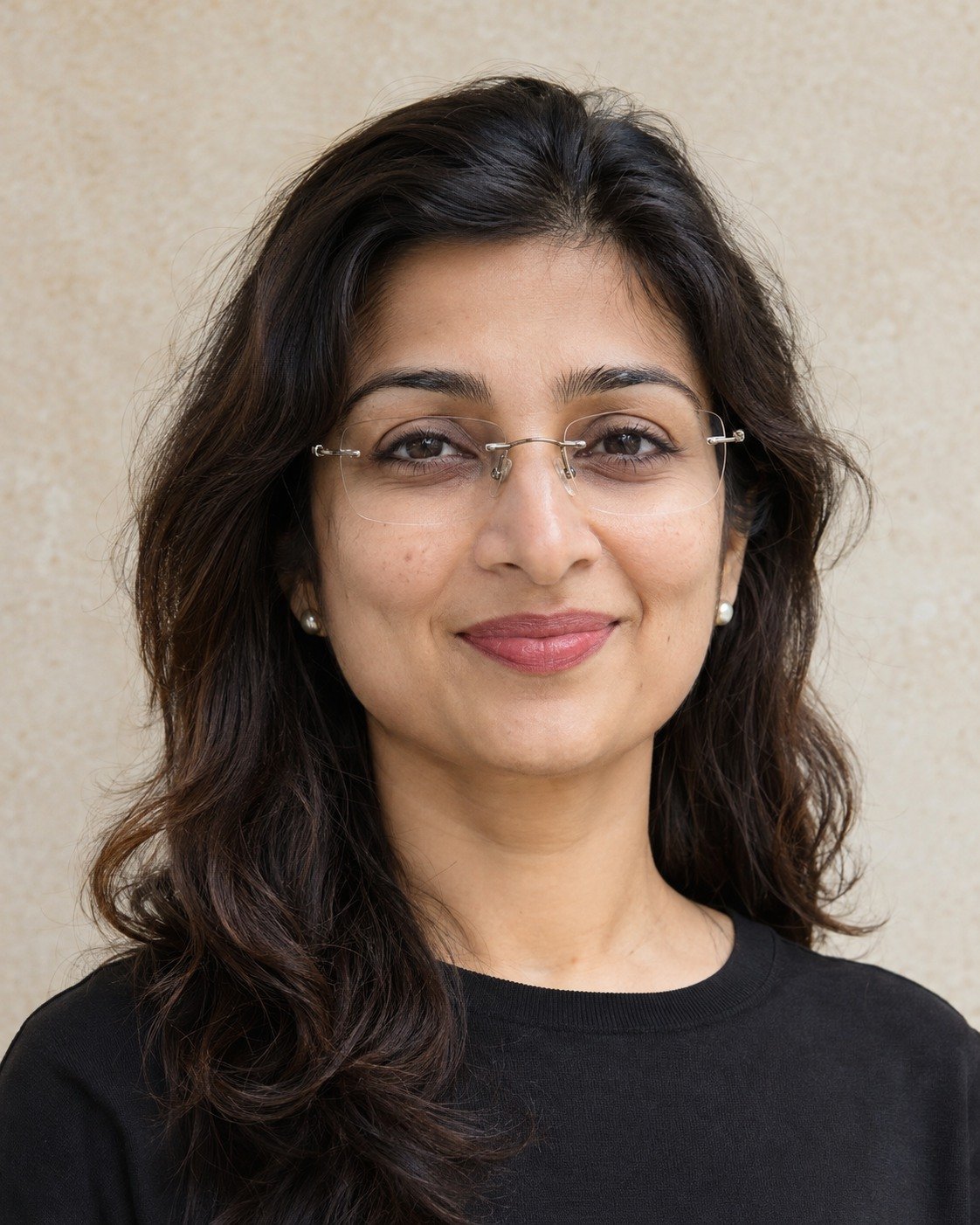
Best for: a clean profile photo with subtle glasses.
Edit the attached adult reference photo. Retain the person’s recognizable face, skin tone, age, hairline, expression and actual glasses: same frame shape, bridge, width, lens size and temple arms. Keep natural skin texture. Do not slim the face or remove distinctive marks. Make a minimal headshot on a pale stone-colored backdrop with a plain dark top and soft directional daylight. Preserve the actual glasses from the source, including any fine rimless bridge and temple details; do not invent rimless glasses if the reference uses another style. Keep lens edges visible and both eyes sharp. Vertical 4:5.
Refinement tip: Check the bridge and lens edges at full size; rimless details can disappear against a bright background.
9. Outdoor Open-Shade Headshot
Open shade provides gentle light and a quieter expression than a dramatic sunset. Keep the greenery soft so branches and strong leaf patterns do not compete with the eyes.
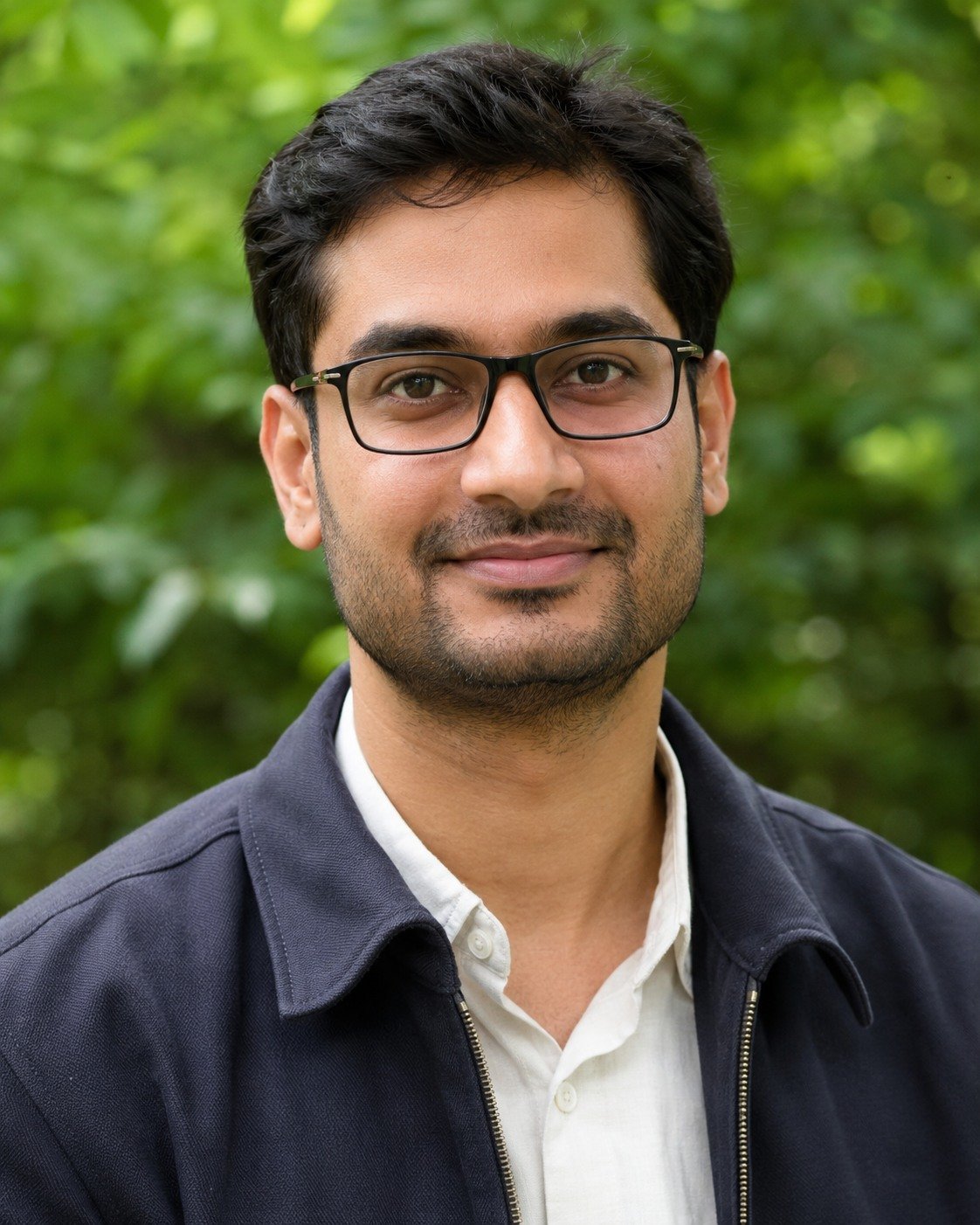
Best for: a less formal profile portrait with outdoor depth.
Edit the attached adult reference photo. Retain the person’s recognizable face, skin tone, age, hairline, expression and actual glasses: same frame shape, bridge, width, lens size and temple arms. Keep natural skin texture. Do not slim the face or remove distinctive marks. Create a relaxed outdoor profile portrait in open shade. Use softly defocused green foliage behind the subject and a simple smart-casual jacket. Keep dappled leaf shadows off the face and lenses. Match the original eye color, expression and frame proportions. Use eye-level head-and-shoulders framing. Vertical 4:5.
Refinement tip: Keep the frame corners and both eyes sharp, and avoid strong leaf shadows across the lenses.
10. Square-Crop Portrait With Safe Margins
An avatar crop can cut off hair or the frame arms if the initial image is too tight. This composition leaves room to choose a square crop after checking the full-resolution portrait.
Best for: a portrait you can crop to a square avatar.
Edit the attached adult reference photo. Retain the person’s recognizable face, skin tone, age, hairline, expression and actual glasses: same frame shape, bridge, width, lens size and temple arms. Keep natural skin texture. Do not slim the face or remove distinctive marks. Make a clean professional portrait with the original clothing and a light neutral background. Change only the setting and soften uneven lighting. Place the head centrally with generous space above the hair and beside both shoulders, suitable for a later square and circular crop. Preserve every frame edge and the existing expression. Request 1:1 composition; no text.
Refinement tip: Leave extra space around the head, then inspect the glasses and expression at small thumbnail size.
Fix the Most Common Problems
My glasses changed shape
Return to the original reference. Ask to restore only the frame shape, bridge, width and temple arms from that image while keeping the new clothing, background and face unchanged.
A bright patch hides an eye
Request a smaller, softer lens reflection that reveals the existing eye. Keep the frame, gaze and eye color unchanged; avoid asking the tool to redraw the entire face.
The portrait no longer looks like me
Compare face shape, eyebrows, hairline and expression with the original. Start another edit from the source photo and make a smaller wardrobe or background change.
The circular crop feels cramped
Generate with space around the hair and shoulders, then test a square and circular preview in your own editor. Keep the eyes and glasses clear at small size.
Customize the Look Without Losing the Idea
Use the frame style and facial details in your own reference as the fixed part of the brief. Change clothing, backdrop or lighting separately. The looks cover several settings; your prompt should preserve your real glasses rather than copying a fictional model’s frames.
Framing and Image Size
The templates request a vertical 4:5 composition. A 1200 × 1500 export is one example at this ratio, if the tool offers it. Leave space around hair, hands and footwear as needed. For a wide website featured image, use 1200 × 675 px (16:9). Review both a small preview and the full-resolution result.
Frequently Asked Questions
Can I use my own glasses in these prompts?
Yes. The editing prompts refer to the actual glasses in your uploaded photo. Keep the frames in your own reference.
Will the tool preserve my face and glasses perfectly?
No prompt guarantees exact identity preservation. Compare the result with the original and reject or correct changes to your facial features, eyes or frames.
Should I remove every reflection from the lenses?
Not necessarily. A small believable reflection can look natural. The useful goal is readable eyes and consistent lenses, rather than a completely flat or empty appearance.
Can I use a selfie as the reference?
A clear, well-lit adult selfie can be a starting point. Choose one with both eyes visible, minimal blur and a camera angle close to the portrait you want.
What ratio should I request?
The templates request 4:5 with space around the head. You can crop a suitable output to a square afterward; available export sizes and cropping controls depend on the image tool.
Choose Your First Prompt
Start with the neutral studio look if you want the fewest moving parts. Check the face and frame details first, then experiment with the office, window or outdoor setting.
For the underlying subject, lighting and framing structure, read our guide to better AI portrait prompts.
For supported image-editing features, see Google’s image-generation and editing help. Availability and controls can change; use the options shown in your own tool.
Editorial note: Example images are AI-generated illustrations of fictional adults. They demonstrate the visual concepts, not before-and-after edits of real users. These original reference-photo editing prompts have not been tested in every tool; exact likeness and results are not guaranteed.
More Articles
Found a look you like? Explore another creative direction.