5 Ultra-Realistic Fashion Editorial AI Prompts for Stunning Magazine-Style Photos (2026)
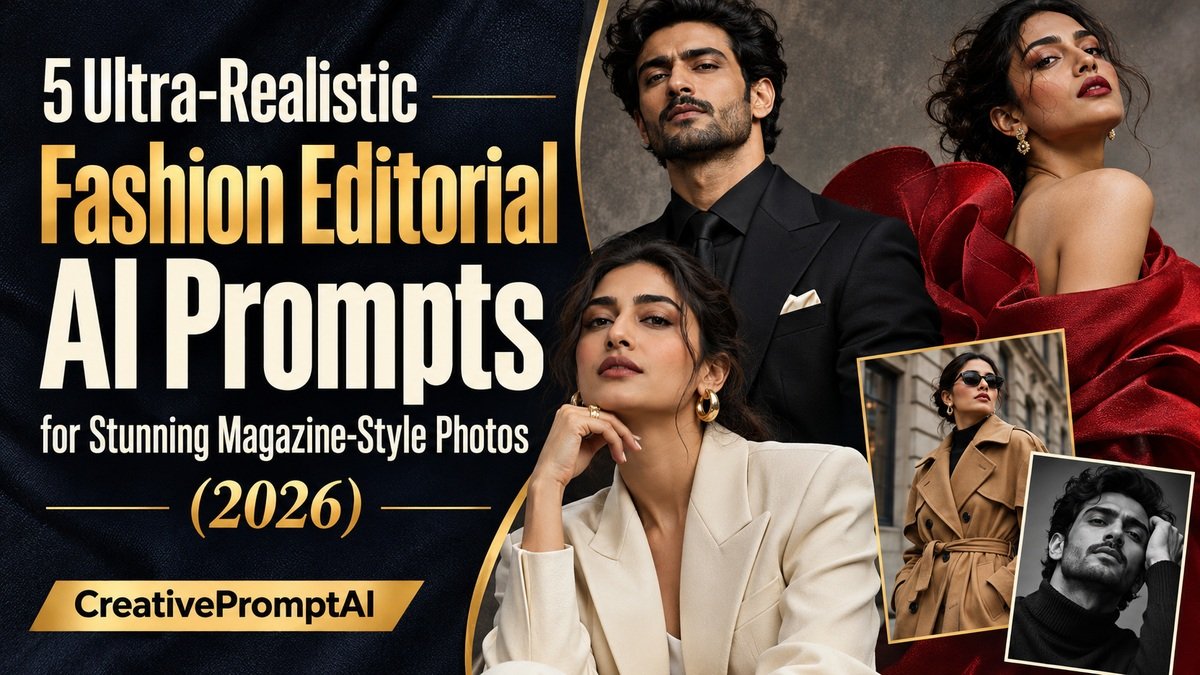
Illustrative cover photograph
A convincing fashion editorial starts with a clear visual idea: the outfit, the setting, the light and the pose should work together. These five fashion editorial AI prompts give you a practical starting point for creating magazine-inspired portraits, from a tailored black suit to dramatic red couture.
Each copy-ready prompt includes specific styling, lighting and composition directions. Use your own reference photograph when you want a recognizable portrait, or adapt the subject description to create a fictional adult model.
Explore five distinct looks: black-suit studio, ivory tailoring, Parisian street style, crimson couture and cinematic black-and-white. Open View Full Prompt to read the details, or select Copy Prompt to copy the complete text.
Before you begin: These are creative AI image concepts. Results vary, and facial likeness, hands and fabric details may need another pass.
What Are Fashion Editorial AI Prompts?
Fashion editorial AI prompts are detailed text instructions that guide AI image generators to create photographs inspired by professional fashion magazines.
Unlike ordinary AI portrait prompts, fashion editorial prompts focus on the entire visual presentation, including the subject’s outfit, pose, environment, lighting, and overall artistic direction.
For example, a basic prompt might request a portrait of someone wearing a black suit. A detailed fashion editorial prompt would describe the suit’s fabric, the person’s pose, dramatic studio lighting, natural skin texture, and the camera composition.
These additional details help the AI create a more intentional and realistic photograph.
How to Turn Your Photo Into a Magazine-Style AI Photoshoot
Creating a professional-looking AI fashion portrait is straightforward.
- Open an image generator that supports text prompts and, if needed, reference-photo editing.
- Upload a clear photograph of yourself that you own or have permission to use.
- Choose one look below. Change the clothing, subject description or location to suit your idea.
- Copy the complete prompt and paste it into the image generator.
- Generate your image and check the face, hands, outfit, and lighting.
- Refine one issue at a time: for example, ask to keep the face and outfit unchanged while correcting a hand or widening the framing.
Pro tip: A well-lit reference photo with a clearly visible face can improve facial consistency. For Instagram portraits, request a vertical 4:5 composition.
5 Best Fashion Editorial AI Prompts for Magazine-Style Photos
The prompts below assume you have uploaded a reference photograph of an adult. Without a reference, replace the opening identity instructions with a description of a fictional adult model. Keep one clear outfit, setting and lighting direction in each request.
1. Luxury Black Suit Studio Editorial – Men’s Fashion
This fashion concept creates a sophisticated magazine-style photograph featuring a tailored black suit, dramatic studio lighting, and a minimalist background.
Try this variation: Change the black suit to charcoal wool for softer contrast. Keep the background simple so the tailoring remains the focus.
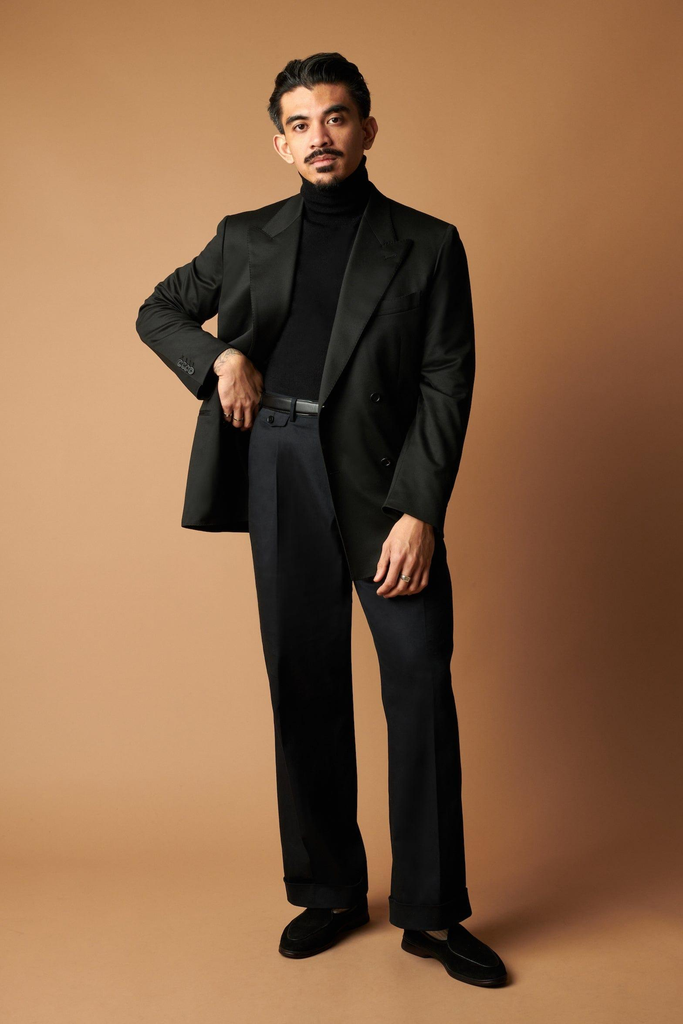
Create an ultra-photorealistic full-body luxury fashion editorial portrait of the adult man in my uploaded reference photograph. Preserve his original facial identity, hairstyle, skin tone, and natural body proportions. Dress him in…
2. Elegant White Blazer Editorial – Women’s Fashion
A minimalist white blazer photoshoot creates an elegant, contemporary look inspired by premium fashion editorials.
Styling note: Pair matte tailoring with a subtle silk texture. Ask for relaxed shoulders and natural hands so the seated pose feels comfortable.
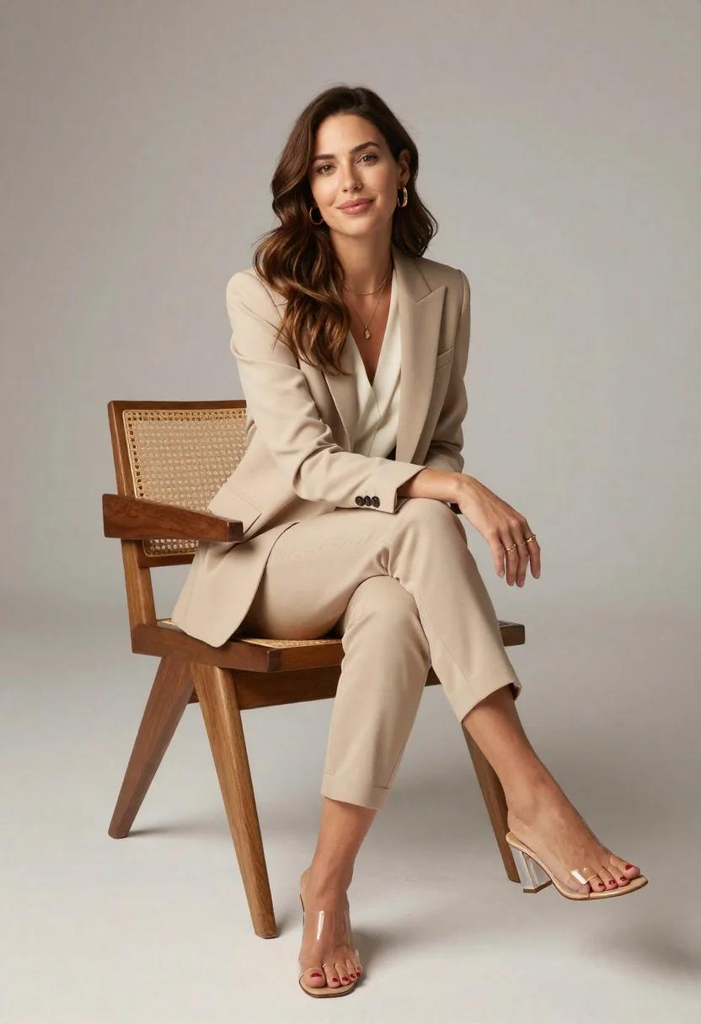
Create an ultra-realistic high-fashion editorial photograph of the adult woman in my uploaded reference image. Preserve her recognizable facial identity, natural skin tone, hairstyle, and realistic body proportions. Dress her in an…
3. Paris Street Couture Fashion Editorial
Parisian street fashion combines timeless clothing with beautiful European architecture.
A camel trench, dark trousers and ankle boots give this street portrait a clear visual theme. Ask for a natural stride, believable pavement contact and enough space around the feet.
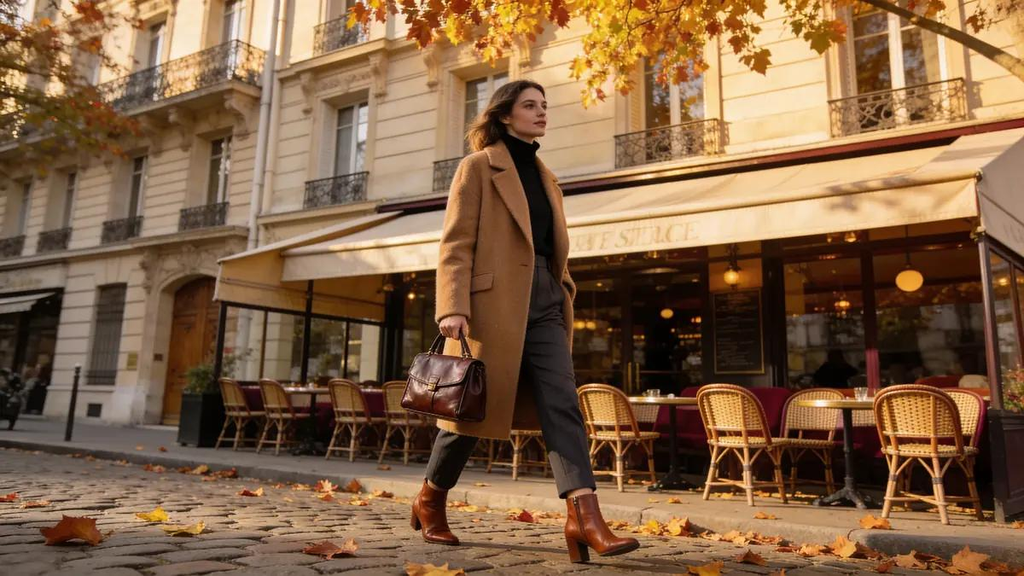
Transform my uploaded adult woman's photograph into an ultra-photorealistic Parisian street-style fashion editorial. Preserve her original facial identity, natural skin tone, hairstyle, and realistic body proportions. Dress her in a classic camel-colored…
4. Bold Red Couture Studio Photoshoot
Bold red fashion photography creates a powerful visual impact.
This concept pairs a sculptural crimson gown with a darker red background. Preserve visible fabric folds and separation between the dress and backdrop; avoid letting the shadows turn into a flat red shape.
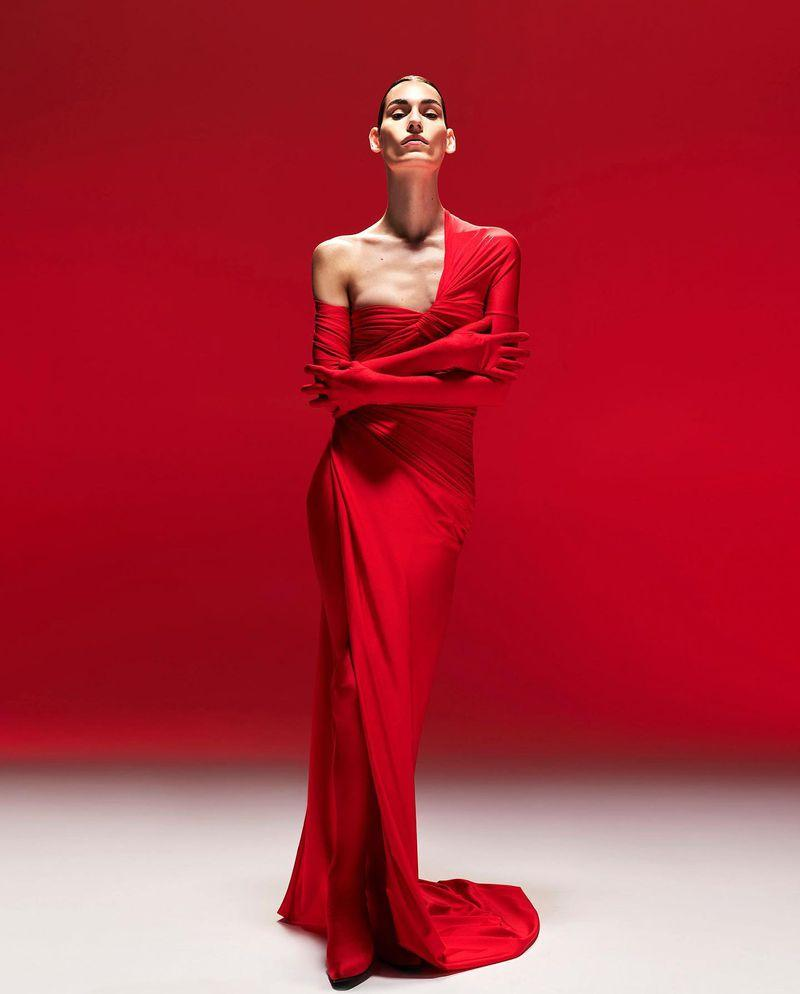
Create an ultra-photorealistic luxury couture fashion editorial of the adult woman in my uploaded reference photograph. Preserve her original facial identity, skin tone, hairstyle, and natural anatomy. Dress her in a striking…
5. Cinematic Black-and-White Magazine Portrait
Black-and-white fashion photography remains one of the most recognizable styles in editorial portraiture.
The white shirt and dark backdrop draw attention to expression, fabric and light. Request detail in both the shirt highlights and the darker side of the face for a rich tonal range.

Create an ultra-photorealistic black-and-white luxury fashion editorial portrait of the adult man in my uploaded reference photograph. Preserve his original facial identity, hairstyle, age, and natural body proportions. Dress him in a…
Tips for Creating Ultra-Realistic AI Fashion Editorial Photos
Getting a professional-looking result requires more than choosing an attractive outfit. Small details can make a significant difference.
Use a clear reference photograph. Upload an image with natural lighting, a clearly visible face, and minimal blur. This can help the AI retain your appearance.
Choose realistic lighting. Softbox lighting works well for studio portraits, while cloudy daylight creates natural street-fashion photographs. Dramatic side lighting is particularly effective for black-and-white images.
Describe clothing precisely. Instead of requesting stylish clothing, specify the fabric, color, fit, and accessories. This helps the AI understand your intended fashion concept.
Keep poses natural. Standing confidently, adjusting a jacket, sitting on a chair, or walking along a street can create believable editorial photographs.
Specify the image composition. For full-body fashion photography, request head-to-toe framing with visible footwear. For close-up portraits, focus on the face, shoulders, and expression.
Review the generated image. Check the hands, face, clothing details, shadows, and background before using the result.
Can You Use Your Own Face in AI Fashion Editorial Photos?
Yes. If your image generator supports reference photographs, you can upload your own picture and request that the AI preserve your facial identity while changing the clothing, background, and photography style.
For example, you could upload a normal selfie and use the luxury black suit prompt to create a professional studio portrait.
However, AI models may not preserve every facial detail accurately. For better consistency, use a high-quality reference image and include clear identity-preservation instructions.
Frequently Asked Questions
What should I look for in an AI image tool?
Choose a tool with image generation and reference-photo support if facial consistency matters. Check its available editing controls, output resolution and usage terms before starting.
Can I use these prompts for Instagram photos?
Yes. These prompts are suitable for creating Instagram portraits, fashion inspiration posts, and creative profile pictures.
Can I adapt the prompts for different adult subjects?
Yes. Adjust the adult subject description, clothing, hairstyle and pose to fit the person and concept you have in mind.
How can I make AI photos look more realistic?
Use clear instructions for lighting, skin texture, camera framing, clothing materials, and natural body proportions. Avoid excessive skin smoothing or exaggerated visual effects.
Can I create magazine-style photos without uploading my own picture?
Yes. An AI image generator can create a fictional model based entirely on your text description.
What image size should I choose for fashion editorial photos?
Use a vertical 4:5 frame for the portraits in this collection; 1200 × 1500 px is one example at that ratio. For a wide article featured image, use 1200 × 675 px (16:9). Keep important faces and details away from the outer edges.
Conclusion
Start with the look that matches your idea, copy the full prompt and customize the details before generating. A simple outfit, a clear lighting direction and a believable pose usually make the result easier to refine.
Compare the result with your reference, then check the hands, garment edges and shadows. Make a focused correction rather than changing the whole concept at once. For more starting points, explore our free AI prompt library.
More Articles
Found a look you like? Explore another creative direction.