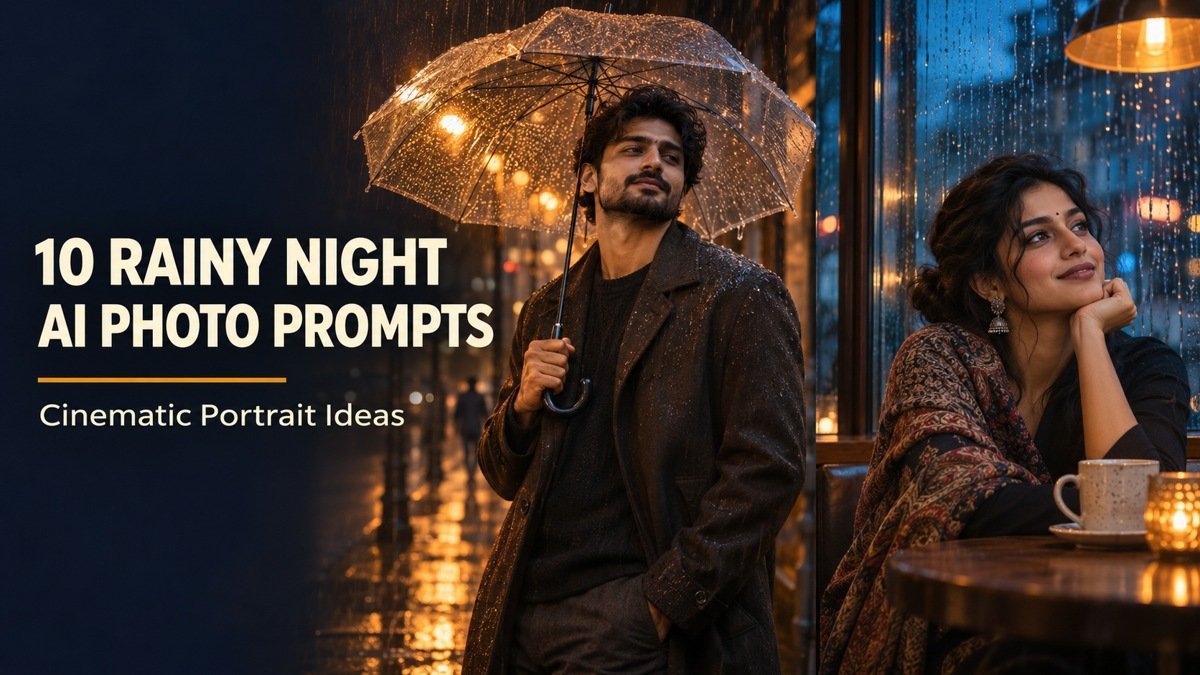
Rain adds atmosphere, but it also gives an image generator more things to get wrong: reflections can duplicate a face, umbrellas can merge with fingers, and neon can turn skin an unnatural color. These rainy night AI photo prompts build each scene around one clear subject, one believable light source and a manageable pose.
Choose from transparent umbrellas, warm cafe windows, covered arcades and subtle neon streets. Every look includes a complete AI Prompt card, a practical use case and a small refinement that helps you improve the result. The example images are AI-generated illustrations of the concepts, not documentary photographs.
How to Use These Rainy Night Portrait Prompts
1. Start with a clear photograph. If you want your own face, upload a well-lit adult reference image that you own or have permission to use. A front-facing or slight three-quarter view is easier to compare than a heavily filtered selfie.
2. Choose one scene. Keep the outfit, location and light direction in the selected prompt. Change the adult subject description or clothing color before generating, rather than combining several looks.
3. Copy the full AI Prompt. Open the card to read it, or use Copy Prompt to copy the complete instructions. A text-only generator creates a fictional person; a tool with reference-photo support may help retain likeness.
4. Review the face, then the rain. Check both eyes, fingers, umbrella structure and reflections. Ask for one correction at a time while preserving the parts you already like.
Pick the Mood Before You Generate
For a flattering profile image, start with the cafe, bakery or doorway concept. For outfit-focused portraits, choose the covered arcade. The neon scene gives a stronger cinematic look, while the rooftop keeps the composition simpler. A convincing rainy portrait does not need heavy rain everywhere: wet paving and droplets on background glass can carry the atmosphere.
10 Rainy Night AI Photo Prompts to Copy
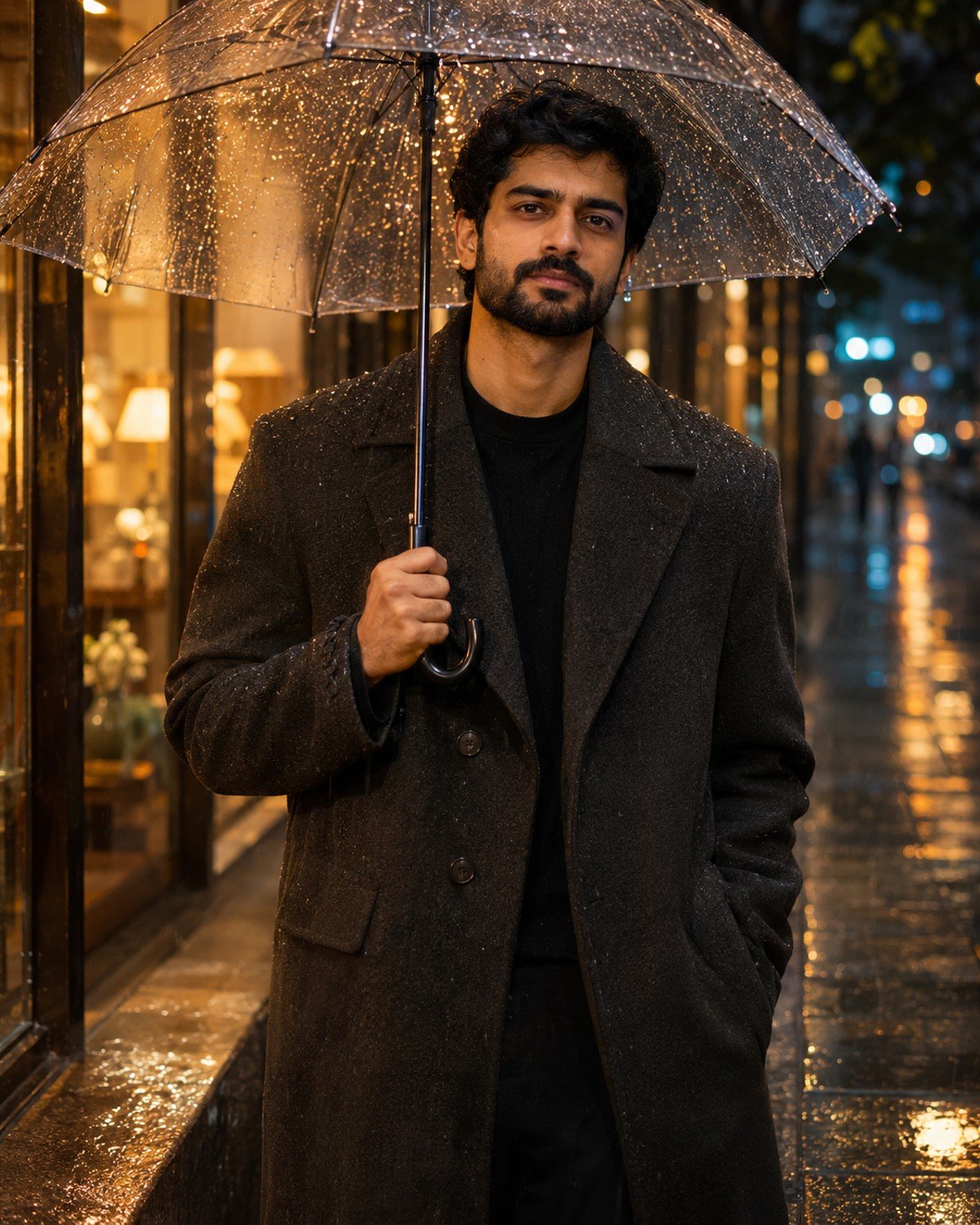
1. Transparent Umbrella and Amber Streetlights
A clear umbrella keeps the face visible while giving the scene an unmistakable rainy-night mood.
Transparent Umbrella and Amber Streetlights · AI-generated example.ϟ AI PromptCopy-ready prompt
A fictional South Asian adult man in his late twenties wearing a charcoal wool overcoat over a black crewneck stands on a rain-wet city sidewalk at night. Frame from mid-thigh upward; one…
A fictional South Asian adult man in his late twenties wearing a charcoal wool overcoat over a black crewneck stands on a rain-wet city sidewalk at night. Frame from mid-thigh upward; one hand grips one transparent umbrella handle at chest height while the other rests naturally. Keep the umbrella rim above the eyes and show plausible raindrops on its surface. Use a warm storefront key light from camera-left and restrained blue background bokeh. Keep the face sharply focused, skin textured and highlights on the pavement controlled. If a reference photo is provided, use that adult as the subject instead, preserving their recognizable face, skin tone, age and natural proportions while changing only the styling and setting described. Without a reference, create the fictional adult described. Use a vertical 4:5 photographic composition with sharp facial focus and anatomically natural hands. No text, brand logos, watermark or collage.
Refinement tip: Ask for the umbrella shaft to remain straight; a bent handle can distract from an otherwise convincing portrait.
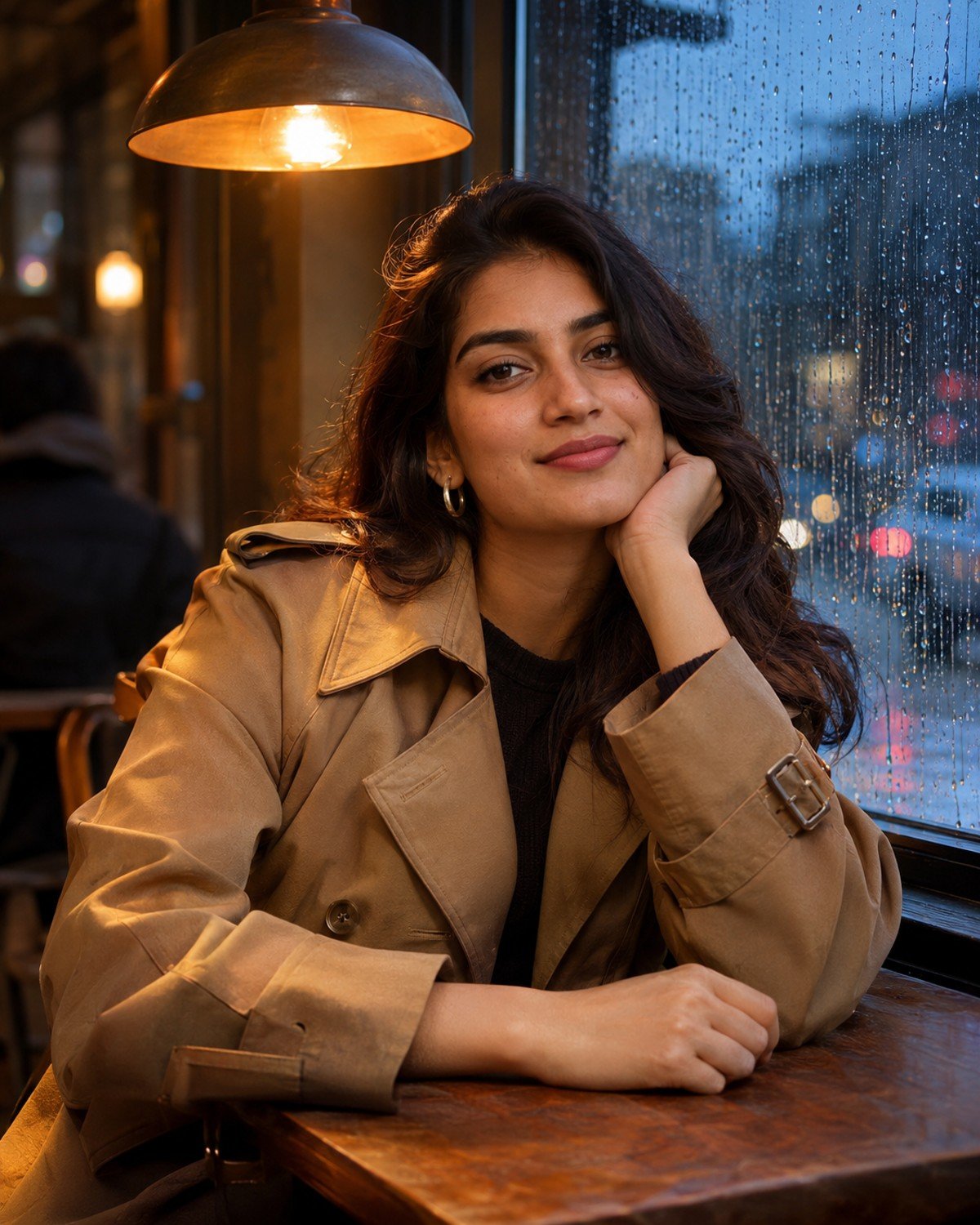
2. Rainy Cafe Window Portrait
Best for a quieter indoor portrait with atmosphere in the background rather than rain across the face.
Rainy Cafe Window Portrait · AI-generated example.ϟ AI PromptCopy-ready prompt
A fictional South Asian adult woman in her late twenties wears a tan trench coat over a cream top and sits inside a cafe beside a rain-streaked window at blue hour. Compose…
A fictional South Asian adult woman in her late twenties wears a tan trench coat over a cream top and sits inside a cafe beside a rain-streaked window at blue hour. Compose an eye-level waist-up portrait with her face on the interior side of the glass, not behind a heavy reflection. Her forearm rests on the table and fingers remain relaxed. Warm pendant light illuminates her face while cool city lights blur beyond the window. Render believable condensation, natural makeup and detailed coat fabric. Keep cups away from her face and avoid readable signage. If a reference photo is provided, use that adult as the subject instead, preserving their recognizable face, skin tone, age and natural proportions while changing only the styling and setting described. Without a reference, create the fictional adult described. Use a vertical 4:5 photographic composition with sharp facial focus and anatomically natural hands. No text, brand logos, watermark or collage.
Refinement tip: If the reflection creates a second face, reduce it to a faint reflection of interior light.
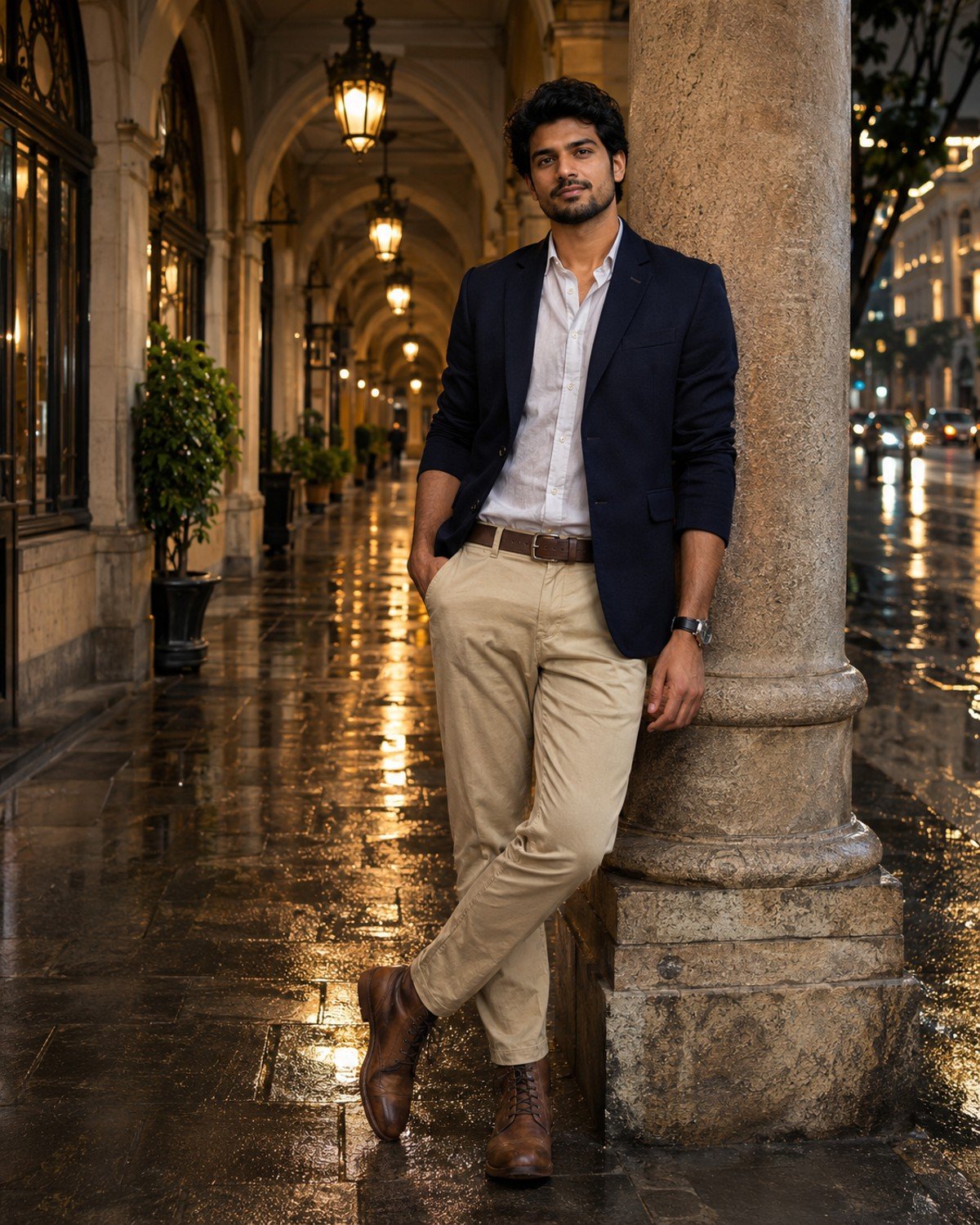
3. Covered Arcade After the Rain
Best for a full-body editorial look with wet reflections and a dry, clearly visible subject.
Covered Arcade After the Rain · AI-generated example.ϟ AI PromptCopy-ready prompt
A fictional South Asian adult man around thirty wears a navy blazer, fine grey knit, dark tailored trousers and brown boots. Place him under a covered stone city arcade at night just…
A fictional South Asian adult man around thirty wears a navy blazer, fine grey knit, dark tailored trousers and brown boots. Place him under a covered stone city arcade at night just after rain, leaning lightly against a dry pillar with relaxed shoulders and both hands visible. Use head-to-toe framing with breathing room around the boots. Wet paving outside the arcade reflects warm wall lamps, while the sheltered floor under him is less reflective. Keep vertical architecture straight, body proportions believable and his face sharp. Use soft directional light and a restrained editorial color grade. If a reference photo is provided, use that adult as the subject instead, preserving their recognizable face, skin tone, age and natural proportions while changing only the styling and setting described. Without a reference, create the fictional adult described. Use a vertical 4:5 photographic composition with sharp facial focus and anatomically natural hands. No text, brand logos, watermark or collage.
Refinement tip: Keep the boots in contact with the paving; request a small contact shadow if the subject appears to float.
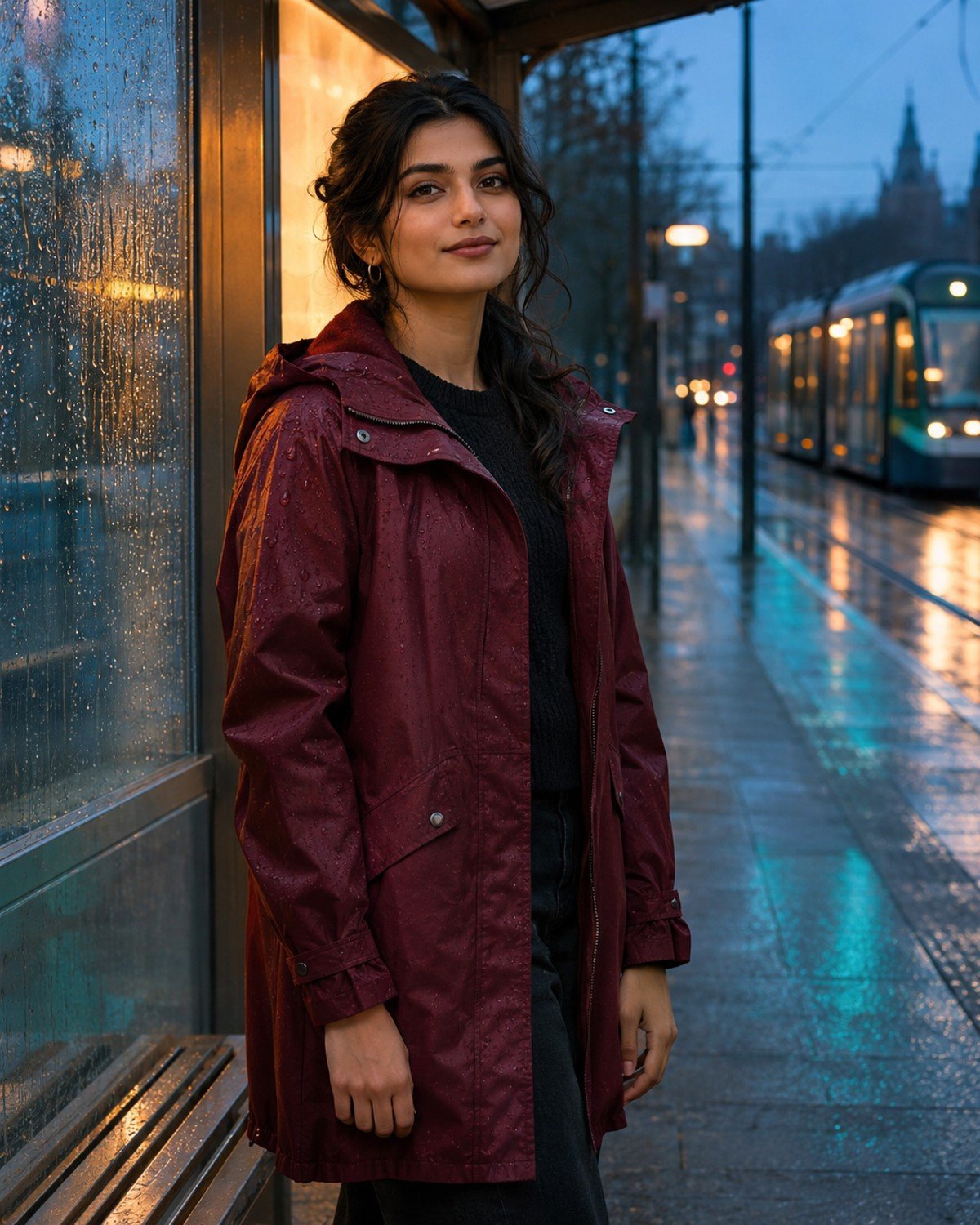
4. Blue-Hour Tram Shelter
Best for a modern urban portrait with clean lines and restrained color.
Blue-Hour Tram Shelter · AI-generated example.ϟ AI PromptCopy-ready prompt
A fictional South Asian adult woman in her mid-twenties wears a burgundy raincoat at a quiet tram shelter at blue hour. Capture a three-quarter portrait with her face unobstructed, chin slightly turned…
A fictional South Asian adult woman in her mid-twenties wears a burgundy raincoat at a quiet tram shelter at blue hour. Capture a three-quarter portrait with her face unobstructed, chin slightly turned toward a soft illuminated shelter panel. Her hands rest naturally at her sides. Show small raindrops on glass behind her, a wet street and distant out-of-focus tram lights without readable advertising. Blend gentle amber facial light with a cool teal environment, retaining realistic skin color. Keep shelter edges geometrically plausible and separate the coat from the darker background. If a reference photo is provided, use that adult as the subject instead, preserving their recognizable face, skin tone, age and natural proportions while changing only the styling and setting described. Without a reference, create the fictional adult described. Use a vertical 4:5 photographic composition with sharp facial focus and anatomically natural hands. No text, brand logos, watermark or collage.
Refinement tip: Keep the shelter empty behind the head so glass edges do not appear to cut through the face.
5. Black-and-White Doorway Close-Up
Best for an expressive profile image where texture and light matter more than colored signs.
Black-and-White Doorway Close-Up · AI-generated example.ϟ AI PromptCopy-ready prompt
A fictional South Asian adult man in his late twenties wears a black wool coat in a covered doorway at night. Make a black-and-white head-and-shoulders portrait, with a soft shop-window light skimming…
A fictional South Asian adult man in his late twenties wears a black wool coat in a covered doorway at night. Make a black-and-white head-and-shoulders portrait, with a soft shop-window light skimming one cheek and gentle fill preserving detail in the opposite eye. Show fine drizzle only in the background and a few natural droplets on the coat shoulders. Preserve realistic pores, subtle stubble and clear catchlights; avoid excessive sharpening. Keep the eyes on the same focal plane, a natural expression and rich midtones rather than crushed shadows. If a reference photo is provided, use that adult as the subject instead, preserving their recognizable face, skin tone, age and natural proportions while changing only the styling and setting described. Without a reference, create the fictional adult described. Use a vertical 4:5 photographic composition with sharp facial focus and anatomically natural hands. No text, brand logos, watermark or collage.
Refinement tip: If facial detail disappears, ask for gentle fill light rather than making the whole image brighter.
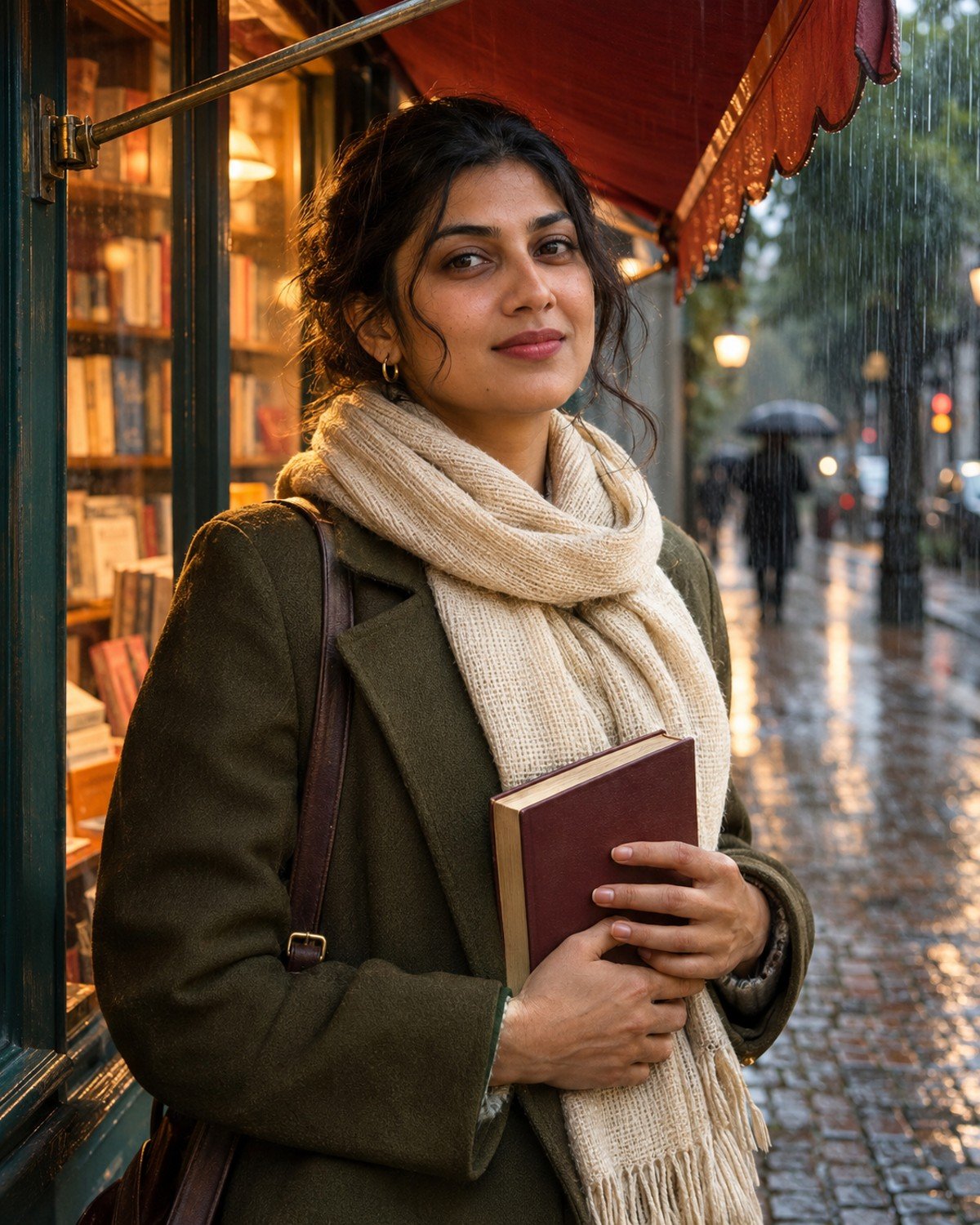
6. Rainy Bookshop Entrance
Best for a cozy storytelling portrait with a warm, human focal point.
Rainy Bookshop Entrance · AI-generated example.ϟ AI PromptCopy-ready prompt
A fictional South Asian adult woman around thirty wears an olive coat and ivory scarf, standing under a small bookshop awning after a rain shower. She holds one closed book against her…
A fictional South Asian adult woman around thirty wears an olive coat and ivory scarf, standing under a small bookshop awning after a rain shower. She holds one closed book against her torso with natural separated fingers and looks slightly toward camera. Use a waist-up composition with warm interior light spilling onto her face, rain-softened street bokeh behind her and believable wet cobblestones. Books inside remain abstract shapes with no legible titles. Preserve scarf weave, natural skin texture and soft background depth. Keep the awning physically supported and rain outside the sheltered area. If a reference photo is provided, use that adult as the subject instead, preserving their recognizable face, skin tone, age and natural proportions while changing only the styling and setting described. Without a reference, create the fictional adult described. Use a vertical 4:5 photographic composition with sharp facial focus and anatomically natural hands. No text, brand logos, watermark or collage.
Refinement tip: A closed book is easier to render cleanly than an open page with invented text.
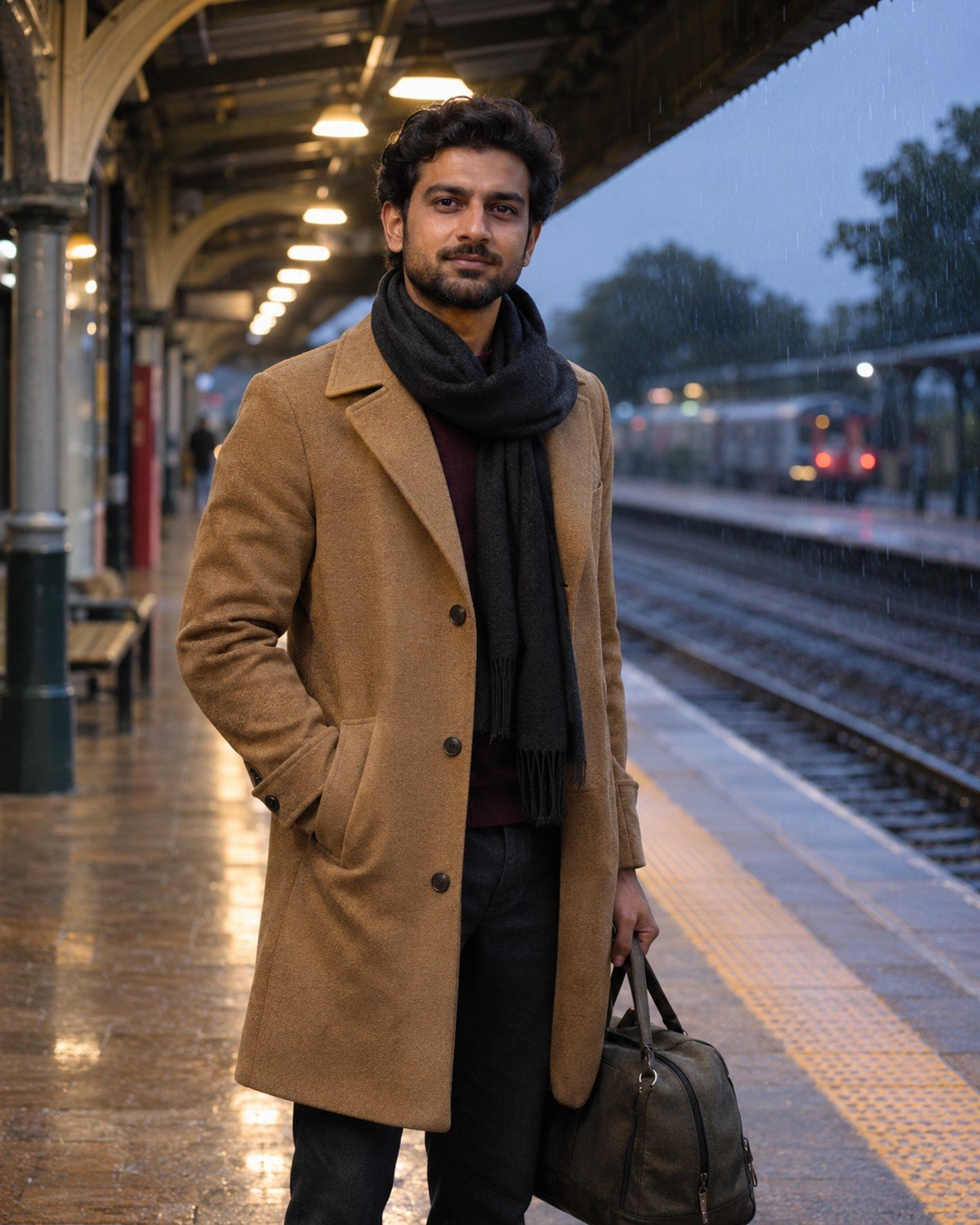
7. Station Platform in Soft Drizzle
Best for a travel-inspired portrait with leading lines and a simple pose.
Station Platform in Soft Drizzle · AI-generated example.ϟ AI PromptCopy-ready prompt
A fictional South Asian adult man in his early thirties wears a camel coat and dark scarf on a covered railway platform at dusk. Show him standing still a safe distance behind…
A fictional South Asian adult man in his early thirties wears a camel coat and dark scarf on a covered railway platform at dusk. Show him standing still a safe distance behind the platform edge, looking toward camera with a small unbranded travel bag at his side. Frame from the knees upward. Use platform lights as soft leading lines and place fine drizzle beyond the roof. Keep any train distant and blurred, signs unreadable and platform geometry consistent. Give the face soft neutral light, realistic hair and plausible coat folds without artificial glossy skin. If a reference photo is provided, use that adult as the subject instead, preserving their recognizable face, skin tone, age and natural proportions while changing only the styling and setting described. Without a reference, create the fictional adult described. Use a vertical 4:5 photographic composition with sharp facial focus and anatomically natural hands. No text, brand logos, watermark or collage.
Refinement tip: Keep the subject still; combining a running pose, luggage and rain often introduces unnecessary anatomy errors.
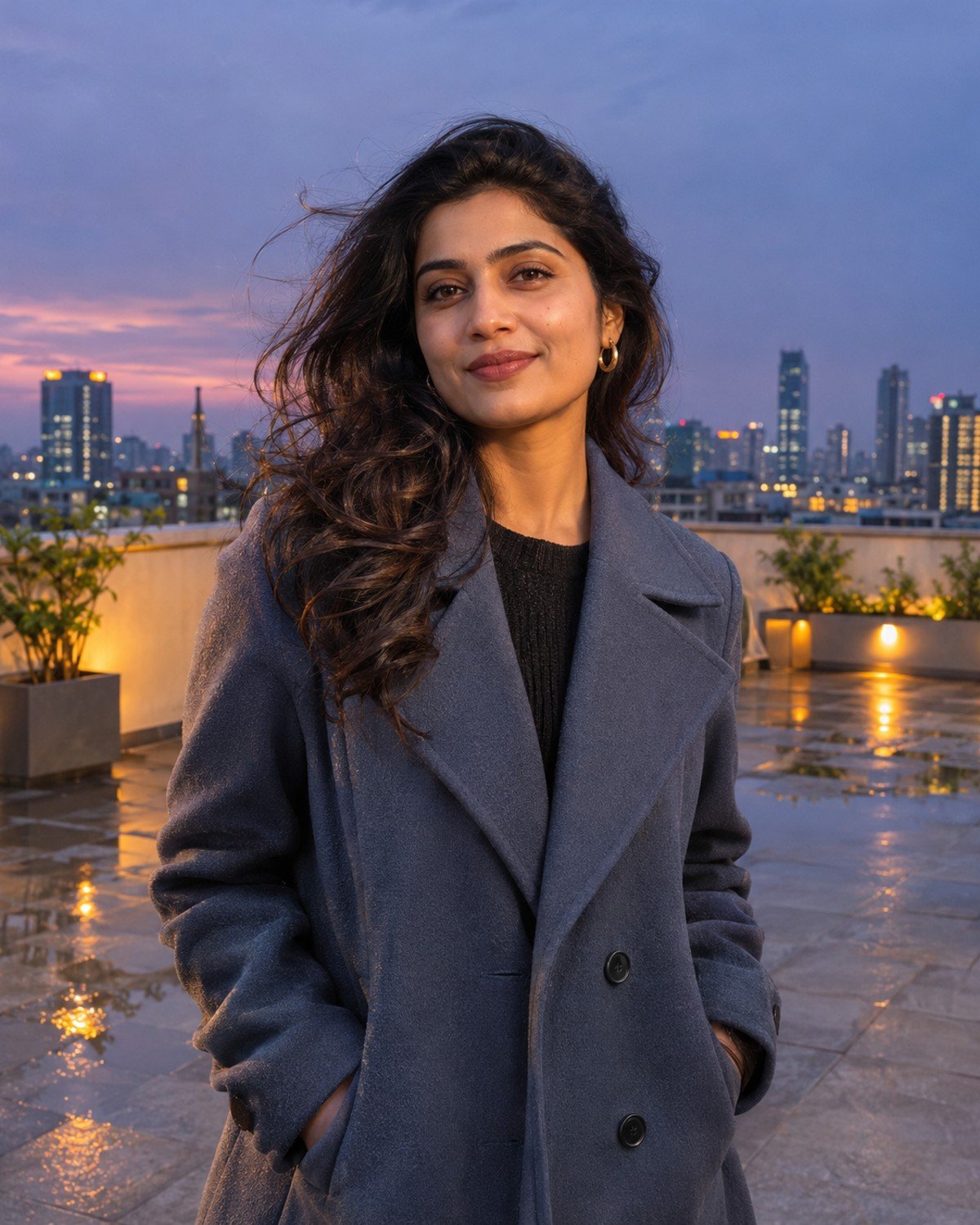
8. Rooftop After-Rain Portrait
Best for a cinematic skyline background without a busy street scene.
Rooftop After-Rain Portrait · AI-generated example.ϟ AI PromptCopy-ready prompt
A fictional South Asian adult woman in her late twenties wears a slate-blue coat and stands on a spacious rooftop terrace after rain, well inside a secure waist-high parapet. Compose a waist-up…
A fictional South Asian adult woman in her late twenties wears a slate-blue coat and stands on a spacious rooftop terrace after rain, well inside a secure waist-high parapet. Compose a waist-up portrait with a softly glowing city skyline behind her at twilight. Her hands rest comfortably in the coat pockets and her hair moves slightly in a light breeze. Show a few shallow puddles on terrace paving, believable reflections and no active downpour. Use warm architectural fill on her face against the cool skyline. Preserve natural skin detail and realistic perspective. If a reference photo is provided, use that adult as the subject instead, preserving their recognizable face, skin tone, age and natural proportions while changing only the styling and setting described. Without a reference, create the fictional adult described. Use a vertical 4:5 photographic composition with sharp facial focus and anatomically natural hands. No text, brand logos, watermark or collage.
Refinement tip: Keep skyline lights subdued so the face remains the brightest meaningful element.
9. Warm Bakery Window Portrait
Best for a friendly, approachable portrait with a softer mood than neon street scenes.
Warm Bakery Window Portrait · AI-generated example.ϟ AI PromptCopy-ready prompt
A fictional South Asian adult man in his late twenties wears a textured cream sweater under a dark rain jacket and stands beneath a bakery awning at dusk. Capture an eye-level chest-up…
A fictional South Asian adult man in his late twenties wears a textured cream sweater under a dark rain jacket and stands beneath a bakery awning at dusk. Capture an eye-level chest-up portrait with a relaxed small smile and soft warm light from the display window. Put rain droplets on the window behind him and soft reflections on the sidewalk; leave his face clear and naturally dry under shelter. Background pastries are softly blurred without readable labels. Preserve believable knit texture, natural teeth and gentle catchlights. Balance warm light with the cooler street without orange skin. If a reference photo is provided, use that adult as the subject instead, preserving their recognizable face, skin tone, age and natural proportions while changing only the styling and setting described. Without a reference, create the fictional adult described. Use a vertical 4:5 photographic composition with sharp facial focus and anatomically natural hands. No text, brand logos, watermark or collage.
Refinement tip: For a natural smile, request a subtle closed-mouth expression if teeth look overly uniform.
10. Minimal Neon Reflection Portrait
Best for a stronger cinematic color palette while keeping the person recognizable.
Minimal Neon Reflection Portrait · AI-generated example.ϟ AI PromptCopy-ready prompt
A fictional South Asian adult woman around thirty wears a simple black jacket over a white top on a quiet rain-wet street at night. Create a waist-up portrait with one abstract magenta…
A fictional South Asian adult woman around thirty wears a simple black jacket over a white top on a quiet rain-wet street at night. Create a waist-up portrait with one abstract magenta light source behind her and a soft neutral key light on her face. Keep neon effects mostly in pavement reflections and background bokeh, with only a subtle colored rim along the jacket. Her posture is relaxed, both shoulders are anatomically natural and no sign contains readable letters. Preserve realistic skin color, detailed hair edges and distinct fingers if hands enter the frame. If a reference photo is provided, use that adult as the subject instead, preserving their recognizable face, skin tone, age and natural proportions while changing only the styling and setting described. Without a reference, create the fictional adult described. Use a vertical 4:5 photographic composition with sharp facial focus and anatomically natural hands. No text, brand logos, watermark or collage.
Refinement tip: Keep colored light away from the central face; strong magenta on skin can hide likeness and texture.
Make Rain, Reflections and Skin Look Believable
Separate the light sources. Use a soft neutral or warm light on the face, with colored lights mainly in the background. A small colored edge is easier to control than covering the whole face in neon.
Keep reflections physically consistent. Puddles should reflect nearby lamps and windows. If a reflection duplicates the person, ask for softer, less detailed reflections while leaving the subject unchanged.
Match wetness to shelter. A person under an awning can have a dry face while rain falls behind them. Ask for drops on an umbrella or coat shoulders rather than water streaks across the eyes.
Refine hands and props separately. Keep only one umbrella handle or one closed book. Ask to correct the grip, retain the same pose and keep the face, outfit and lighting unchanged.
A Simple Follow-Up Prompt for Corrections
After generating, describe the actual issue you see. For example: “Keep the same person, outfit, crop and lighting. Correct only the umbrella hand so five fingers naturally wrap around one straight handle. Preserve the face and the background.” Use this as an editing instruction, not an extra scene to mix into the original prompt.
A LITTLE EXTRA CLARITY
Frequently Asked Questions
Can I use my own face in these rainy night AI photos?
Yes, if your image tool supports reference photos. Upload a clear adult photo you have permission to use and ask to preserve recognizable features. Likeness can still vary, so compare the result with your reference before sharing.
Why does the AI add a second face in a window?
Strong reflection instructions can make the model duplicate facial features. Ask for a faint reflection of interior lights only, keeping the actual face clearly on one side of the glass.
How do I keep neon from changing my skin color?
Specify a neutral key light on the face and keep colored lighting in the background or along a subtle rim. If the result is still too saturated, ask to correct only skin color.
What aspect ratio should I choose?
Use vertical 4:5 for these portrait concepts, such as 1200 × 1500 pixels if your tool supports it. A website featured image uses a separate wide 1200 × 675 composition.
Do I need a reference photo?
No. Without one, keep the fictional adult description. The result will be a newly generated subject rather than a portrait of a specific real person.
Why do umbrellas and hands look wrong?
Umbrellas combine thin rods, curved handles and overlapping fingers. Simplify the pose to one visible hand holding one handle, then correct that area while preserving the rest of the image.
Choose One Look and Refine It
Start with the scene that matches your goal, copy the complete prompt and adjust only the details you need. Review the face, hands, clothing and light before sharing. A focused correction usually gives you more control than adding a long list of competing instructions.