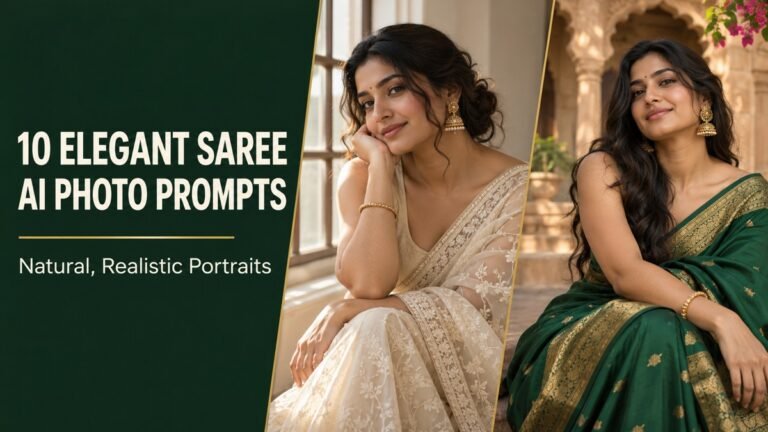
10 Creative 3D Avatar AI Prompts to Turn Human Portraits Into Character Art
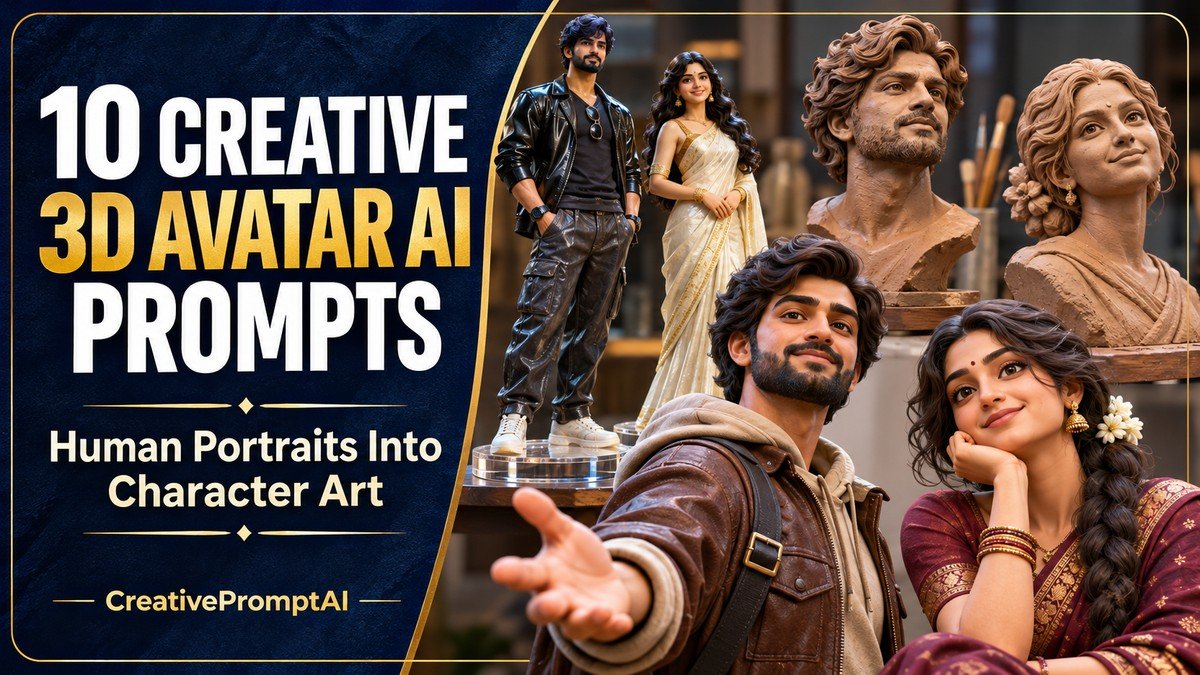
Illustrative cover photograph
Your hairstyle, expression and everyday outfit can become the starting point for a distinctive 3D character. The creative choice is the finish: a collectible figure feels different from a soft felt portrait, a paper sculpture or a glazed ceramic bust.
These ten 3D avatar AI prompts give you ten different human-centered character treatments. Compare the sample styles, choose the material you like and customize the adult subject before copying the full prompt.
Choose Your Portrait Concept
- 1. Resin Collectible Figure With Everyday Style
- 2. Handcrafted Clay Portrait
- 3. Full-Body Digital Character
- 4. Miniature Professional Desk Character
- 5. Soft Felt Character Portrait
- 6. Elegant Paper-Cut Human Portrait
- 7. Polished Low-Poly Explorer
- 8. Ceramic Fashion Bust
- 9. Sporty Animated Character
- 10. Editorial 3D Profile Avatar
How to Use These Human-Focused Prompts
Choose a material before generating. Resin suits a collectible figure, clay suits a tactile bust, and a digital character suits an expressive full-body avatar. Mixing all three material directions can produce an inconsistent finish.
- Choose a look that matches the image you want. Open its View Full Prompt card or select Copy Prompt to copy the entire text.
- Paste it into an image generator. These prompts describe fictional adults; personalize the adult subject, clothing and colors before generating.
- For a portrait of yourself, use an editor with reference-photo support and upload a photo you own or have permission to edit. Replace the fictional description with the identity instruction below.
- Keep the requested 4:5 portrait frame, unless you need a different crop. Generate a first version and check the face, hands, clothing and background.
- Request one focused improvement at a time. Preserve the parts you like instead of rewriting the whole scene for every correction.
Using Your Own Reference Photo
Replace the fictional subject description with: Use the adult person in my uploaded reference photo. Preserve their recognizable facial features, hairstyle, skin tone and natural age while applying the following outfit, scene and visual style. Then retain the rest of your chosen prompt. Reference support and facial consistency vary between image tools.
1. Resin Collectible Figure With Everyday Style
The round base grounds the figure, while the bomber jacket and sneakers give it an approachable personality. Slightly exaggerated proportions create a collectible look without losing the adult subject.
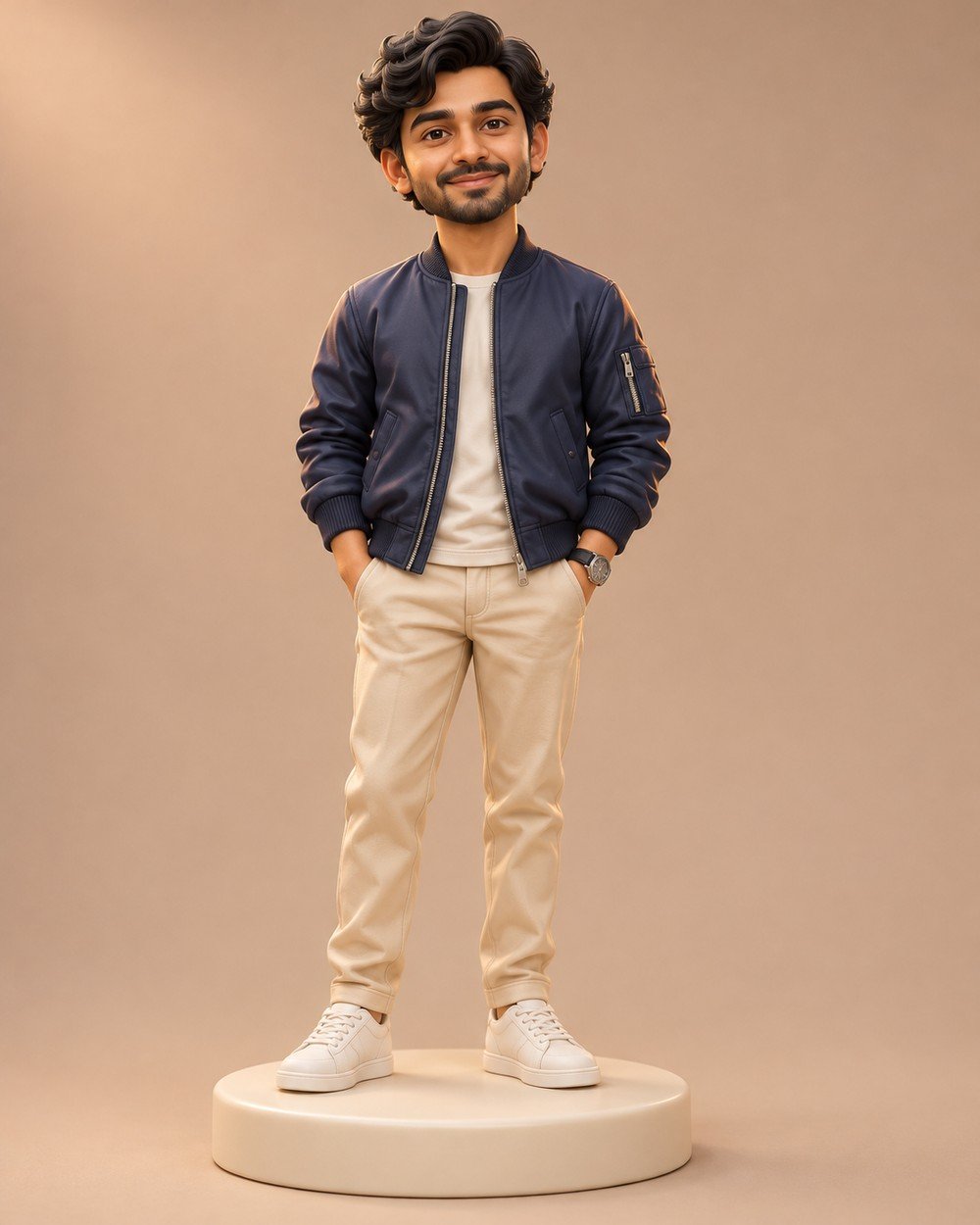
Best for: a full-body collectible-style character concept.
Create a premium stylized 3D collectible figure of a fictional adult South Asian man, age 28, short wavy black hair, friendly expression, warm medium skin. Tasteful slightly enlarged head and compact but…
Refinement tip: Keep the shoes, head and base inside the frame. If the face looks too young, ask for clearly adult facial features while retaining the stylized proportions.
2. Handcrafted Clay Portrait
A clay bust works well when expression is more important than the full outfit. Sculpting marks and matte surfaces make the material feel intentional, rather than looking like blurred skin.
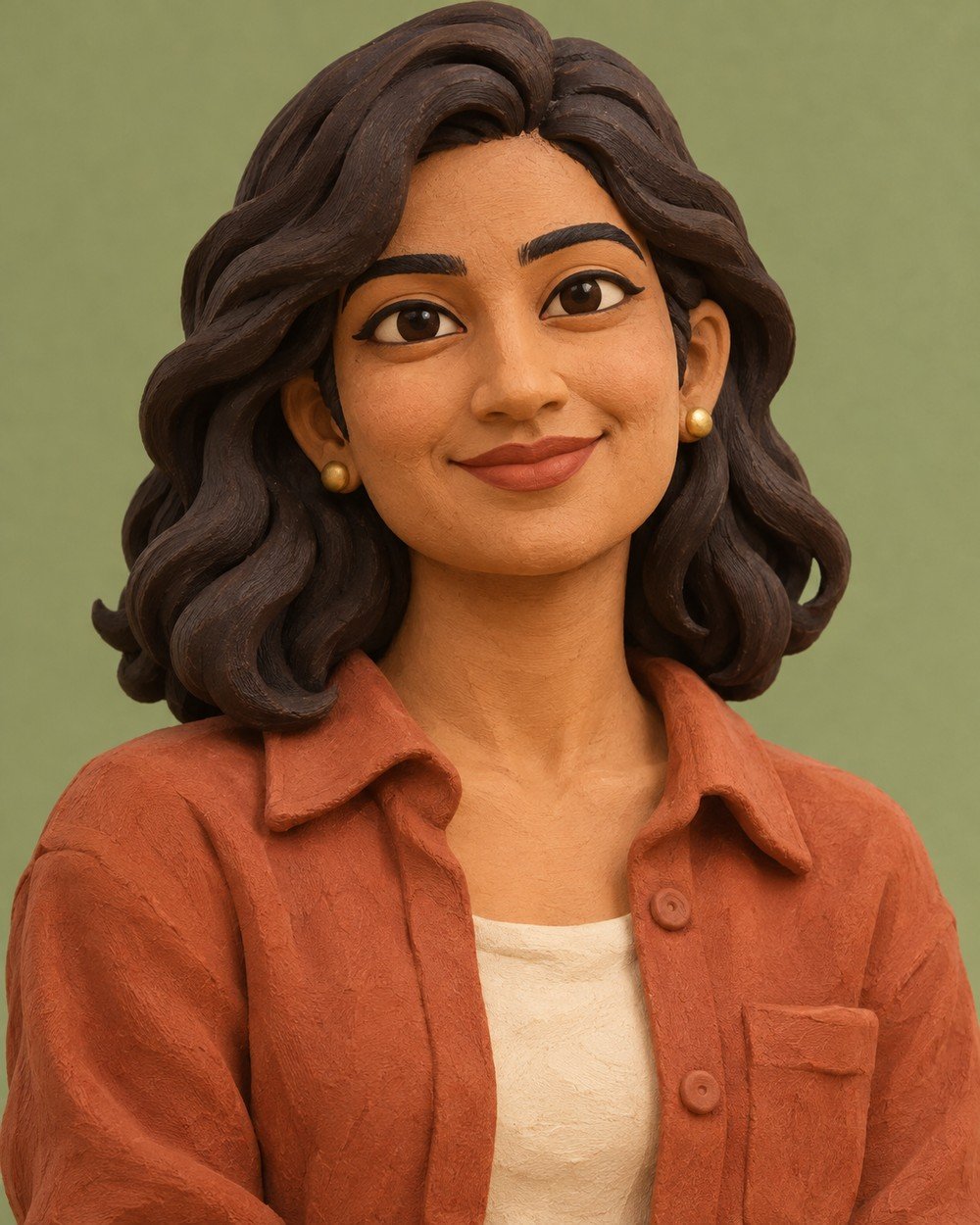
Best for: a tactile portrait with a handcrafted feel.
Create a beautifully crafted stylized 3D clay portrait of a fictional adult South Asian woman, age 28, shoulder-length wavy dark hair, warm medium skin and a gentle confident smile. She wears a…
Refinement tip: Try changing only the shirt and backdrop colors. Keep the clay finish consistent across the face, hair and clothing so the result reads as one sculpture.
3. Full-Body Digital Character
This avatar keeps more natural adult proportions. The teal jumpsuit gives the silhouette a strong shape, while a closed sketchbook hints at the character’s interests.
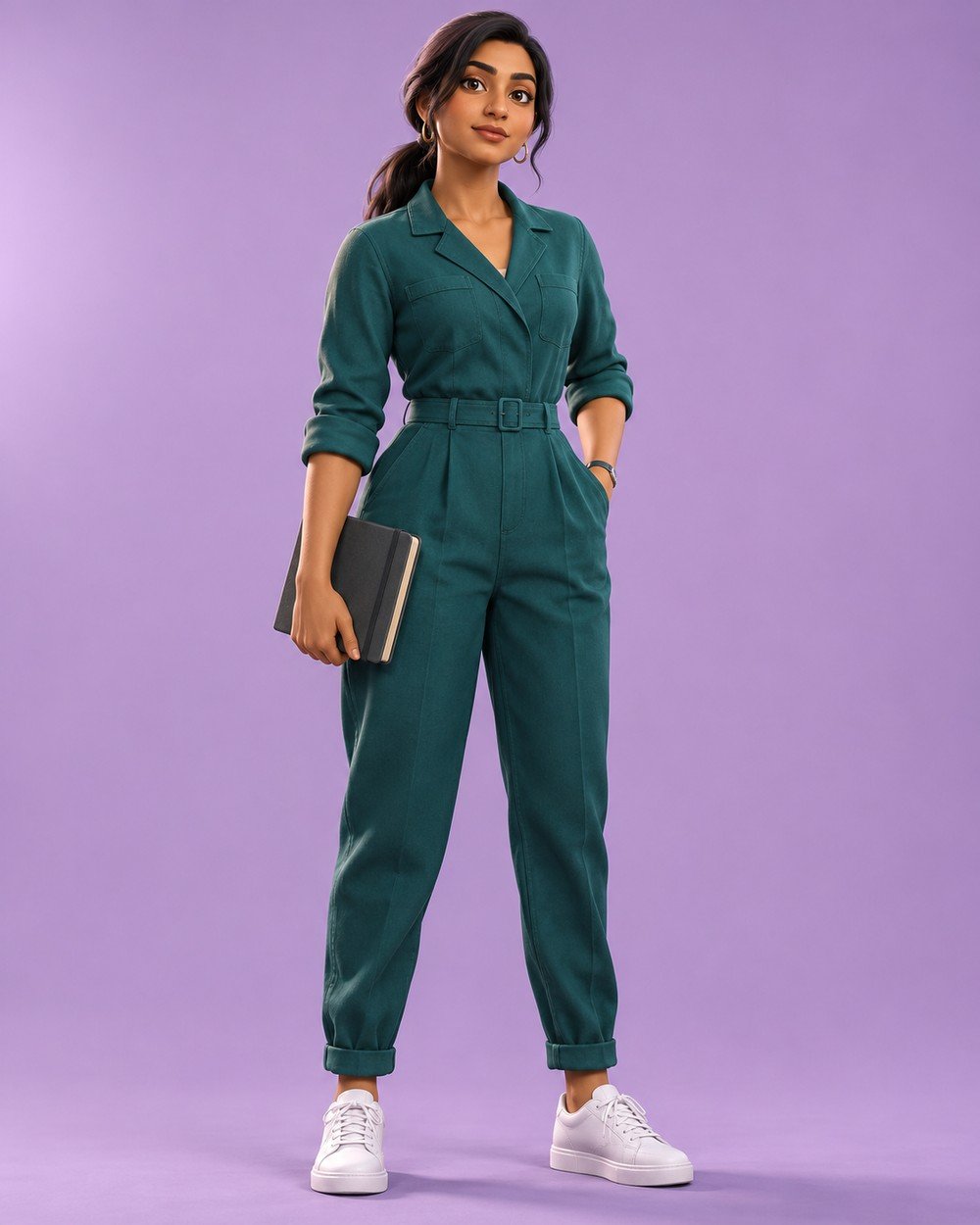
Best for: a polished full-body digital character.
Create a sophisticated stylized 3D full-body digital avatar of a fictional adult South Asian woman age 30, long dark hair in low ponytail, warm brown skin, confident relaxed expression. Wearing a teal…
Refinement tip: If a hand looks distorted, request a simpler pose with both arms relaxed. A clean silhouette is more useful than several complicated accessories.
4. Miniature Professional Desk Character
A small desk scene adds a sense of occupation and personality to an avatar. The closed laptop keeps the composition simple, while the chair and desk establish a clear scale around the seated adult character.
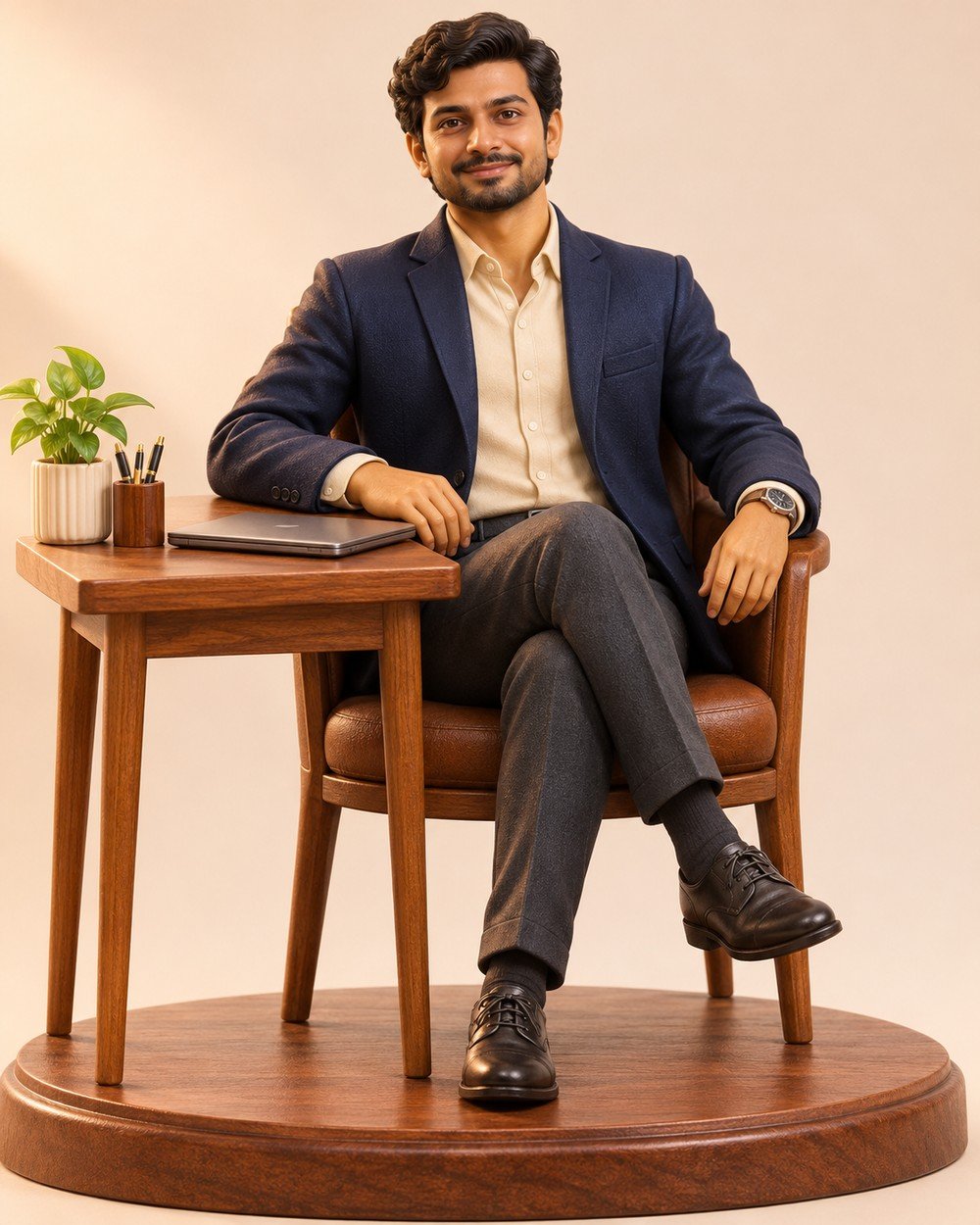
Best for: a professional character scene with a simple desk setting.
Create a premium stylized 3D character image of an adult South Asian man age 30, short wavy dark hair, warm medium skin, navy blazer over cream shirt and charcoal trousers, seated naturally…
Refinement tip: Use a few large props rather than many tiny accessories. Check the chair legs and the character’s fingers.
5. Soft Felt Character Portrait
Felt changes the portrait through texture rather than dramatic lighting. Fine fibers soften edges, while carefully modeled eyes and a clear adult face keep the character expressive instead of looking like an anonymous soft toy.
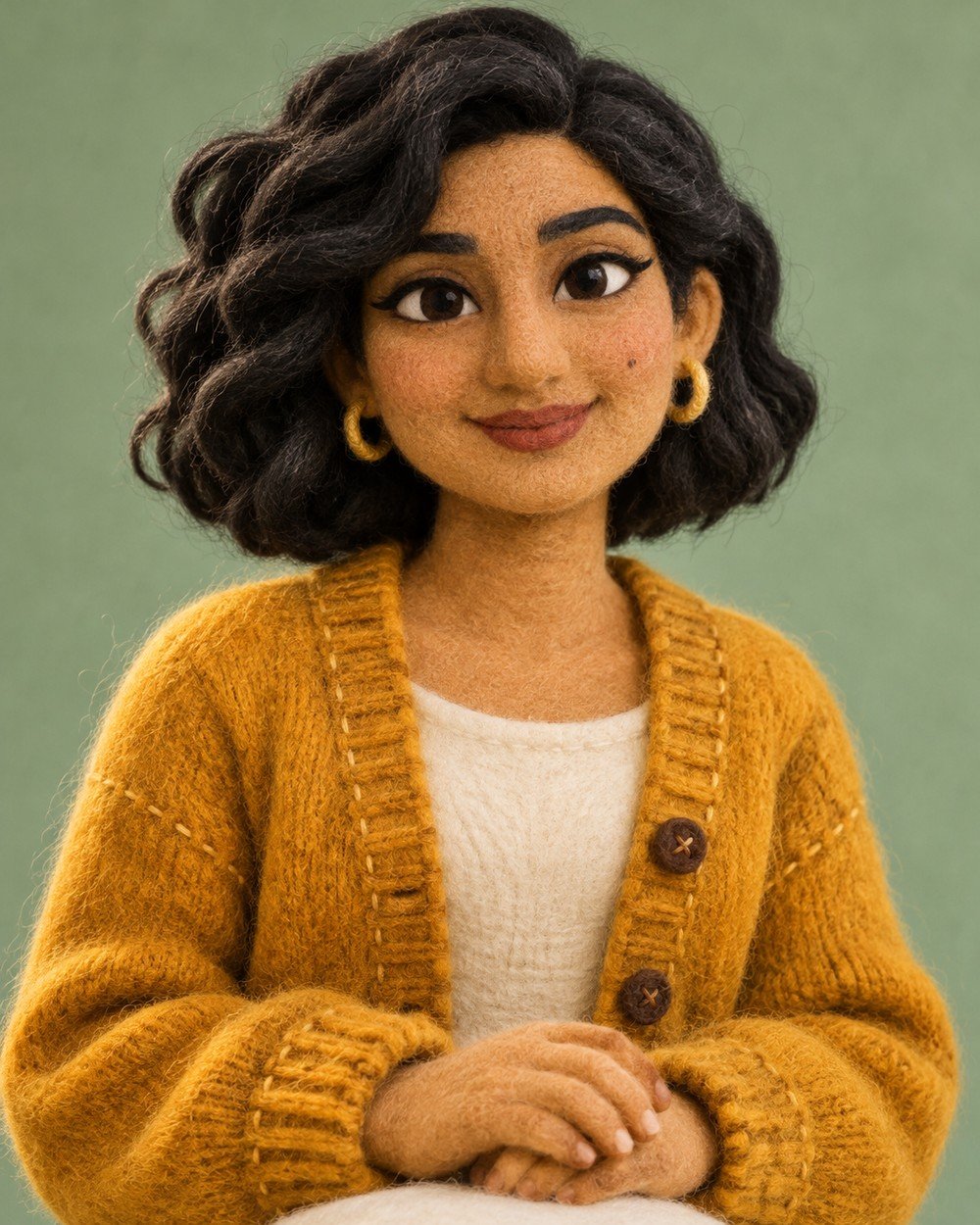
Best for: a warm, approachable handmade avatar.
Create a premium stylized 3D character image of an adult South Asian woman age 28, dark wavy bob, warm medium skin, mustard cardigan over ivory top, head-and-shoulders handmade needle-felt character, visible wool…
Refinement tip: Keep the texture soft but the eyes readable. Do not combine felt skin with glossy plastic hair.
6. Elegant Paper-Cut Human Portrait
Paper layers create depth through edges and shadows. A simple jacket and tied-back hairstyle help the portrait remain readable, especially when the material treatment is more visually complex than ordinary skin and fabric.

Best for: a graphic portrait built around layered paper depth.
Create a premium stylized 3D character image of an adult South Asian woman age 30 with dark hair in a low bun, cobalt jacket over cream blouse, layered sculpted paper portrait with…
Refinement tip: Ask for fewer larger paper layers if the face becomes visually noisy. Preserve the adult proportions.
7. Polished Low-Poly Explorer
Low-poly styling uses faceted planes as a deliberate design choice. The outdoor-inspired outfit gives the figure a clear role, while a controlled palette helps the face, clothing and background feel part of one visual system.
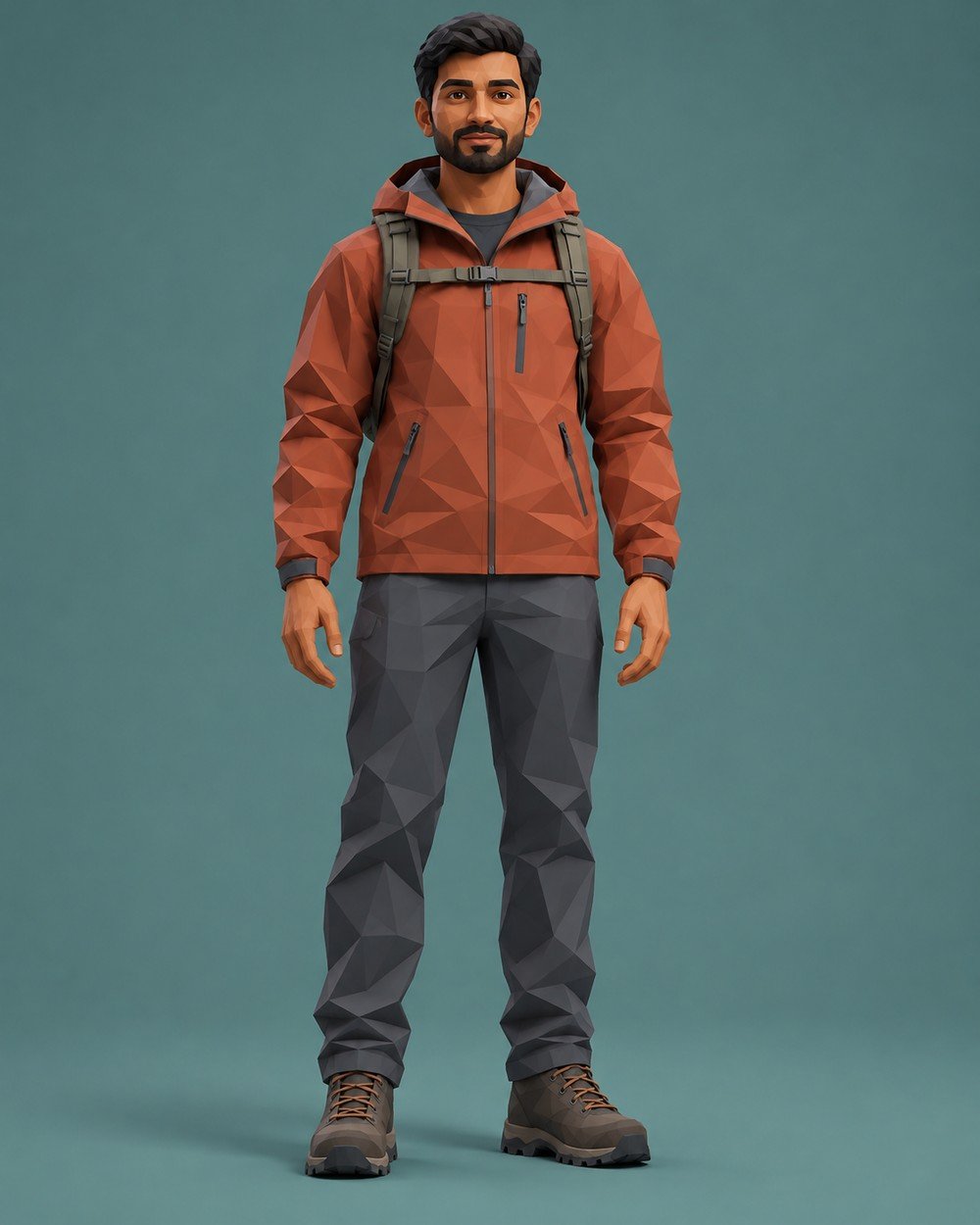
Best for: a geometric explorer character with a clear silhouette.
Create a premium stylized 3D character image of an adult South Asian man age 32, short dark hair, warm brown skin, terracotta hiking jacket, slate trousers and boots, standing with arms relaxed,…
Refinement tip: Keep the face simplified consistently with the clothing. Avoid adding photoreal pores to a faceted surface.
8. Ceramic Fashion Bust
A ceramic bust works as a compact portrait study. Broad highlights describe the sculpted face and collar, while the restrained glaze palette makes the material the main creative change.
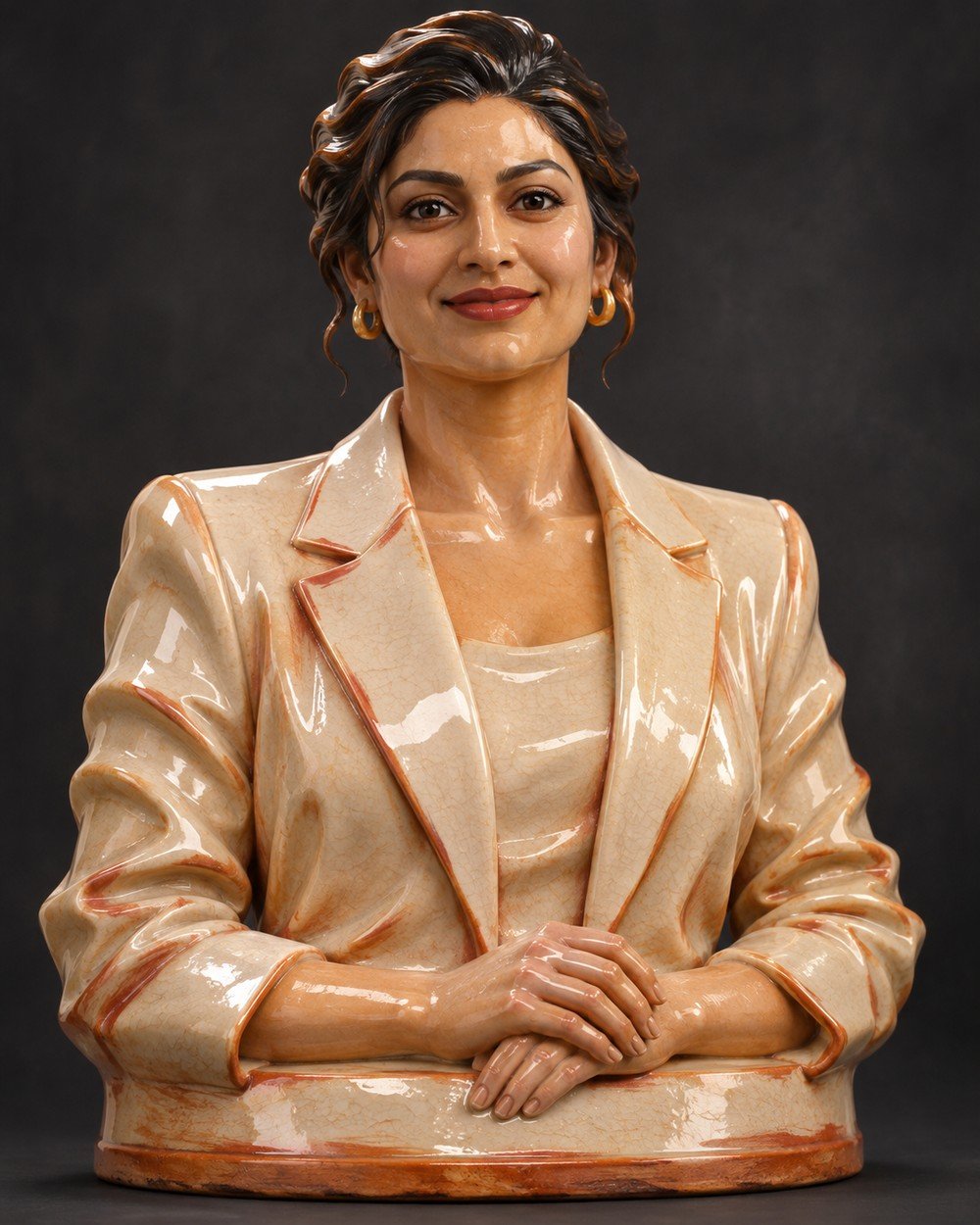
Best for: a sculptural portrait focused on glaze and form.
Create a premium stylized 3D character image of an adult South Asian woman age 30, swept-back dark hair, warm medium skin, ivory blazer, sculptural glazed ceramic head-and-shoulders bust, satin cream glaze with…
Refinement tip: A small number of broad highlights will show the ceramic shape more clearly than scattered bright reflections.
9. Sporty Animated Character
A sporty avatar can feel energetic without an action pose. The jacket, joggers and sneakers create an athletic identity, and a balanced stance makes it easier to check proportions and the shape of the shoes.
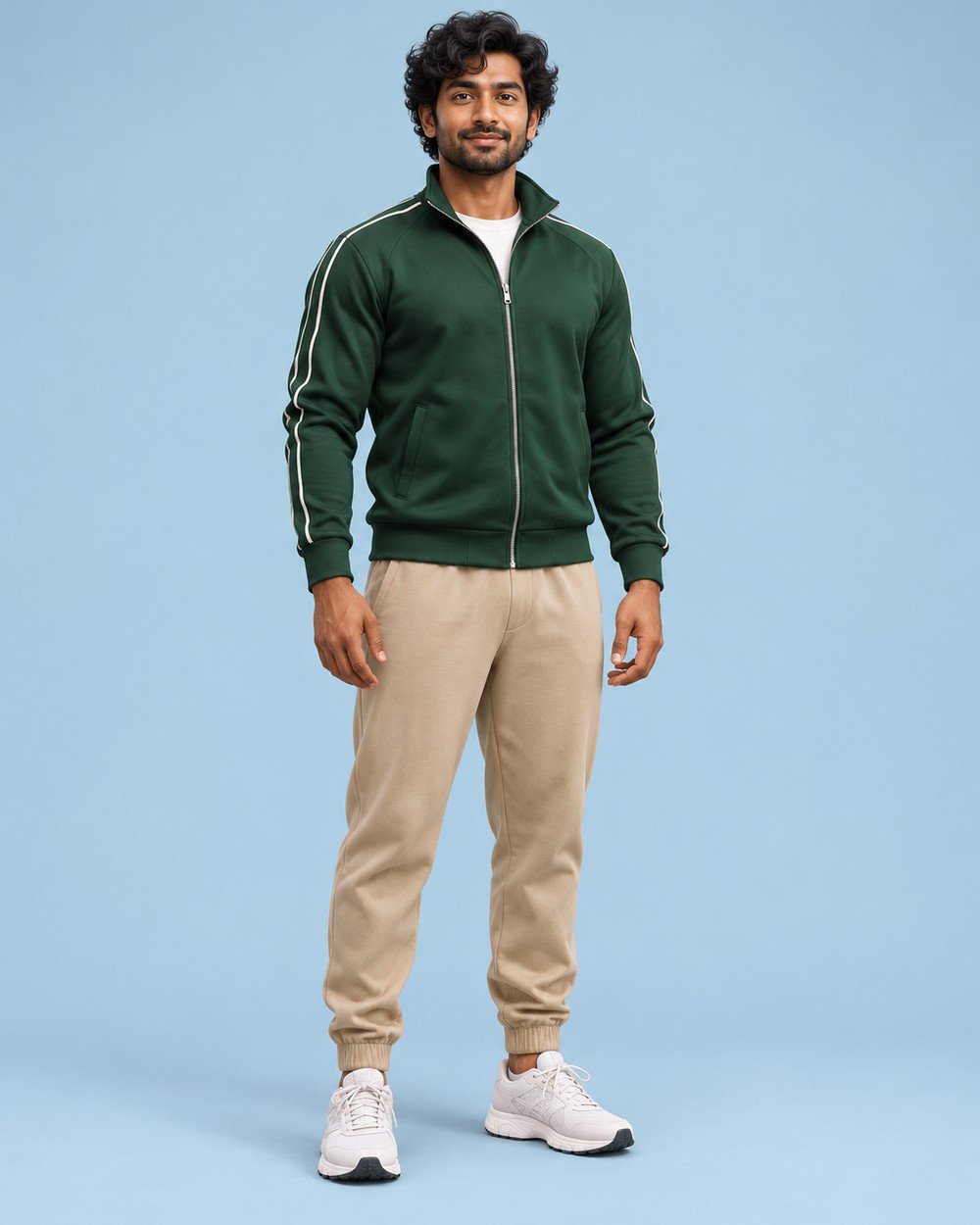
Best for: a relaxed athletic character and outfit concept.
Create a premium stylized 3D character image of an adult South Asian man age 28, curly black hair, natural adult face and body proportions, forest-green track jacket, beige joggers and white running…
Refinement tip: Keep the entire figure visible. A balanced standing pose is easier to refine than a complex running motion.
10. Editorial 3D Profile Avatar
This waist-up avatar is designed around the face, shoulders and hair. A muted backdrop and a simple top help it remain readable when the image is cropped for a small profile display.
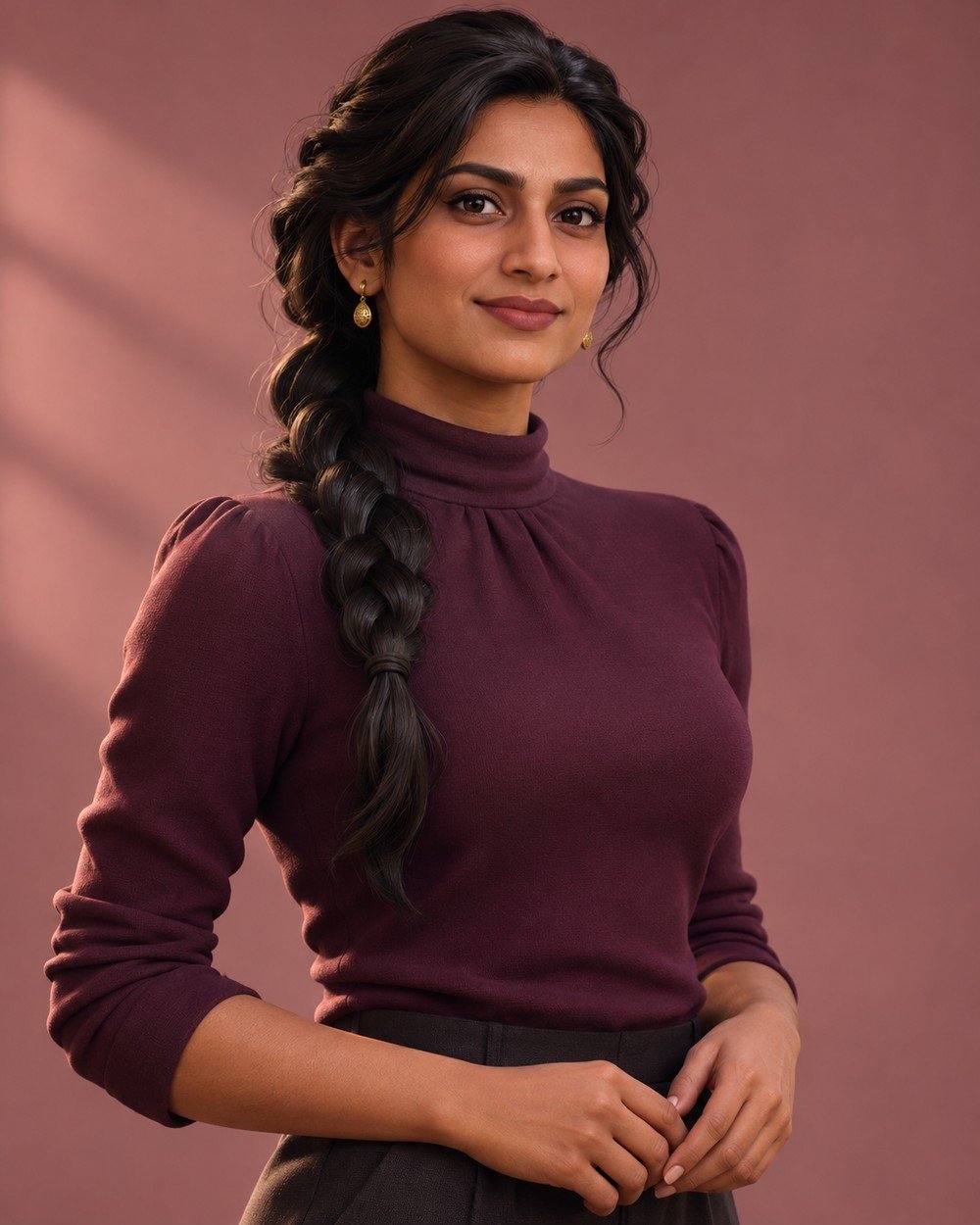
Best for: a clean waist-up avatar for a small profile crop.
Create a premium stylized 3D character image of an adult South Asian woman age 30, dark braided hair, warm brown skin, plum high-neck top and subtle gold earrings, sophisticated stylized 3D waist-up…
Refinement tip: Use a simple background and restrained expression. The face should remain the focal point at profile-picture size.
Make the Prompt Your Own
Personalize the details that change the picture: adult subject, outfit, pose, background, lighting and crop. Keep the other instructions stable. For example, replace a cream shirt with a muted blue linen shirt while retaining the same pose and light; then compare the two results before changing the background.
If you use a reference photograph, preserve the identity instruction while changing the creative setting. For a fictional character, replace the adult description with another clear adult subject. Avoid combining several outfits or locations into one request.
Tips for a Better Result
Keep human details specific
Describe an adult subject, hairstyle, expression and clothing before render terminology. Graphics buzzwords cannot replace a clear character idea.
Match the crop to the subject
Use head-and-shoulders framing for a bust and full-body framing for a collectible. Leave extra space around shoes, hair and the display base.
Control the surface
Matte clay, satin resin and woven fabric should look different. Name the texture you want and avoid conflicting finish instructions.
Check the Result Before You Share
Inspect eyes, hands, garment edges, hair and the points where the person touches the scene. Look for duplicated accessories, inconsistent shadows and objects that merge into the body. A small localized correction is often easier to direct than a complete restart. If a pose repeatedly fails, simplify it.
Image Size and Framing
The prompts use a vertical 4:5 ratio. A 1200 × 1500 image is one example at this ratio; available export sizes depend on your tool. For the wide article cover, use 1200 × 675 px (16:9). Leave space around hair, hands and shoes, and avoid placing important details at the outer edges.
Frequently Asked Questions
Does this create a printable 3D model?
No. It creates a rendered image. A printable model needs actual three-dimensional geometry, preparation and separate checks.
Can I use my own portrait?
If your image tool supports references, upload your own photo and replace the fictional subject with the adult person in the reference. Ask to preserve recognizable facial features, hairstyle and skin tone.
What should I change first?
Start with the outfit or background color. Keep the pose and material unchanged so the variations are easy to compare.
Why might my image look different from the example?
Image generation is variable. The tool, model, reference photo and wording can all change the result. Use the example as a visual direction, then refine the specific differences you see.
How can I keep the same person across several images?
Use the same reference photo in a reference-capable editor and ask to preserve the adult person’s recognizable facial features, hairstyle and skin tone. Change the scene or outfit one at a time. Exact consistency is not guaranteed.
What should I do if hands or clothing look wrong?
Request a focused correction while preserving the face, pose and scene. Simplify the gesture or remove a prop if the same issue repeats. Review fingers, garment edges and contact with nearby surfaces.
Create Your Own Version
Choose one material and refine the face, silhouette and hands before adding more props. A simple, consistent character is a strong starting point.
Explore more ideas in our free AI prompt library. Choose a concept, personalize the details and compare one thoughtful change at a time.
All accompanying examples are AI-generated illustrations. Results may vary between tools and generations.
More Articles
Found a look you like? Explore another creative direction.