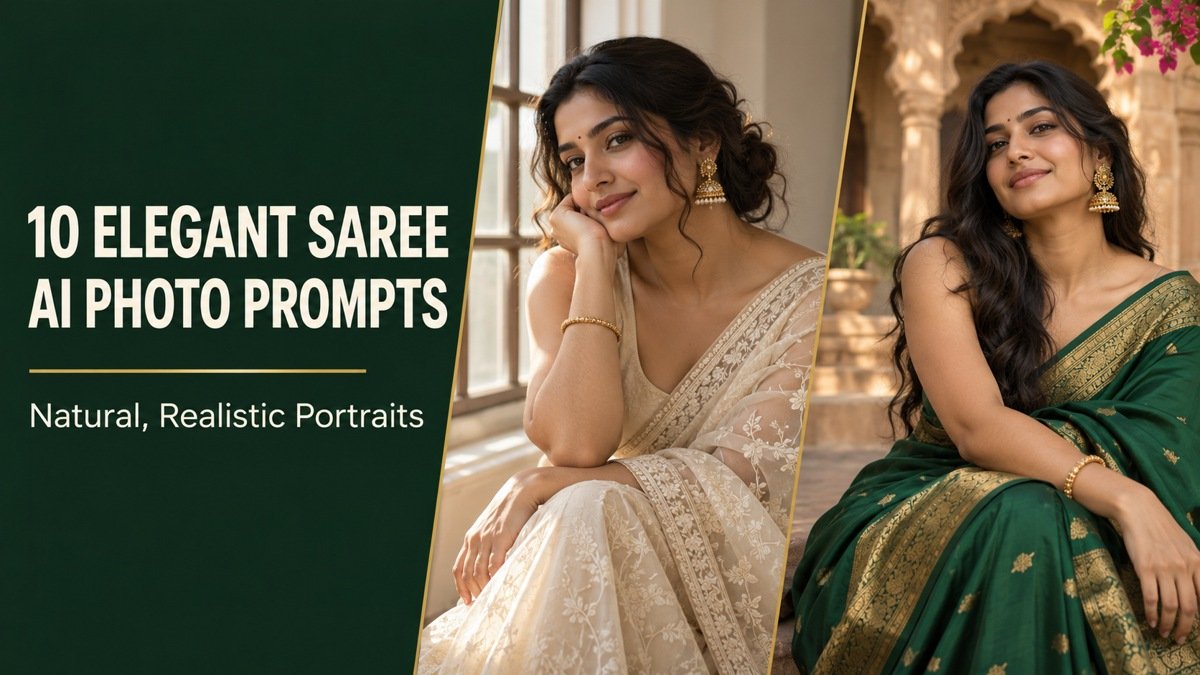
A convincing saree portrait depends on how the fabric behaves. The border should follow the drape, pleats should make physical sense, and lighting should distinguish cotton, linen and silk. These saree AI photo prompts give you ten specific looks, from soft window-light portraits to understated evening styling.
Each concept combines a defined fabric, a comfortable pose and a clear lighting setup. Use the AI Prompt cards to copy the full instructions, then adapt the colors, jewelry or location to your preference. The example images are AI-generated concept illustrations, not real photoshoots.
How to Create a Saree Portrait From Your Photo
1. Use a clean reference. Upload your own well-lit adult photograph, or another adult photo you have permission to edit. Keep the face clearly visible and avoid strong beauty filters if likeness matters.
2. Choose fabric and occasion. Cotton and linen suit casual daylight looks; silk works well for a refined evening portrait. Avoid adding several unrelated fabric descriptions to one prompt.
3. Copy one complete prompt. Use the AI Prompt card beneath your chosen look. If you are working without a reference photo, the fictional adult description supplies a starting subject.
4. Check the drape before exporting. Follow the border from shoulder to waist, inspect the hands and make sure the saree does not merge with a chair or background. Request a focused correction without redesigning the whole image.
Choose Your Saree Portrait Style
For a clean profile portrait, try ivory window light or the charcoal studio. For a full-length outfit image, start with the emerald courtyard or blush garden. The indigo bookshop and terracotta veranda looks keep styling approachable. The mustard rainy-window portrait is a good option when you want atmosphere with a simple indoor pose.
10 Saree AI Photo Prompts to Copy
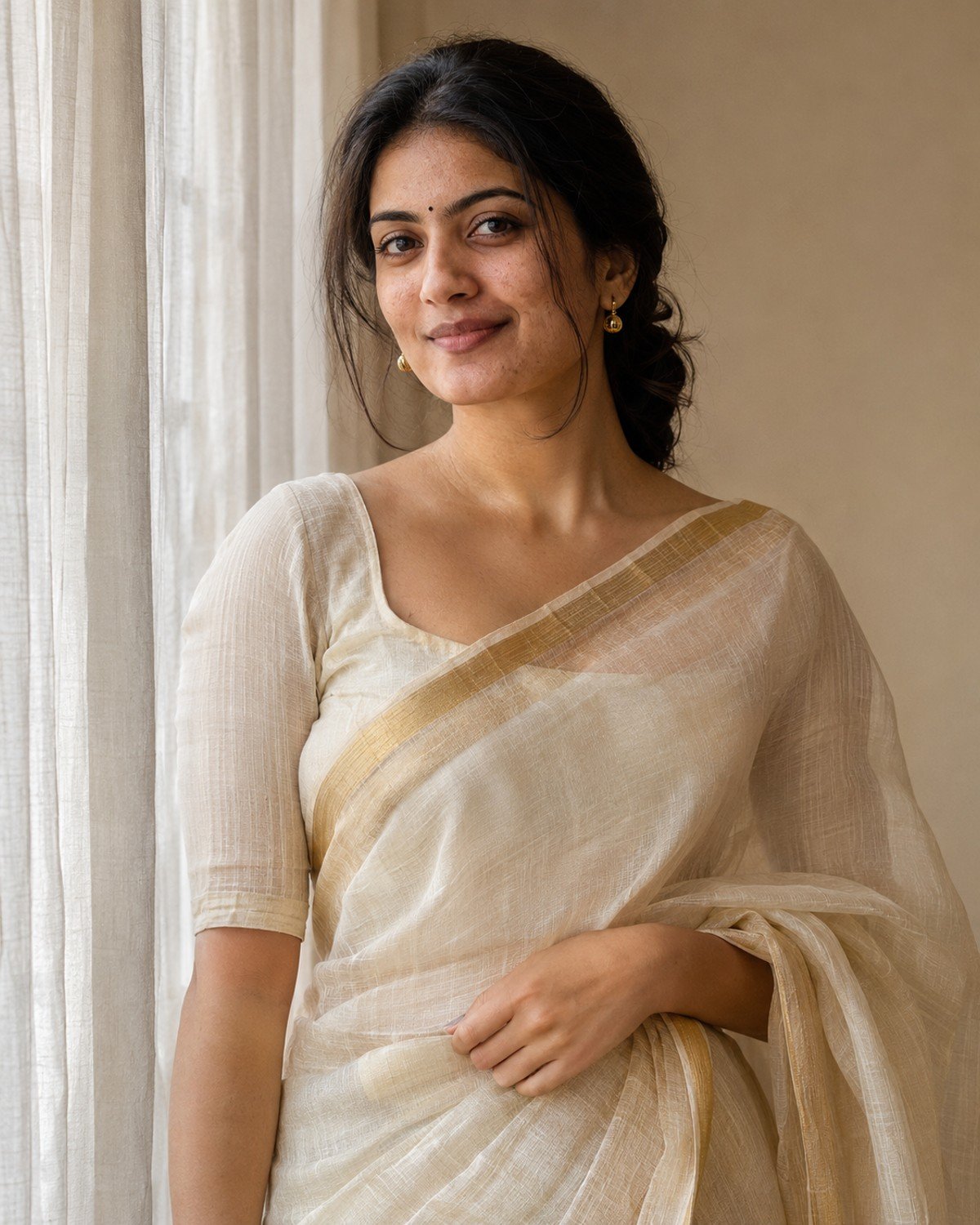
1. Ivory Saree in Soft Window Light
Best for a restrained indoor portrait where fabric texture and expression lead.
Ivory Saree in Soft Window Light · AI-generated example.ϟ AI PromptCopy-ready prompt
A fictional South Asian adult woman in her late twenties wears an ivory handwoven saree with a narrow muted-gold border and a modest matching blouse. Place her beside a tall sheer-curtained window…
A fictional South Asian adult woman in her late twenties wears an ivory handwoven saree with a narrow muted-gold border and a modest matching blouse. Place her beside a tall sheer-curtained window in a warm neutral room, posed at a slight angle with one hand gently touching the pallu at her waist. Make a waist-up eye-level portrait with soft side light, natural makeup, minimal gold earrings and visible skin texture. Show believable cloth layering, continuous borders and gentle fabric translucency without exposing the body. Keep the background simple and hands anatomically correct. If a reference photo is provided, use that adult as the subject instead, preserving their recognizable face, skin tone, age and natural proportions while changing only the styling and setting described. Without a reference, create the fictional adult described. Use a vertical 4:5 photographic composition with sharp facial focus and anatomically natural hands. No text, brand logos, watermark or collage.
Refinement tip: Use soft contrast so ivory fabric retains weave and does not turn into a featureless white area.
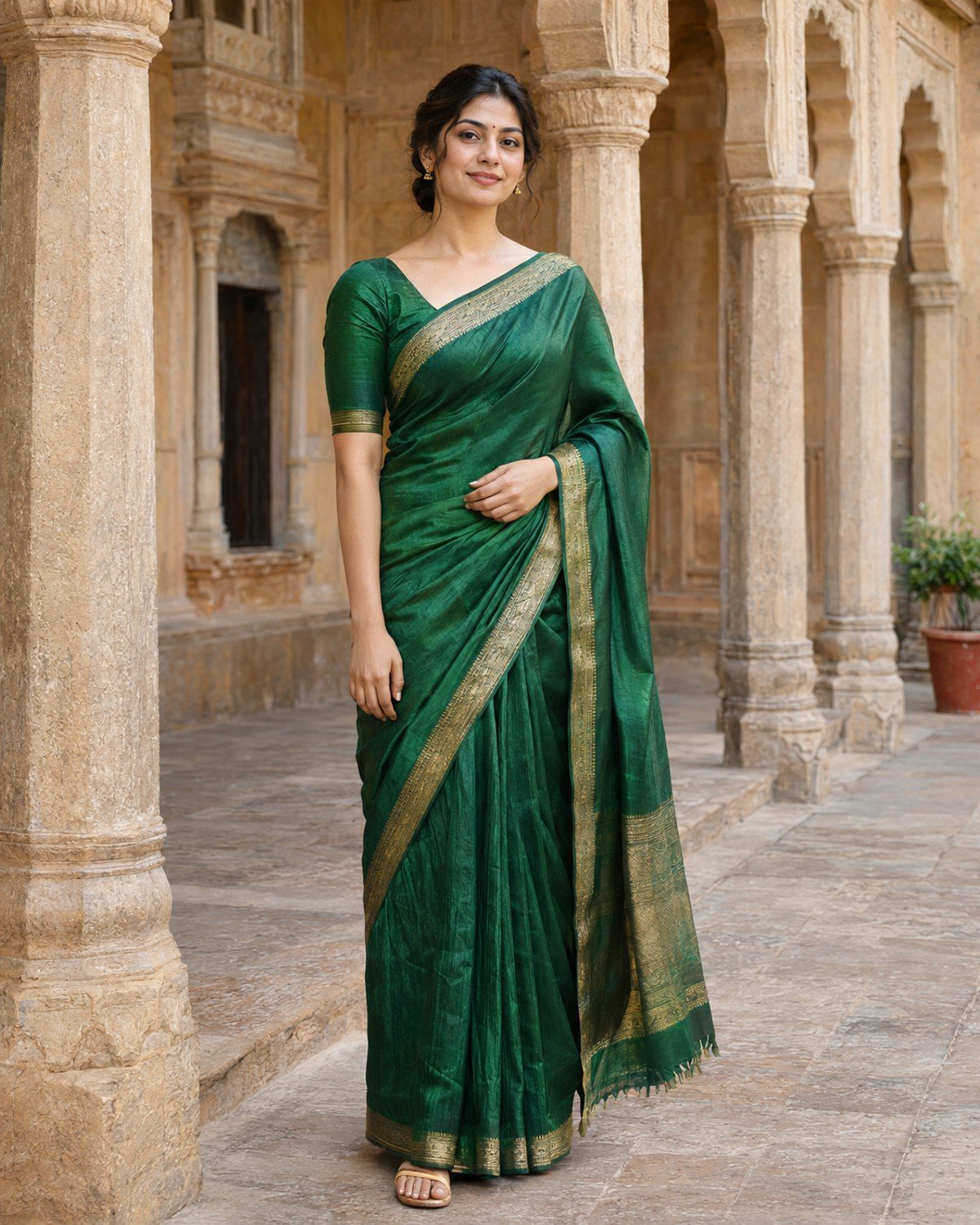
2. Emerald Saree in a Heritage Courtyard
Best for a rich color portrait with architecture as supporting context.
Emerald Saree in a Heritage Courtyard · AI-generated example.ϟ AI PromptCopy-ready prompt
A fictional South Asian adult woman around thirty wears an emerald silk saree with a restrained gold border and matching modest blouse, standing in a sandstone heritage courtyard. Compose a full-body portrait…
A fictional South Asian adult woman around thirty wears an emerald silk saree with a restrained gold border and matching modest blouse, standing in a sandstone heritage courtyard. Compose a full-body portrait including feet with enough space above her head. She turns slightly toward camera, one arm resting naturally while the other holds the pallu lightly at the waist. Use open-shade daylight and warm reflected light from stone walls. Render silk highlights softly, keep repeated carved columns geometrically plausible and maintain natural proportions. Add small gold earrings without oversized jewelry. If a reference photo is provided, use that adult as the subject instead, preserving their recognizable face, skin tone, age and natural proportions while changing only the styling and setting described. Without a reference, create the fictional adult described. Use a vertical 4:5 photographic composition with sharp facial focus and anatomically natural hands. No text, brand logos, watermark or collage.
Refinement tip: Keep the face in open shade; patchy sunlight across the forehead can overpower the outfit.
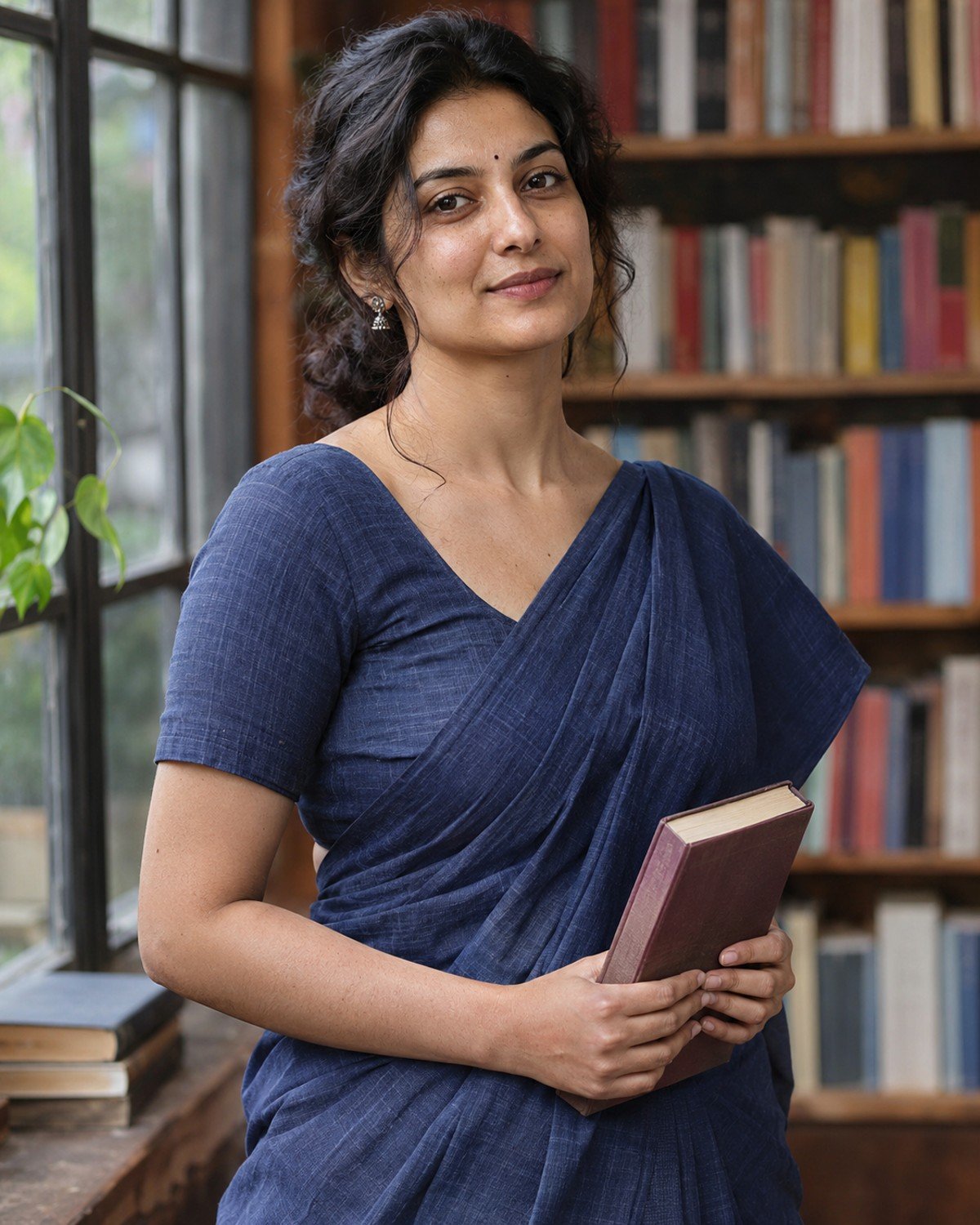
3. Indigo Cotton Saree at a Bookshop
Best for a contemporary everyday look with a thoughtful, relaxed mood.
Indigo Cotton Saree at a Bookshop · AI-generated example.ϟ AI PromptCopy-ready prompt
A fictional South Asian adult woman in her early thirties wears a matte indigo cotton saree, simple short-sleeved blouse and small silver earrings inside a quiet bookshop. Capture a three-quarter portrait while…
A fictional South Asian adult woman in her early thirties wears a matte indigo cotton saree, simple short-sleeved blouse and small silver earrings inside a quiet bookshop. Capture a three-quarter portrait while she holds one closed book at waist level, fingers naturally spaced, and looks toward camera with a relaxed expression. Use soft overcast window light, visible cotton weave and gentle shelf blur. Book spines contain no readable text. Keep the saree pleats physically plausible and avoid turning cotton into shiny satin. Preserve realistic facial detail and natural hair strands. If a reference photo is provided, use that adult as the subject instead, preserving their recognizable face, skin tone, age and natural proportions while changing only the styling and setting described. Without a reference, create the fictional adult described. Use a vertical 4:5 photographic composition with sharp facial focus and anatomically natural hands. No text, brand logos, watermark or collage.
Refinement tip: A matte fabric instruction helps prevent the generator from giving every saree the same glossy finish.
4. Burgundy Saree for an Evening Gathering
Best for an understated festive portrait with warm indoor lighting.
Burgundy Saree for an Evening Gathering · AI-generated example.ϟ AI PromptCopy-ready prompt
A fictional South Asian adult woman in her late twenties wears a burgundy silk saree with a thin antique-gold border, a modest matching blouse and small earrings at an intimate evening gathering.…
A fictional South Asian adult woman in her late twenties wears a burgundy silk saree with a thin antique-gold border, a modest matching blouse and small earrings at an intimate evening gathering. Frame from the knees upward with relaxed shoulders and hands resting together naturally at her waist. Use a soft warm key light on the face and small defocused lamps behind, preserving natural skin color rather than an orange cast. Show smooth but believable silk folds, distinct fingers and a simple uncluttered background. Keep jewelry symmetrical and expression calm. If a reference photo is provided, use that adult as the subject instead, preserving their recognizable face, skin tone, age and natural proportions while changing only the styling and setting described. Without a reference, create the fictional adult described. Use a vertical 4:5 photographic composition with sharp facial focus and anatomically natural hands. No text, brand logos, watermark or collage.
Refinement tip: Use a neutral facial key light if warm lamps make both skin and fabric look orange.
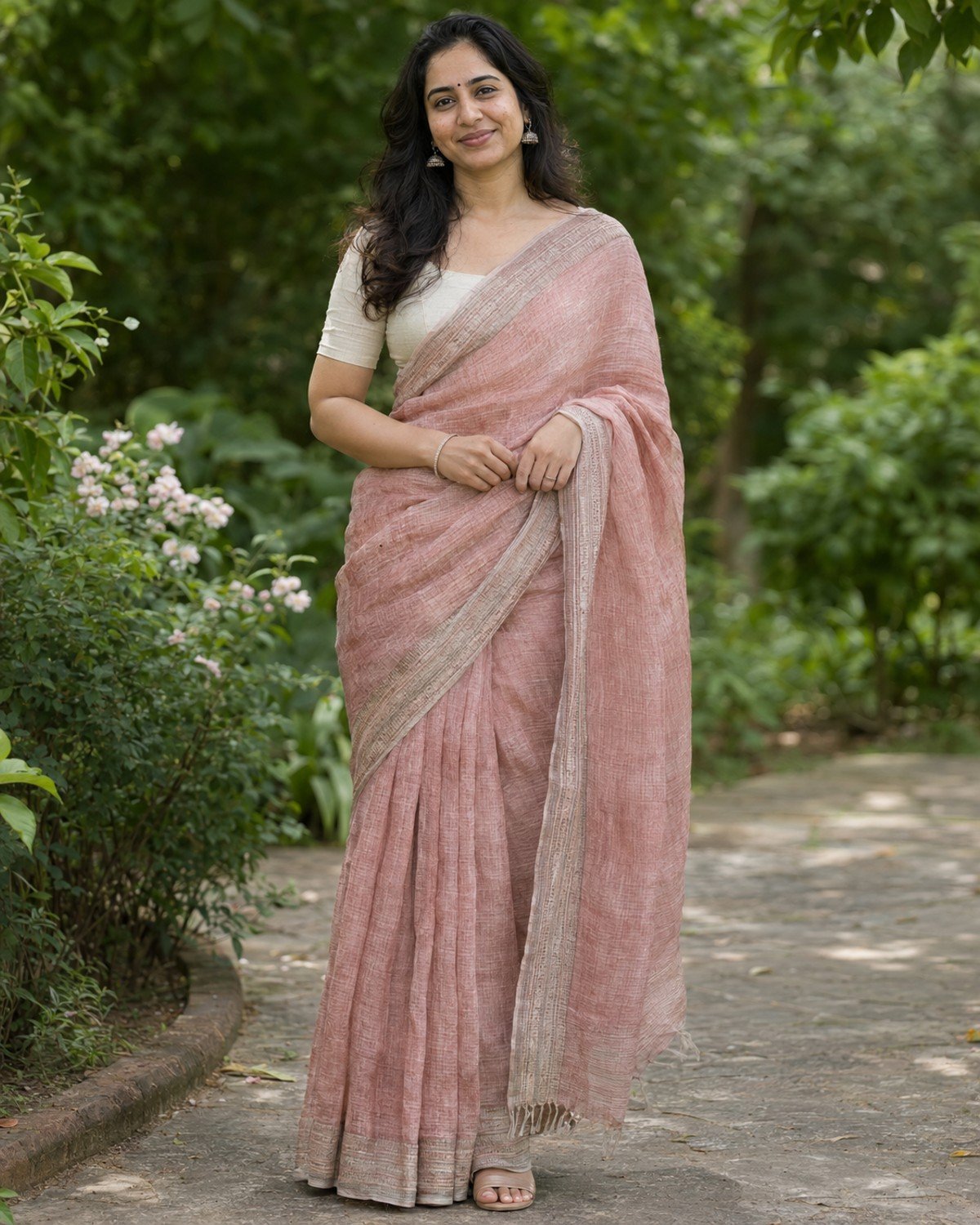
5. Blush Linen Saree in a Garden
Best for a light daytime portrait with soft greenery and an airy feel.
Blush Linen Saree in a Garden · AI-generated example.ϟ AI PromptCopy-ready prompt
A fictional South Asian adult woman around thirty wears a blush-pink linen saree with a subtle woven border and a simple cream blouse, standing on a garden path under open shade. Create…
A fictional South Asian adult woman around thirty wears a blush-pink linen saree with a subtle woven border and a simple cream blouse, standing on a garden path under open shade. Create a full-length portrait with feet visible, a relaxed stable stance and her hands loosely holding the edge of the pallu at waist height. Use softly blurred greenery, a few pale flowers and gentle reflected daylight. Preserve linen texture, realistic pleats and natural skin pores. Keep foliage behind the head uncluttered and avoid bright artificial bloom or excessive skin smoothing. If a reference photo is provided, use that adult as the subject instead, preserving their recognizable face, skin tone, age and natural proportions while changing only the styling and setting described. Without a reference, create the fictional adult described. Use a vertical 4:5 photographic composition with sharp facial focus and anatomically natural hands. No text, brand logos, watermark or collage.
Refinement tip: Specify one stable stance; a complex walking pose can make the pleats and feet harder to control.
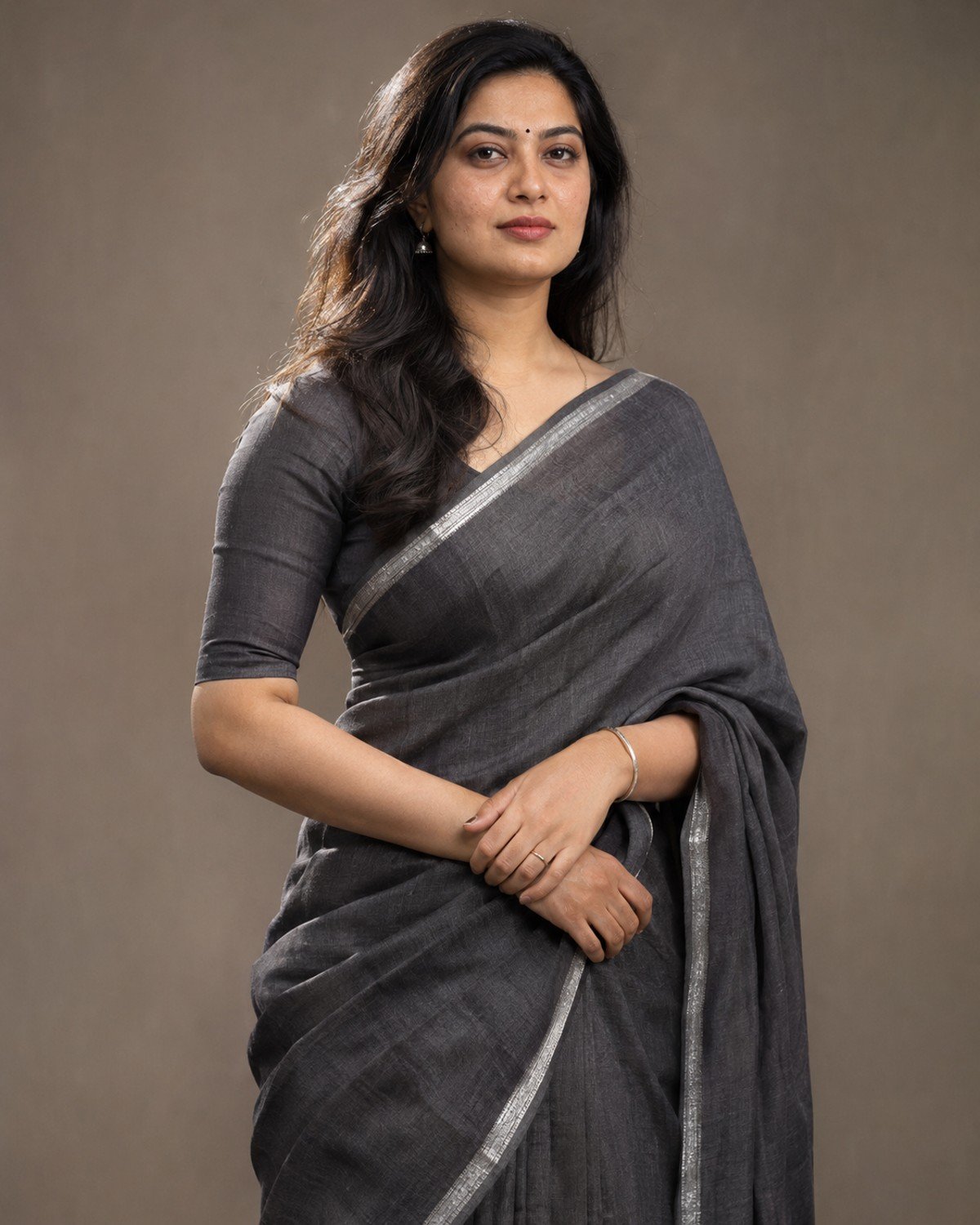
6. Charcoal Saree Studio Portrait
Best for a minimal editorial image with attention on drape and silhouette.
Charcoal Saree Studio Portrait · AI-generated example.ϟ AI PromptCopy-ready prompt
A fictional South Asian adult woman in her early thirties wears a charcoal-grey saree with a narrow silver border and modest matching blouse in a warm-grey studio. Pose her standing at a…
A fictional South Asian adult woman in her early thirties wears a charcoal-grey saree with a narrow silver border and modest matching blouse in a warm-grey studio. Pose her standing at a slight angle, one hand resting naturally over the other at waist height, with relaxed shoulders and a confident neutral expression. Use a large softbox at forty-five degrees and a faint edge light to separate dark fabric from the background. Compose from mid-thigh upward with realistic skin texture, continuous border lines and physically plausible draping. No excessive jewelry, no plastic fabric shine. If a reference photo is provided, use that adult as the subject instead, preserving their recognizable face, skin tone, age and natural proportions while changing only the styling and setting described. Without a reference, create the fictional adult described. Use a vertical 4:5 photographic composition with sharp facial focus and anatomically natural hands. No text, brand logos, watermark or collage.
Refinement tip: Add an edge light instead of making the dark saree unnaturally bright.
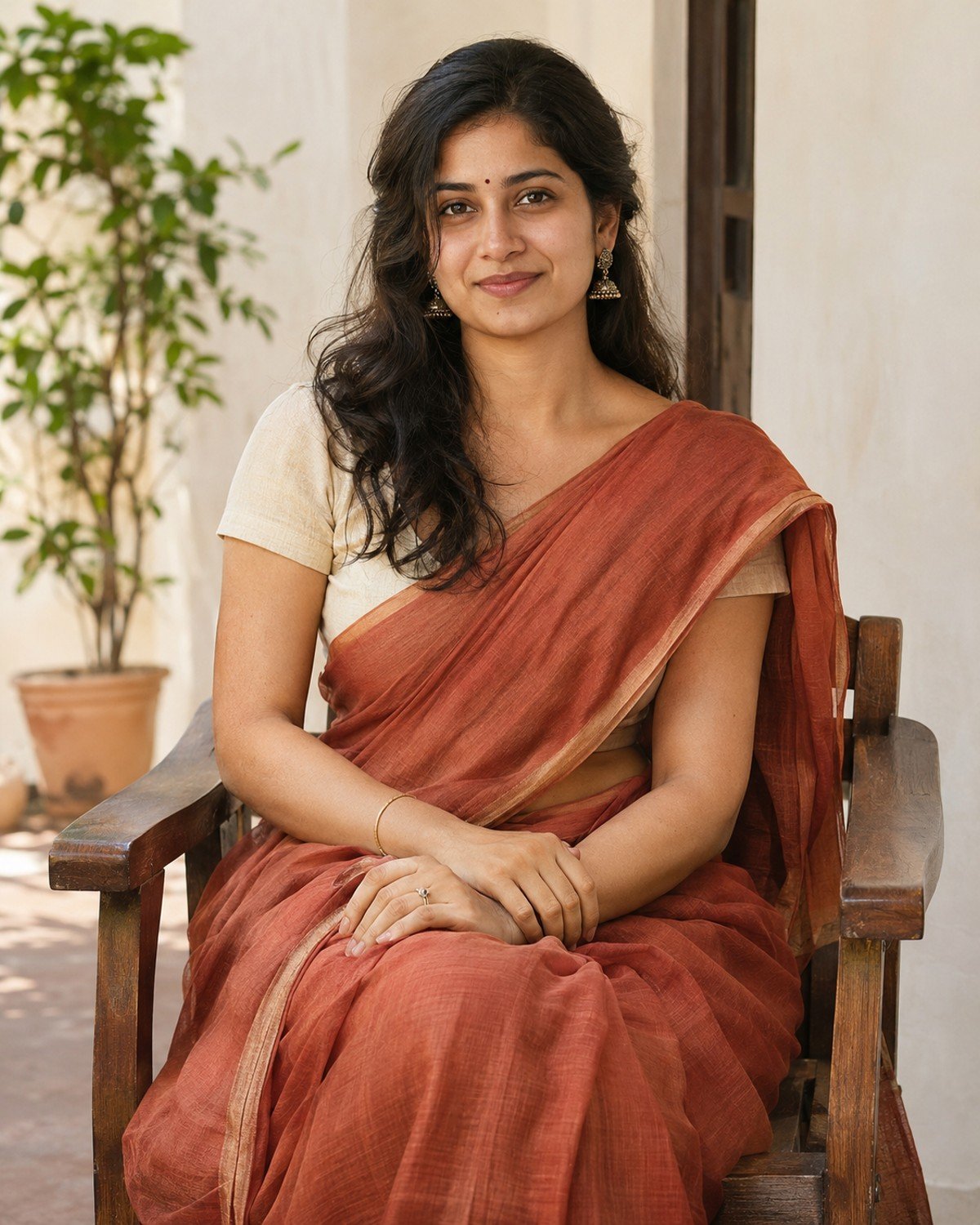
7. Terracotta Saree on a Shaded Veranda
Best for an earthy, warm portrait with comfortable everyday styling.
Terracotta Saree on a Shaded Veranda · AI-generated example.ϟ AI PromptCopy-ready prompt
A fictional South Asian adult woman in her late twenties wears a terracotta cotton saree and cream short-sleeved blouse on a shaded veranda with pale plaster walls. She sits upright on a…
A fictional South Asian adult woman in her late twenties wears a terracotta cotton saree and cream short-sleeved blouse on a shaded veranda with pale plaster walls. She sits upright on a simple wooden chair, hands resting naturally on her lap with fingers distinct. Capture a knees-up portrait at eye level with warm reflected daylight, subtle shadows and a softly blurred potted plant in the background. Show realistic seated saree folds, matte cloth texture, natural makeup and individual hair strands. Keep chair arms and limbs clearly separated. If a reference photo is provided, use that adult as the subject instead, preserving their recognizable face, skin tone, age and natural proportions while changing only the styling and setting described. Without a reference, create the fictional adult described. Use a vertical 4:5 photographic composition with sharp facial focus and anatomically natural hands. No text, brand logos, watermark or collage.
Refinement tip: For seated poses, check the boundary between lap, chair and pallu before refining facial details.
8. Mustard Saree by a Rainy Window
Best for a cozy indoor portrait with a clear warm-and-cool color relationship.
Mustard Saree by a Rainy Window · AI-generated example.ϟ AI PromptCopy-ready prompt
A fictional South Asian adult woman around thirty wears a mustard handloom saree with a thin dark border and a modest blouse inside a quiet room beside a rain-streaked window. Frame an…
A fictional South Asian adult woman around thirty wears a mustard handloom saree with a thin dark border and a modest blouse inside a quiet room beside a rain-streaked window. Frame an eye-level waist-up portrait with her face clearly inside the room, one hand lightly touching a curtain and the other at her waist. Use cool window ambience and gentle warm interior fill while retaining natural skin color. Show fabric weave, realistic curtain contact and soft rain beyond the glass. Avoid a second reflected face or droplets on indoor skin. If a reference photo is provided, use that adult as the subject instead, preserving their recognizable face, skin tone, age and natural proportions while changing only the styling and setting described. Without a reference, create the fictional adult described. Use a vertical 4:5 photographic composition with sharp facial focus and anatomically natural hands. No text, brand logos, watermark or collage.
Refinement tip: Keep the window reflection faint; reflections should add atmosphere without duplicating the subject.
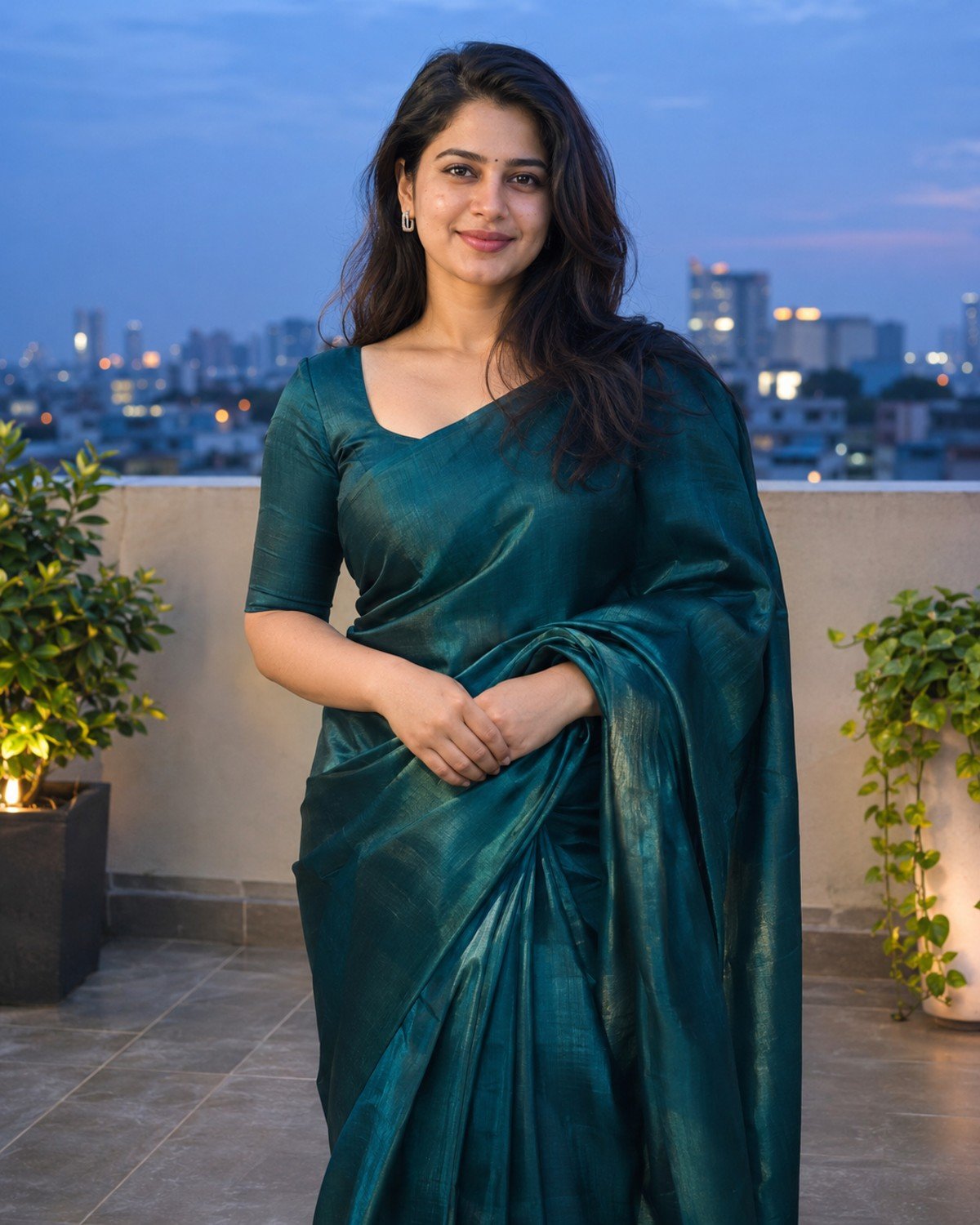
9. Teal Saree on a City Terrace
Best for a modern evening portrait with simple contemporary architecture.
Teal Saree on a City Terrace · AI-generated example.ϟ AI PromptCopy-ready prompt
A fictional South Asian adult woman in her late twenties wears a deep-teal silk saree, plain matching blouse and small contemporary earrings on a secure city terrace at blue hour. Place her…
A fictional South Asian adult woman in her late twenties wears a deep-teal silk saree, plain matching blouse and small contemporary earrings on a secure city terrace at blue hour. Place her well inside the parapet and frame from the knees upward, facing camera with a small natural smile and hands loosely joined at the waist. Add soft neutral facial lighting and a distant softly blurred skyline. Preserve realistic fabric folds, subtle silk highlights and natural body proportions. Keep the parapet level and background lights gentle, with no readable signs. If a reference photo is provided, use that adult as the subject instead, preserving their recognizable face, skin tone, age and natural proportions while changing only the styling and setting described. Without a reference, create the fictional adult described. Use a vertical 4:5 photographic composition with sharp facial focus and anatomically natural hands. No text, brand logos, watermark or collage.
Refinement tip: Ask for a neutral facial light; blue-hour ambience alone can make skin appear unnaturally cool.
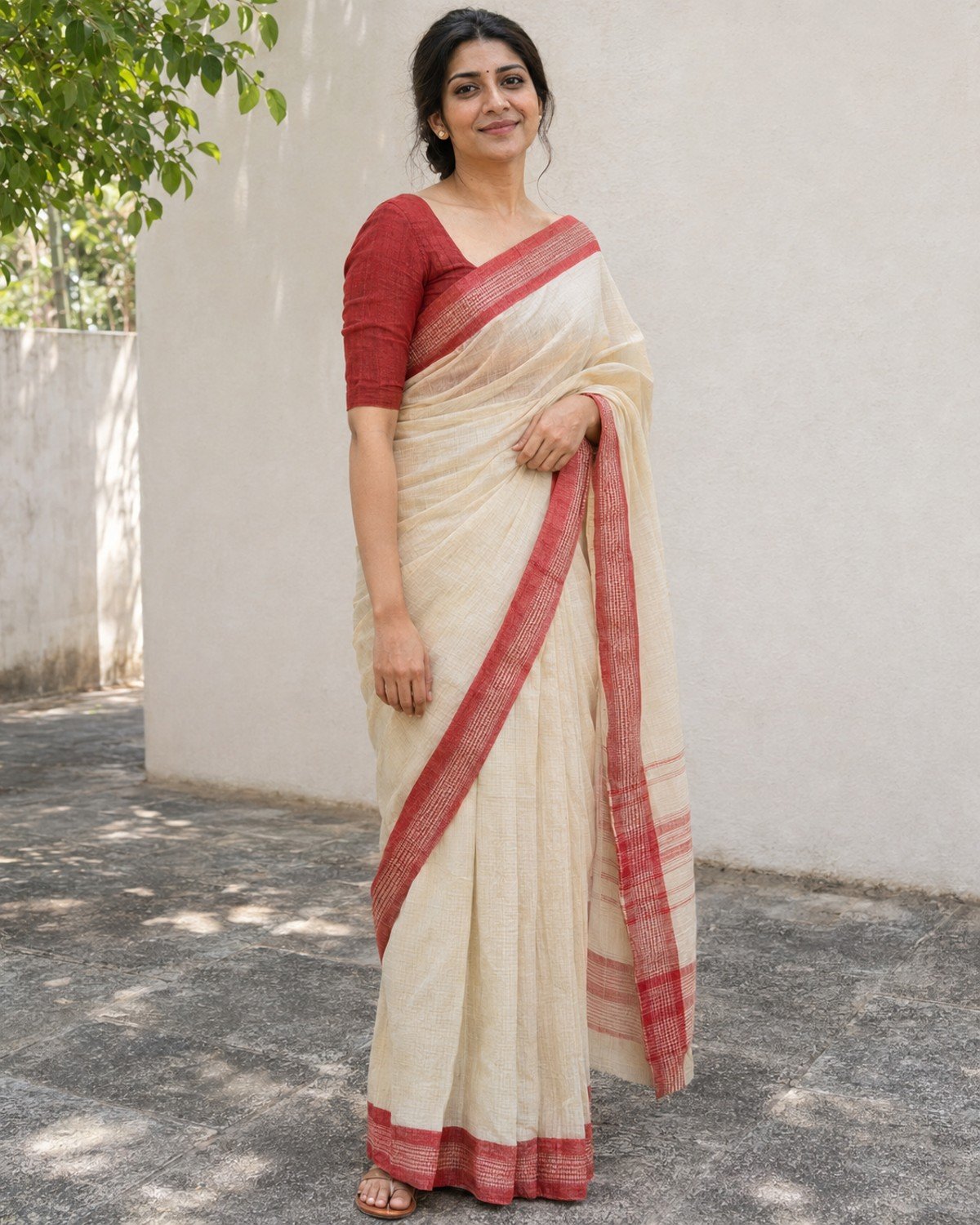
10. Cream and Red Saree in a Courtyard
Best for a classic color combination with a clean daytime composition.
Cream and Red Saree in a Courtyard · AI-generated example.ϟ AI PromptCopy-ready prompt
A fictional South Asian adult woman in her early thirties wears a cream cotton saree with a clear red woven border and a modest red blouse in a quiet sunlit courtyard. Place…
A fictional South Asian adult woman in her early thirties wears a cream cotton saree with a clear red woven border and a modest red blouse in a quiet sunlit courtyard. Place her in open shade near a pale wall, body turned slightly, face toward camera and one hand gently gathering the pallu at waist level. Use a head-to-toe composition with visible feet, soft reflected daylight and restrained gold stud earrings. Preserve continuous red borders, realistic pleat direction and natural skin texture. Keep the courtyard minimal and avoid invented ceremonial objects. If a reference photo is provided, use that adult as the subject instead, preserving their recognizable face, skin tone, age and natural proportions while changing only the styling and setting described. Without a reference, create the fictional adult described. Use a vertical 4:5 photographic composition with sharp facial focus and anatomically natural hands. No text, brand logos, watermark or collage.
Refinement tip: Check that the red border follows the fabric continuously rather than jumping between unrelated folds.
Fix the Details That Make Saree Images Look Artificial
Broken borders: Ask for one continuous border following the existing cloth from shoulder to waist. Keep the face, pose and color unchanged so the edit stays focused.
Shiny cotton: Request matte woven cotton with visible fine fibers and soft highlights. For silk, ask for gentle directional highlights rather than a metallic or plastic finish.
Unclear hands: Keep a simple pose with hands at the waist or on the lap. If the fingers merge with fabric, correct only the grip and preserve the drape around it.
Over-smoothed skin: Request realistic pores, a natural age and restrained retouching. Lighting can be soft without erasing the texture of the face.
Busy jewelry: Use one or two simple pieces. Check earrings, necklaces and bangles for repeated or floating shapes before exporting.
Customize the Prompt Without Losing the Look
Change one styling choice at a time: first the saree color, then the jewelry or background. Keep the fabric and lighting instructions until the result is stable. For a full-body image, explicitly retain feet, complete drape and space around the outer edges. If you change to a seated pose, rewrite the hand and fabric-fold directions as well.
A LITTLE EXTRA CLARITY
Frequently Asked Questions
Can these saree prompts work with my own photo?
Yes, when your image generator supports photo references or editing. Use a clear adult photo with permission and include the identity instructions. Compare the result carefully because exact likeness is not guaranteed.
How can I keep saree pleats and borders realistic?
Specify one fabric, one continuous border and a simple pose. If the border breaks, ask for a targeted drape correction while keeping the person, lighting and outfit color unchanged.
Which fabric should I choose for a casual portrait?
The cotton and linen concepts in this collection are designed for relaxed daylight scenes. Keep matte weave instructions so the material does not become glossy silk.
Can I change the saree or blouse color?
Yes. Replace the color words in one complete prompt and keep the fabric, pose and light direction. For a full-length image, check that the new colors remain consistent across the pleats and pallu.
What image size works for these portraits?
Choose a vertical 4:5 frame for the prompt examples, such as 1200 × 1500 pixels when supported. Use a separately composed 1200 × 675 image for a wide website cover.
Why does the generated face look too smooth?
Beauty-style wording and heavy retouching can remove texture. Request natural pores, realistic age and subtle makeup, then ask for a focused skin-texture edit instead of regenerating every detail.
Choose One Look and Refine It
Start with the scene that matches your goal, copy the complete prompt and adjust only the details you need. Review the face, hands, clothing and light before sharing. A focused correction usually gives you more control than adding a long list of competing instructions.